 Posted by
 MTK Auth Bypass Tool V85 (MTK Meta Mode Utility) Free
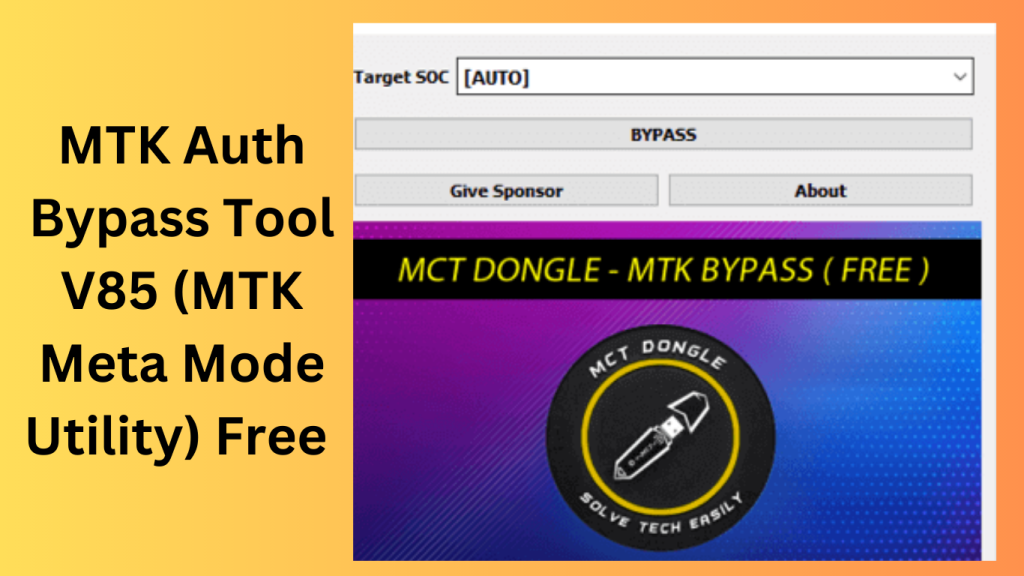
MTK Auth Bypass Tool V85 (MTK Meta Mode Utility) Free is called offers new features and improvements like the ability to update Huawei firmware via USB, support for all Huawei update types, one-click loading of sub-update files, support for MTK devices operating in META mode, a fast-boot flash partition option, and improved Spreadtrum flashing as well as MTK IC health check functionality that works with UFS ICs. This programme should only be used for instructional purposes, and your staff should take any associated risks.
It is important to keep in mind that software is provided “as-is” and that its creators cannot be held liable for any harm caused by the use of the product. A free Windows programme, MTK Author Bypass Tool (MTK Meta Mode Utility), makes it simple to go beyond any MediaTek MTK-powered device’s DAA and SLA Auth (Secure Boot Protection). Meta Mode Utility for MTK A program or utility called MTK Meta Mode Utility (MTK) is available for MediaTek (MTK) chipset-equipped smartphones. There are three ways to access its features: in Brom Mode, Meta Mode, and Android Mode.
Features Key:
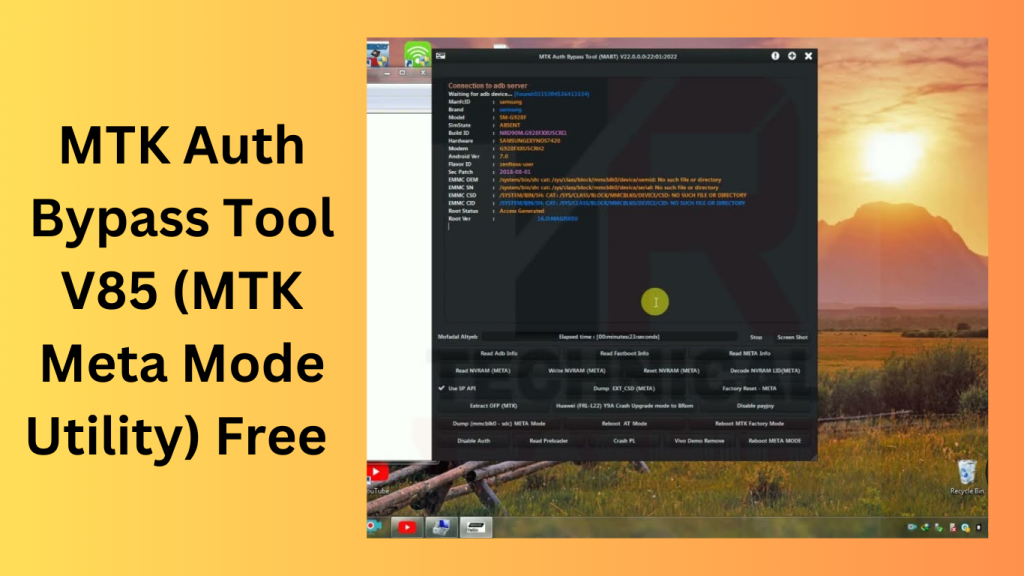
Brom Mode MTK:
BROM MODE MTK Meta Mode Utility V85
- Deactivate the authorization.
- Preloader Dump
- Preloader Crasher
- Preloader Crash to Brom
- MTK Force Brom from Samsung
- Exit Brom Samsung MTK
- Rebuilt Samsung MTK PMT (D.M.
- Force FRL-L22 Y9A Brom
- Reboot AT Mode Meta Meta Reboot
- Restart in factory mode
- Fastboot Mode Reboot
- NEW VIVO SEC View additional details (F.M.)
- Review the MTKA. Analyze the preloader, D.A.
Supported CPUs:
CPUs that are supported include the
- MT6572,
- MT6580,
- MT6582,
- MT6592,
- MT6595,
- MT6735,
- MT6737,
- MT6739,
- MT6753,
- MT6755,
- MT6750,
- MT6750M.
The following MTs are included in this list:
- MT6750
- T MT6750
- S MT6757
- MT6761
- MT6762
- MT3369
- MT8766
- B MT6763
- MT6765
- MT6768
- MT6771
- MT6779
- MT6785
- MT6795
- MT6797
- MT8127
- MT8163
- MT8516
- MT8173
- MT8695
- MT6873
- MT6799
- MT8590
- MT6781
- MT67
What’s New
- Improved compatibility with newer MTK chipsets.
- Enhanced device detection performance.
- Better stability during device communication.
- Updated user interface for easier navigation.
- Faster processing and reduced connection errors.
- Improved support for recent Windows versions.
- Bug fixes and overall performance enhancements.
- Expanded compatibility with additional MediaTek devices.
Pros and Cons
Pros
- Supports a wide range of MediaTek devices.
- Easy-to-use interface for technicians.
- Fast device detection and communication.
- Regular updates improve compatibility.
- Helps streamline certain device maintenance tasks.
Cons
- Limited to supported MTK-based devices.
- Compatibility may vary across device models.
- Requires proper drivers to function correctly.
- Incorrect usage may lead to device issues.
- Some features may not work on all firmware versions.
System Requirements
- Windows 7, Windows 10, or Windows 11 (64-bit recommended).
- MediaTek (MTK) powered smartphone or tablet.
- Installed USB drivers for MediaTek devices.
- USB data cable in good condition.
- Minimum 4 GB RAM.
- At least 500 MB of free storage space.
- Administrative privileges on the computer.
How Do I Use?
- Get the ZIP file by clicking the link below as the first step.
- You should then unzip every file on the C: disc (essential).
- Before beginning your installation, make sure the antivirus has been uninstalled.
- Afterwards, open the folder by setting up the setup file in accordance with some simple guidelines.
- You may then install all the drivers you have already installed by running “MTKMetaUtility.exe”. You may omit this action.
- Connect the phone, then try any function.
- Enjoy !!!
FAQs
- What is MTK Auth Bypass Tool?
- MTK Auth Bypass Tool is a utility designed for working with compatible MediaTek-based devices and facilitating authorized maintenance and servicing operations.
- Which devices are supported?
- The tool generally supports a variety of smartphones and tablets that use MediaTek chipsets, depending on the version and compatibility.
- Is the tool free to use?
- Availability and licensing depend on the specific release and developer.
- Do I need special drivers?
- Yes, appropriate MediaTek USB drivers are typically required for proper device recognition.
- Does it support Windows 11?
- Most recent versions are designed to work with Windows 11, Windows 10, and other supported Windows editions.
Conclusion
MTK Auth Bypass Tool is a useful utility for professionals who work with MediaTek-powered devices. With improved compatibility, better performance, and an easier user experience, it can assist with device servicing tasks on supported hardware. Users should always ensure compatibility and follow applicable policies and manufacturer guidelines when using such tools.
Password: technical world.co
Download Link!