MTK META Utility V90 | MTK Auth Bypass Tool Free Download

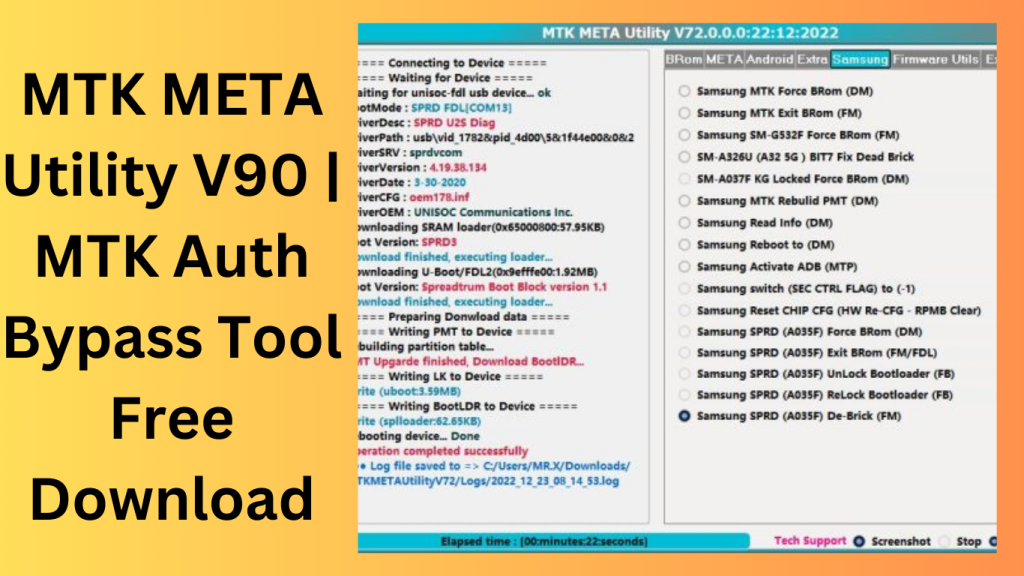
MTK META Utility V90 An programme called MTK META utility version V90:19.02.2023, which is used to perform various operations for Samsung MTK-based devices like the A03S. The most recent version enables USB preloader mode to unlock the Bootloader on the A03S Samsung (A037F U2) device.
Key Features
- Turn off the Auth
- Dump Preloader
- Preloader Crasher
- Preloader Crash To Brom
- MTK Force Brom from Samsung
- Exit Brom Samsung MTK
- Rebuilt Samsung MTK PMT (D.M.
- Force FRL-L22 Y9A Brom
- Reboot AT Mode Meta Meta Reboot
- Restart in factory mode
- Fastboot Mode Reboot
- NEW VIVO SEC View
- additional details (F.M.)
- Review the MTKA.
- Analyse the Preloader, D.A.
Changelog!!!
MTK META Utility Version 89: 19.2.2023:
- The A037F U2] Lock Bootloader via USB (one click in the preloader mode), BootROM deactivated by Efuse(MTK_SEC_CTL_FUSES), has been added to the Samsung A03S.
- Any level of SAM SEC can use it:
- “SEC CTRL STATUS (0)” is short for “SEC CTRL STATUS (0).”
(SEC CTRL STATUS (2). - (Locked/Active) (00/01) the K.G.
- Users may install customised images or custom ROMs in (Fastboot/Preloader) Mode using the Bootloader Unlock function.
- A Flash ROM option in Preloader mode for gadgets with the SEC CTRL STATUS (0/2) flag might be added.
What’s New in MTK META Utility
- The latest version of MTK META Utility introduces several enhancements aimed at improving compatibility, performance, and overall user experience for supported MediaTek devices.
- Expanded Device Compatibility
- Recent updates add support for additional MediaTek chipsets and newer smartphone models, allowing users to work with a broader range of devices.
- Faster Processing Performance
- The software has been optimized to perform supported operations more efficiently, reducing waiting times and improving workflow speed.
- Improved Stability
- Developers have addressed various bugs and software issues, resulting in a more reliable and consistent experience.
- Enhanced User Interface
- The interface has been refined to make navigation easier, helping both beginners and experienced users access features more quickly.
- Updated Security and Maintenance Functions
- Several maintenance modules have been improved to provide better compatibility with current device firmware and software environments.
Pros and Cons
Pros
- User-friendly interface
- Supports a wide range of MediaTek devices
- Lightweight and fast performance
- Regular software updates
- Useful maintenance and diagnostic features
- Suitable for technicians and advanced users
Cons
- Limited to supported MediaTek-powered devices
- Some functions may require technical knowledge
- Compatibility may vary depending on firmware versions
- Requires proper drivers and setup for optimal operation
How to Get:
- From the official website, you may obtain.
- MTK META Utility version V90:19.02.2023 without charge.
- To flash MTK Android devices, use this tool.
- It is a pretty basic and user-friendly tool.
- Run the exe file after extracting the zip file.
FAQs
- What is MTK META Utility used for?
- MTK META Utility is a device management and maintenance tool designed for supported MediaTek-based smartphones and tablets.
- Does MTK META Utility support all MediaTek devices?
- No. Device support depends on the chipset, firmware version, and compatibility included in the current software release.
- Is MTK META Utility free to use?
- Availability and licensing may vary depending on the version released by the developer.
- Can beginners use MTK META Utility?
- Yes, although some advanced functions are better suited for users with basic technical knowledge of mobile device maintenance.
Conclusion
MTK META Utility has become a well-known solution for users and technicians working with MediaTek-powered devices. Its combination of broad device compatibility, efficient performance, and practical maintenance features makes it a useful addition to many repair and servicing workflows. With ongoing updates, improved stability, and support for newer MediaTek hardware, the software continues to provide value for those seeking a reliable utility for supported devices.
Password: technical world.co
Download Link!