 Posted by
 VideoProc Converter AI 8.6 (2025102301) for macOS

VideoProc Converter AI is an all-in-one video processing software designed to simplify video editing, conversion, enhancement, and compression using advanced artificial intelligence technology. Built for both beginners and professionals, it combines powerful AI-driven tools with an intuitive interface, making complex video tasks fast, efficient, and accessible to everyone.
At its core, VideoProc Converter AI focuses on speed and quality. It leverages full GPU acceleration to handle high-resolution videos, including 4K and even 8K content, without overloading your system. Whether you are working with large video files, old low-quality footage, or modern recordings from smartphones, drones, or action cameras, this tool ensures smooth and reliable performance.
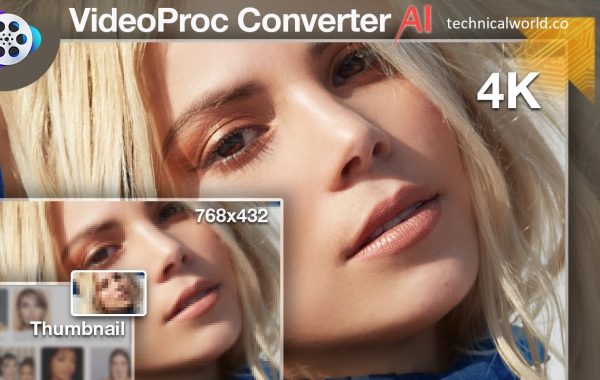
One of the standout features of VideoProc Converter AI is its AI-powered video enhancement. Using intelligent upscaling and noise reduction algorithms, it can improve video clarity, sharpen details, and restore older or blurry footage. This makes it especially useful for content creators, video editors, educators, and marketers who want professional-looking results without spending hours on manual editing.
Key Features:
- AI-Powered Video Enhancement: VideoProc Converter AI uses advanced artificial intelligence to upscale low-resolution videos, enhance details, and reduce noise. It can improve clarity in old, blurry, or compressed footage, making videos look sharper and more professional with minimal effort.
- Full GPU Acceleration: The software supports full GPU acceleration with NVIDIA, AMD, and Intel GPUs. This ensures faster processing speeds, smoother playback, and efficient handling of large files, including 4K and 8K videos, without putting heavy load on the CPU.
- Wide Format Conversion: VideoProc Converter AI supports hundreds of video and audio formats, allowing seamless conversion for different devices and platforms. Whether you need files optimized for smartphones, social media, smart TVs, or professional workflows, the software delivers reliable compatibility.
- High-Quality Video Compression: Users can significantly reduce video file sizes while maintaining excellent visual quality. This is ideal for sharing videos online, saving storage space, or uploading content to platforms with size limits.
- Built-in Video Editing Tools: The software includes essential editing features such as trimming, cropping, merging, rotating, and flipping videos. These tools allow quick edits without requiring advanced video editing knowledge.
- Video Stabilization: Shaky footage from action cameras, drones, or handheld devices can be stabilized easily. This feature smooths motion and improves viewing comfort, making videos look more professional.
- AI Frame Interpolation: VideoProc Converter AI can increase frame rates using AI interpolation, resulting in smoother motion, especially for slow-motion or fast-moving scenes.
- Audio Processing and Enhancement: It supports audio extraction, format conversion, and basic audio adjustments, ensuring clear and synchronized sound across different output formats.
- Simple and User-Friendly Interface:Designed with ease of use in mind, the interface is clean and intuitive. Even beginners can navigate the software and complete tasks efficiently without a steep learning curve.
System Requirements:
- Processor (CPU):
- Intel Core i5 / AMD Ryzen 5 or higher
- RAM:
- 8 GB or more
- Graphics Card (GPU):
- NVIDIA, AMD, or Intel GPU with hardware acceleration support
- Storage:
- SSD recommended for faster read/write speeds
- 5–10 GB free space for smooth operation
- Display Resolution:
- 1920 × 1080 (Full HD) or higher
How to install:
- Open your web browser.
- Visit the official VideoProc website.
- Navigate to the VideoProc Converter AI product page.
- Choose the version compatible with your operating system (Windows or macOS).
- Click the Download button to save the installer file.
Learn more about Shadow Defender Final’s features in our guide.