 Posted by
 Macsome iTunes Converter 3.2.0 for macOS

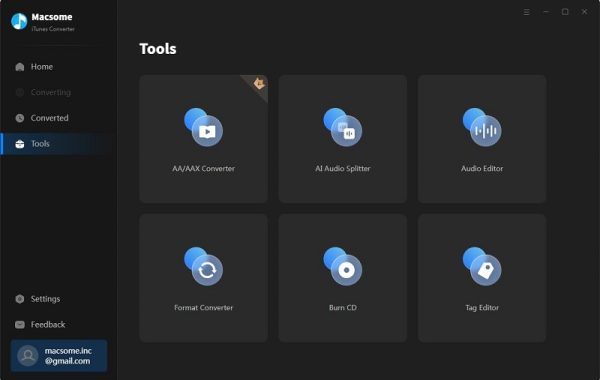
Macsome iTunes Converter is a powerful and easy-to-use tool designed to help users convert their iTunes media files into widely compatible formats. Whether you want to enjoy your Apple Music tracks on non-Apple devices, back up your purchased songs, or simply manage your music library more freely, Macsome provides a fast and efficient solution.
The software removes format limitations from iTunes audio files—such as Apple Music tracks, iTunes M4P songs, audiobooks, and more—by converting them into popular formats like MP3, AAC, WAV, or FLAC without losing quality. Its intuitive interface, batch conversion features, and fast processing make it suitable for both beginners and advanced users.
Key Features of Macsome iTunes Converter:
- Convert Apple Music and iTunes Songs: Easily convert Apple Music tracks, iTunes purchased songs, M4P files, and more into popular audio formats like MP3, AAC, WAV, FLAC, and AIFF.
- Remove DRM Protection: Macsome helps unlock DRM restrictions from Apple Music and iTunes tracks, giving you the freedom to play your media on any device.
- High-Quality Audio Output: The software ensures lossless conversion, preserving the original audio quality even after converting large batches of files.
- Fast Conversion Speed: With advanced acceleration technology, Macsome can convert multiple files at high speed without affecting performance.
- Batch Conversion Support: Convert entire playlists or large collections of songs at once, saving time and effort.
- Preserve ID3 Tags and Metadata: Macsome keeps important song information intact—such as title, artist, album, genre, and track number—after conversion.
- User-Friendly Interface: The clean and intuitive design makes it easy for beginners to operate without technical skills.
- Multiple Output Options: Customize audio settings such as bitrate, sample rate, and format according to your needs.
- Works with the Latest iTunes and macOS Versions: The tool stays updated to ensure compatibility with the newest Apple Music and macOS releases.
- Secure and Stable Performance:The program is lightweight, safe to use, and runs smoothly without slowing down your system.
System Requirements:
- Operating System: macOS 10.15 Catalina or later (including macOS Ventura & Sonoma)
- Processor: Intel processor or Apple Silicon (M1/M2/M3 supported)
- RAM: 1GB minimum (2GB+ recommended)
- Hard Disk Space: At least 200MB of available space
- Apple Music App: Latest Apple Music/iTunes environment required
- Internet Connection: Needed for logging in and software activation
How to Install:
- Download the Mac Version: Go to the official Macsome website and download the macOS installer.
- Open the DMG File: Double-click the downloaded file to open the installation window.
- Drag to Applications: Drag the Macsome iTunes Converter icon into your Applications folder.
- Launch the Program: Open the app from Applications. macOS may ask for permission—click Open.
- Authorize Access to Apple Music: Sign in to your Apple Music/iTunes account so the software can read your library.
Learn more about Shadow Defender Final’s features in our guide.