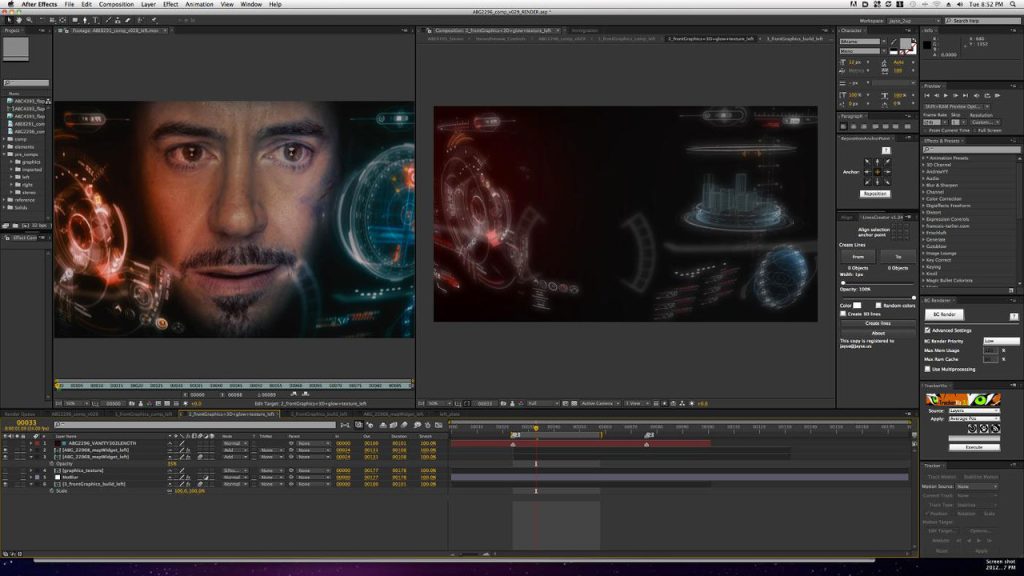
Adobe After Effects 24.0.2 Mac is one of the most powerful motion graphics, animation, and visual effects applications available for macOS. Whether you’re a professional video editor, motion designer, YouTuber, filmmaker, or content creator, this software provides industry-leading tools for creating cinematic intros, animated titles, visual effects, and professional-quality compositions.
Designed to integrate seamlessly with other Adobe Creative Cloud applications, After Effects allows users to combine animation, video editing, compositing, and visual effects into a single workflow. The 24.0.2 release focuses on improving overall performance, stability, and compatibility while addressing bugs reported in earlier versions.
If you’re searching for a reliable motion graphics application for Mac, Adobe After Effects continues to set the industry standard with advanced creative tools and a flexible workflow.
Key Features of Adobe After Effects 24.0.2 Mac
- Professional Motion Graphics
- Create stunning motion graphics for YouTube videos, advertisements, presentations, and social media using powerful animation tools.
- Advanced Visual Effects
- Add cinematic explosions, lightning, smoke, particle effects, green screen compositing, and realistic visual effects with precision.
- Powerful Keyframe Animation
- Animate virtually every property using customizable keyframes and graph editors for smooth motion.
- 3D Workspace
- Design and animate 3D layers directly inside After Effects while combining cameras, lights, and shadows for realistic depth.
- Seamless Adobe Integration
- Work effortlessly with Adobe Premiere Pro, Photoshop, Illustrator, Media Encoder, and Audition to streamline your creative workflow.
- AI-Powered Creative Tools
- Modern Adobe Sensei AI features help automate repetitive tasks such as masking, object selection, and scene refinement, saving valuable editing time.
- Large Plugin Ecosystem
- Expand the software with thousands of third-party plugins for color grading, transitions, typography, particle simulations, and advanced effects.
- Multi-Format Export
- Export projects in multiple formats suitable for YouTube, Instagram, TikTok, presentations, television, and professional filmmaking.
What’s New in Adobe After Effects 24.0.2 Mac
- Although version 24.0.2 is primarily a maintenance update, it introduces several improvements that enhance the editing experience.
- Better Performance
- Projects load faster while timeline responsiveness has been improved, especially on Apple Silicon Macs.
- Improved Stability
- Adobe resolved several bugs that could cause crashes during rendering and project previews.
- Enhanced Compatibility
- Better compatibility with the latest macOS versions and Adobe Creative Cloud applications.
- Faster Rendering
- Rendering performance has been optimized for many effects, reducing export times on supported hardware.
- Workflow Improvements
- Minor interface refinements and background optimizations provide a smoother editing experience.

Pros and Cons
Pros
- Industry-leading motion graphics software
- Excellent performance on modern Macs
- Powerful animation and visual effects tools
- Seamless Creative Cloud integration
- Extensive plugin support
- Regular feature updates
- Suitable for beginners and professionals
Cons
- Subscription required
- Learning curve for new users
- Resource-intensive on older Macs
- Large installation size
System Requirements
- Before installing Adobe After Effects 24.0.2 Mac, ensure your Mac meets these general requirements.
- Operating System
- macOS Monterey (12) or later is recommended.
- Processor
- Apple Silicon (M1, M2, M3 series) or a supported Intel processor.
- RAM
- Minimum: 16 GB
- Recommended: 32 GB or more for complex projects.
- Storage
- At least 15 GB of free disk space, with additional space recommended for cache and project files.
- Graphics
- Metal-compatible GPU for optimal performance.
How to Install Adobe After Effects 24.0.2 Mac
- Download and install the Adobe Creative Cloud desktop application from Adobe.
- Sign in with your Adobe account.
- Locate After Effects in the Creative Cloud Apps section.
- Click Install.
- Wait for the installation to complete.
- Launch After Effects from the Applications folder or Creative Cloud.
Best Alternatives
- If you’re considering other motion graphics or compositing tools, here are some strong alternatives.
- Apple Motion
- A cost-effective motion graphics application optimized for macOS users.
- Blackmagic Fusion
- A node-based compositing application suitable for professional VFX workflows.
- Blender
- A free and open-source 3D creation suite that also supports animation, compositing, and visual effects.
- Apple Final Cut Pro
- Ideal for video editing with integrated motion graphics capabilities.
Frequently Asked Questions
- Is Adobe After Effects 24.0.2 Mac compatible with Apple Silicon?
- Yes. It is optimized to run efficiently on Apple Silicon Macs, including M1, M2, and newer chips.
- Can beginners use Adobe After Effects?
- Yes. While it has a learning curve, there are many tutorials and templates that help new users get started.
- Does Adobe After Effects work offline?
- Yes. After activation, many editing features work offline, though some cloud-based services require an internet connection.
- Is Adobe After Effects suitable for professional video production?
- Absolutely. It is widely used in film, television, advertising, and digital content creation for professional motion graphics and visual effects.
Conclusion
Adobe After Effects 24.0.2 Mac remains one of the most capable motion graphics and visual effects applications available for macOS. With powerful animation tools, professional compositing features, seamless integration with the Adobe Creative Cloud ecosystem, and improved performance in version 24.0.2, it is an excellent choice for video editors, designers, filmmakers, educators, and content creators. Whether you’re producing YouTube videos, social media content, marketing campaigns, or cinematic visual effects, After Effects provides the flexibility and creative control needed to bring your ideas to life.
]]>
Avast Mac Security is a powerful antivirus solution designed specifically to protect macOS devices from modern digital threats. Although Macs are known for strong built-in security, they are not immune to malware, ransomware, phishing attacks, or unsafe Wi-Fi networks. Avast Mac Security adds an extra layer of protection by continuously monitoring your system and blocking harmful activity before it becomes a threat.
This security suite provides a combination of real-time protection, smart scanning, and advanced online security tools, making it ideal for both everyday users and professionals who rely on their Mac for work. With a clean interface and lightweight performance, Avast Mac Security keeps your device safe without slowing it down.
Key Features of Avast Mac Security:
- Real-Time Threat Detection: Constantly monitors your Mac for viruses, spyware, ransomware, and malicious files.
- Comprehensive System Scans: Choose between Smart Scan, Deep Scan, or custom scans depending on your needs.
- Web & Email Shield: Protects against phishing sites, malicious downloads, and infected email attachments.
- Wi-Fi Security: Scans your network for weaknesses, unsafe connections, and intruders.
- Ransomware Protection: Blocks unauthorized apps from modifying your files or photos.
- Quarantine System: Safely stores and isolates suspicious items for review.
System Requirements:
- Processor: Intel-based Mac OR Apple Silicon (M1/M2/M3) with Rosetta 2 support
- RAM: Minimum 2 GB
- Disk Space: At least 500 MB of free disk space
How to install:
- Click Continue on the welcome screen.
- Review the license agreement.
- Click Agree to proceed.
Learn more about Shadow Defender Final’s features in our guide.
]]>
Bumpr is a lightweight and versatile app designed to streamline the way you open links, emails, and files on your computer. Instead of automatically launching the default browser or email client, Bumpr gives you a convenient popup that lets you choose exactly which app you want to use each time. This makes it especially useful for users who work with multiple browsers, email applications, or workflow tools.
Whether you’re a developer, marketer, researcher, or productivity-focused user, Bumpr helps you stay organized and efficient. With its clean interface, fast performance, and smart integration, the app puts you in control of how links and actions are handled—saving time and improving multitasking.
Key Features:
- Quick App Selection Popup: Whenever you click a link or email address, Bumpr opens a fast, lightweight popup that lets you choose which browser or email app to use—saving time and adding flexibility.
- Support for Multiple Browsers: Bumpr works with all major browsers, including Chrome, Firefox, Safari, Edge, Brave, and more, making it ideal for users who switch between browsers frequently.
- Multi-Email App Compatibility: Use different email clients like Apple Mail, Outlook, Spark, AirMail, or Gmail in the browser. Bumpr lets you choose the right one for each specific task.
- Customizable App Order: Rearrange the list of apps in the popup so that your most-used ones appear first, helping you work faster and more efficiently.
- App-Specific Rules: Set automatic rules so that certain links always open in specific applications—for example, work-related links in one browser and personal links in another.
- Clean and Lightweight Interface: Bumpr runs quietly in the background with minimal resource usage, ensuring excellent performance without slowing your system down.
- Secure and Privacy-Friendly: The app does not track or store your browsing data. It simply routes actions to your chosen applications safely.
- Works System-Wide: Whether you’re clicking links from documents, emails, chats, or apps, Bumpr’s selection menu appears instantly across your entire system.
- Easy to Configure:m Simple settings, intuitive controls, and quick customization options make it beginner-friendly while still powerful for advanced users.

System Requirements:
- Operating System: Windows 10 or later
- Processor: Dual-core or higher
- RAM: 2 GB minimum
- Storage: 30–50 MB free space
- Permissions: Ability to manage default apps
How to Install:
- Visit the Official Website: Go to the Bumpr official site or a trusted app marketplace (such as the Mac App Store).
- Download the App: Click Download for macOS or select Get if installing from the Mac App Store.
- Open the Installer: If you downloaded a file, double-click it. Drag the Bumpr app into the Applications folder.
- Grant Required Permissions: Go to System Settings → Privacy & Security. Enable permissions if macOS blocks the app. Under Accessibility, allow Bumpr so it can work system-wide.
- Launch Bumpr: Open the app from your Applications folder.
You will see Bumpr’s icon in your menu bar. - Configure Your Preferences: Choose the browsers and email apps you want to appear in the popup. Customize the order, set rules for links, and adjust behavior.
Learn more about Shadow Defender Final’s features in our guide.
]]>
Swinsian is one of those rare applications that doesn’t scream for attention but quietly earns respect the more you use it. At its core, Swinsian is a lightweight, powerful music player designed exclusively for macOS users who value control over their music libraries. In a world dominated by streaming services and cloud-based playlists, Swinsian feels almost rebellious—it puts your local music collection back in the driver’s seat. No forced subscriptions, no algorithmic recommendations hijacking your listening habits, just you and your music.
What makes Swinsian particularly appealing is its laser focus. It doesn’t try to be a social network, a podcast hub, or a streaming platform. Instead, it excels at one thing: managing and playing your music files efficiently and beautifully. If you’ve ever felt frustrated by bloated media players that take ages to load or clutter your screen with unnecessary features, Swinsian feels like a breath of fresh air. It launches fast, stays responsive, and respects your system resources.
Swinsian is especially popular among audiophiles, collectors, DJs, and long-time Mac users who still maintain large local libraries in formats like MP3, AAC, FLAC, ALAC, and WAV. It’s built for people who care about metadata accuracy, gapless playback, keyboard shortcuts, and workflow efficiency. Think of it as the spiritual successor to the classic iTunes experience—before streaming took over and simplicity was replaced by complexity.
Key Features:
- Key features are the heart and soul of any product, tool, platform, or piece of software. Strip everything else away—branding, marketing, buzzwords—and what you’re left with are the features that actually do the work. These are the elements that solve problems, save time, reduce frustration, and ultimately determine whether users stay or walk away. When people talk about a product being “good” or “bad,” they’re usually reacting to its key features, even if they don’t say it out loud.
- At a practical level, key features define what a product can do and how well it does it. They translate ideas into action. Without strong features, even the most beautifully designed product feels empty—like a sports car with no engine. On the flip side, a product with well-thought-out features can succeed even with minimal marketing because users naturally recommend tools that genuinely help them.
- What makes features “key” isn’t the number of options available but their relevance. A single feature that solves a major pain point can be more valuable than twenty flashy ones nobody uses. This is where many products fail—they chase trends instead of listening to real user needs. Key features should feel inevitable, almost obvious, once you experience them. They should make users think, “Of course it works this way. Why wouldn’t it?”
- In this article, we’ll break down key features from every angle—functional, performance-based, design-driven, and future-focused. Whether you’re a user trying to evaluate a product or a creator designing one, understanding key features helps you cut through the noise and focus on what truly matters.

System Requirements:
- Operating System: Specifies supported OS versions to ensure compatibility and security.
- Processor (CPU): Determines how quickly tasks are processed. Faster CPUs improve responsiveness.
- Memory (RAM): Affects multitasking and handling of large files or libraries.
- Storage Space: Ensures enough room for installation, data files, and updates.
- Graphics (if applicable): Important for visually intensive applications.
- Additional Dependencies: Frameworks, libraries, or system permissions required for full functionality.
How to install:
- Open your preferred web browser.
- Visit the official Swinsian website.
- Locate the Download button and click it.
- The installer file (usually a will begin downloading to your Mac.
Learn more about Shadow Defender Final’s features in our guide.

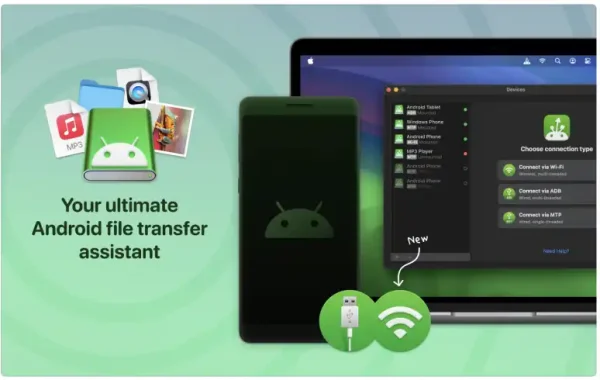
MacDroid PRO is an advanced file transfer and device management tool that enables full access to Android storage directly from a Mac. Once connected, Android devices appear in Finder just like external drives, allowing users to copy, move, delete, and organize files with ease.
Unlike basic file transfer utilities, MacDroid PRO supports both ADB (Android Debug Bridge) and MTP (Media Transfer Protocol) modes, giving users flexibility and stable performance depending on their needs. The PRO version unlocks full bidirectional file transfer, meaning you can move files both from Android to Mac and from Mac to Android without restrictions.
Key Features of MacDroid PRO:
- Two-Way File Transfer The PRO version enables unrestricted file transfer in both directions, allowing you to send photos, videos, music, documents, and folders between your Android device and Mac effortlessly.
- Finder Integration Android devices mount directly in macOS Finder, offering a familiar and user-friendly interface. No need to learn new software layouts—just drag and drop files as you would with any external drive.
- ADB and MTP Connection Modes MacDroid PRO supports: ADB mode for faster and more stable transfers. MTP mode for quick and simple plug-and-play connectivity. This flexibility ensures compatibility with a wide range of Android devices.
- Wireless File Transfer (Wi-Fi Mode): With MacDroid PRO, users can transfer files wirelessly over Wi-Fi, eliminating the need for USB cables and enhancing convenience.
- Full Android Storage Access: The software provides access to both internal storage and SD cards, making it easy to manage large media libraries and files directly from your Mac.
System Requirements:
- Operating System: macOS 10.15 (Catalina) or later
- Processor: Intel-based Mac or Apple Silicon (M1, M2, or newer)
- RAM: 4 GB
- Hard Disk Space: 100 MB of free storage
- Display Resolution: 1280 × 800 or higher
- Internet Connection: Required for activation and updates
How to install:
- Download MacDroid PRO: Visit the official MacDroid (Eltima Software) website and download the latest version of MacDroid for macOS.
- Open the Installer File: Once the download is complete, locate the file in your Downloads folder and double-click it.
- Install the Application: Drag the MacDroid icon into the Applications folder as instructed in the installer window.
- Launch MacDroid: Open MacDroid from the Applications folder. If macOS shows a security warning, click Open to confirm.
- Grant Required Permissions: When prompted, allow the necessary permissions in System Settings > Privacy & Security. These permissions are required for proper device detection and file transfer.
- Connect Your Android Device: Use a USB cable to connect your Android device to your Mac, or select the Wi-Fi mode for wireless connection.
Learn more about Shadow Defender Final’s features in our guide.

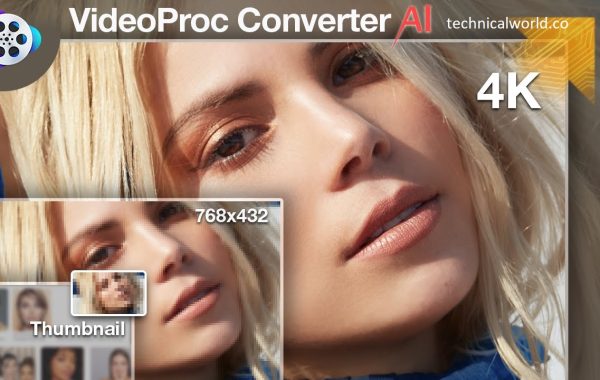
VideoProc Converter AI is an all-in-one video processing software designed to simplify video editing, conversion, enhancement, and compression using advanced artificial intelligence technology. Built for both beginners and professionals, it combines powerful AI-driven tools with an intuitive interface, making complex video tasks fast, efficient, and accessible to everyone.
At its core, VideoProc Converter AI focuses on speed and quality. It leverages full GPU acceleration to handle high-resolution videos, including 4K and even 8K content, without overloading your system. Whether you are working with large video files, old low-quality footage, or modern recordings from smartphones, drones, or action cameras, this tool ensures smooth and reliable performance.
One of the standout features of VideoProc Converter AI is its AI-powered video enhancement. Using intelligent upscaling and noise reduction algorithms, it can improve video clarity, sharpen details, and restore older or blurry footage. This makes it especially useful for content creators, video editors, educators, and marketers who want professional-looking results without spending hours on manual editing.
Key Features:
- AI-Powered Video Enhancement: VideoProc Converter AI uses advanced artificial intelligence to upscale low-resolution videos, enhance details, and reduce noise. It can improve clarity in old, blurry, or compressed footage, making videos look sharper and more professional with minimal effort.
- Full GPU Acceleration: The software supports full GPU acceleration with NVIDIA, AMD, and Intel GPUs. This ensures faster processing speeds, smoother playback, and efficient handling of large files, including 4K and 8K videos, without putting heavy load on the CPU.
- Wide Format Conversion: VideoProc Converter AI supports hundreds of video and audio formats, allowing seamless conversion for different devices and platforms. Whether you need files optimized for smartphones, social media, smart TVs, or professional workflows, the software delivers reliable compatibility.
- High-Quality Video Compression: Users can significantly reduce video file sizes while maintaining excellent visual quality. This is ideal for sharing videos online, saving storage space, or uploading content to platforms with size limits.
- Built-in Video Editing Tools: The software includes essential editing features such as trimming, cropping, merging, rotating, and flipping videos. These tools allow quick edits without requiring advanced video editing knowledge.
- Video Stabilization: Shaky footage from action cameras, drones, or handheld devices can be stabilized easily. This feature smooths motion and improves viewing comfort, making videos look more professional.
- AI Frame Interpolation: VideoProc Converter AI can increase frame rates using AI interpolation, resulting in smoother motion, especially for slow-motion or fast-moving scenes.
- Audio Processing and Enhancement: It supports audio extraction, format conversion, and basic audio adjustments, ensuring clear and synchronized sound across different output formats.
- Simple and User-Friendly Interface:Designed with ease of use in mind, the interface is clean and intuitive. Even beginners can navigate the software and complete tasks efficiently without a steep learning curve.
System Requirements:
- Processor (CPU):
- Intel Core i5 / AMD Ryzen 5 or higher
- RAM:
- 8 GB or more
- Graphics Card (GPU):
- NVIDIA, AMD, or Intel GPU with hardware acceleration support
- Storage:
- SSD recommended for faster read/write speeds
- 5–10 GB free space for smooth operation
- Display Resolution:
- 1920 × 1080 (Full HD) or higher
How to install:
- Open your web browser.
- Visit the official VideoProc website.
- Navigate to the VideoProc Converter AI product page.
- Choose the version compatible with your operating system (Windows or macOS).
- Click the Download button to save the installer file.
Learn more about Shadow Defender Final’s features in our guide.

Whisper Transcription is an automatic speech recognition (ASR) system created by OpenAI. Its primary function is to convert spoken language into written text. Unlike many traditional transcription tools, Whisper is trained on a massive and diverse dataset that includes multiple languages, accents, and real-world audio conditions.
What makes Whisper unique is its end-to-end neural network approach. Instead of relying on heavily engineered pipelines, it learns directly from data. This allows it to handle tasks like transcription, translation, and language detection within a single model.
Another standout feature is that Whisper is open-source. This means developers and researchers can inspect, modify, and integrate it into their own projects. That openness has fueled rapid adoption and innovation across industries, from media production to academic research.
Key Features:
- High accuracy even with noisy or imperfect audio
- Multilingual transcription across dozens of languages
- Automatic language detection
- Speech-to-text and speech-to-translation in one model
- Open-source availability
- Strong punctuation and sentence structuring

System Requirements:
- Operating System:
- Windows 10 or later
- macOS 11 (Big Sur) or later
- Linux (Ubuntu 20.04 or similar)
- Processor (CPU):
- 4-core CPU (Intel i5 / AMD Ryzen 5 or equivalent)
- RAM:
- Minimum 8 GB RAM
- Storage:
- At least 10 GB free disk space (models and audio files can be large)
- Python Version:
- Python 3.8 or higher
- Internet Connection:
- Required for downloading Whisper models (not required after setup)
How to install:
- tiny – Fastest, lowest accuracy
- base – Balanced speed and accuracy
- small – Better accuracy
- medium – High accuracy
- large – Best accuracy, requires more resources
Learn more about Shadow Defender Final’s features in our guide.

MarginNote is a powerful and intelligent study, reading, and knowledge-management app designed for students, researchers, professionals, and lifelong learners. It transforms the traditional reading experience into an interactive learning process by combining PDF and EPUB reading with advanced annotation, mind mapping, and note-taking tools. Instead of simply highlighting text, MarginNote helps users understand, organize, and remember information more effectively.
At its core, MarginNote is built to support deep learning. Users can import textbooks, research papers, lecture notes, and ebooks, then actively engage with the content through highlights, comments, tags, and mind maps. The app visually connects ideas, making it easier to see relationships between concepts and build a structured knowledge system rather than scattered notes.
MarginNote stands out because of its study-focused workflow. As you read, you can instantly convert highlighted text into flashcards or mind map nodes. This makes revision faster and more efficient, especially for exam preparation, academic research, and complex subjects like medicine, law, engineering, and finance. The app encourages active recall and conceptual understanding instead of passive reading.
Key Features:
- Advanced PDF and EPUB Reader: MarginNote supports PDF and EPUB formats with smooth navigation, fast page loading, and customizable reading settings. Users can adjust layouts, zoom levels, and display modes to create a comfortable reading experience for long study sessions.
- Powerful Annotation Tools: Highlight text, add margin notes, draw freehand sketches, and insert comments directly into documents. These annotations are easy to edit, search, and organize, helping users capture important ideas while reading.
- Mind Mapping and Knowledge Visualization: One of MarginNote’s standout features is its mind-mapping system. Highlights and notes can be automatically converted into mind map nodes, allowing users to visually connect concepts and see the structure of the material at a glance.
- Flashcard Creation for Active Recall: MarginNote enables users to turn highlights and notes into flashcards instantly. This supports active recall and spaced repetition, making it easier to memorize key information and prepare for exams.
- Study Sets and Document Organization: Users can group documents into study sets, keeping related materials organized in one place. This is especially helpful for managing multiple courses, research projects, or subjects.
- Smart Outlining and Document Structure: MarginNote automatically generates outlines from headings and bookmarks, making it easy to navigate complex documents and jump directly to important sections.
- Tagging and Keyword Management: Notes and highlights can be tagged with keywords, enabling fast search and efficient knowledge retrieval across multiple documents.
- OCR (Optical Character Recognition) Support: MarginNote supports OCR, allowing users to select, highlight, and annotate scanned PDFs. This feature is essential for working with older books or scanned academic papers.
- Cross-Device Syncing: MarginNote syncs data seamlessly across macOS and iPadOS devices, ensuring that notes, mind maps, and annotations are always up to date.
- Focused Study Mode: The app offers distraction-free study modes that help users concentrate on reading and learning without interruptions.

System Requirements:
- Operating System: macOS 11 (Big Sur) or later
- Processor: Intel-based Mac or Apple Silicon (M1, M2, and newer)
- RAM: Minimum 4 GB (8 GB or more recommended for large documents)
- Storage: At least 500 MB of free disk space
- Internet: Required for syncing and updates
How to Install:
- Open the Mac App Store on your Mac.
- In the search bar, type MarginNote.
- Select the MarginNote app from the search results.
- Click Get or Buy, then confirm with your Apple ID.
- Once the download is complete, open MarginNote from the Applications folder.
- Sign in with your Apple ID to enable syncing features.
- Import your PDF or EPUB files and begin studying.
Learn more about Shadow Defender Final’s features in our guide.
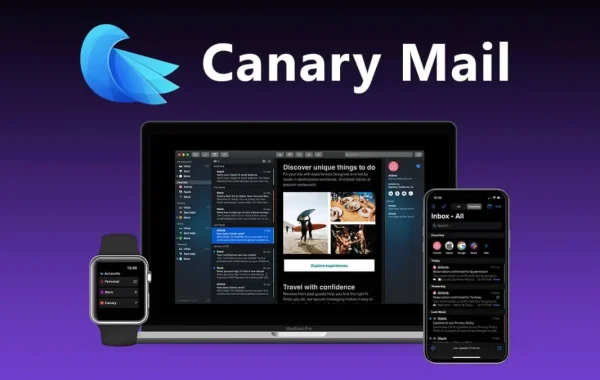
Canary Mail is a cross-platform email client available on macOS, iOS, Android, and Windows. It supports all major email services such as Gmail, iCloud, Outlook, Yahoo, and IMAP-based accounts. Unlike traditional email apps that prioritize basic functionality, Canary Mail focuses heavily on privacy, security, and intelligent productivity features.
At its core, Canary Mail is built with modern users in mind—people who want control over their data, protection from tracking, and smarter tools to manage overflowing inboxes. It combines end-to-end encryption, AI-powered assistance, and a clean user interface into one seamless experience.
Key Features:
- End-to-End Encryption (PGP Support): Canary Mail offers built-in PGP encryption, ensuring that only the sender and recipient can read email content. This feature is essential for protecting sensitive information and maintaining complete privacy.
- 2. AI-Powered Email Assistant: The AI assistant helps users write, edit, and respond to emails quickly. It can generate professional replies, improve tone, and save valuable time—especially useful for busy professionals.
- 3. Read Receipt & Tracking Blocker: Canary Mail blocks invisible tracking pixels and read receipts, preventing senders from knowing when, where, or how often you open an email. This guarantees full control over your email activity.
- Smart Reply Suggestions: The app suggests quick, context-aware replies for common emails, allowing users to respond faster without typing repetitive messages.
- Unified Inbox: Manage multiple email accounts in one place. Canary Mail supports Gmail, Outlook, Yahoo, iCloud, and IMAP accounts with a clean, unified inbox view.
- Cross-Platform Compatibility: Available on macOS, iOS, Android, and Windows, Canary Mail syncs seamlessly across devices, ensuring a consistent email experience everywhere.
- Clean and Minimal Interface: The modern, distraction-free design improves focus and productivity, with features like dark mode, fast search, and intuitive navigation.
- Advanced Security Controls: Additional security options such as biometric lock, password protection, and secure local data storage enhance overall account safety.
System Requirements:
- Operating System: macOS 11 (Big Sur) or later
- Processor: Intel or Apple Silicon (M1, M2, and newer)
- RAM: Minimum 4 GB (8 GB or more recommended)
- Storage: At least 200 MB of free disk space
How to Install:
- Open your web browser and visit the official Canary Mail website or the Mac App Store.
- Search for Canary Mail.
- Click Download or Get.
- Once the download is complete, open the app.
- Grant the required permissions when prompted.
- Sign in using your email account (Gmail, Outlook, iCloud, or IMAP).
- Complete the setup and start using Canary Mail.
Learn more about Shadow Defender Final’s features in our guide.
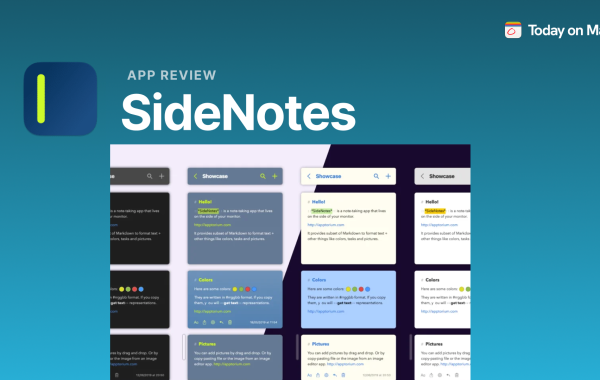
SideNotes is a lightweight and efficient note-taking tool designed to help users capture ideas quickly without interrupting their workflow. As the name suggests, SideNotes focuses on keeping your notes easily accessible on the side of your screen, allowing you to write, review, and manage information while working on other tasks. It is especially popular among professionals, students, developers, and writers who need a fast and distraction-free way to jot down thoughts.
What makes SideNotes stand out is its simplicity combined with smart organization. Instead of opening a full note-taking app that breaks concentration, SideNotes stays quietly available and opens instantly when needed. This makes it perfect for quick reminders, brainstorming sessions, meeting notes, or saving important snippets of information.
SideNotes is built with productivity in mind. It supports clean formatting, keyboard shortcuts, and smooth navigation, ensuring that users can focus on content rather than tools. Whether you are planning a project, writing code, studying, or managing daily tasks, SideNotes acts like a digital sticky note—always present, organized, and easy to use.
Key Features:
- Quick Access from the Side: One of the standout features of SideNotes is its ability to slide in from the side of the screen instantly. This allows users to open their notes without switching applications or disrupting their current workflow. With a simple shortcut or gesture, SideNotes becomes available whenever inspiration strikes.
- Lightweight and Distraction-Free Design: SideNotes is intentionally minimalistic. There are no unnecessary menus or complicated tools, which helps users stay focused on writing. The clean interface reduces mental clutter and improves concentration, especially during work or study sessions.
- Fast Note Creation and Editing: Creating a new note in SideNotes takes just seconds. The app is optimized for speed, allowing users to quickly type, edit, and save notes. This makes it ideal for capturing ideas, reminders, or important points before they are forgotten.
- Smart Note Organization: SideNotes allows users to organize notes efficiently using folders, tags, or lists, depending on the setup. This ensures that even a large number of notes remain easy to manage and retrieve when needed.
- Keyboard Shortcuts Support: For power users, SideNotes supports keyboard shortcuts that speed up navigation and note management. This feature is especially useful for professionals and writers who prefer working without a mouse.
- Always-On-Top Functionality: SideNotes can stay visible on top of other applications, making it easy to reference notes while working on documents, browsing the web, or coding. This feature enhances multitasking and workflow efficiency.
- Data Sync and Backup: Many versions of SideNotes support syncing across devices or cloud backup options. This ensures that your notes remain safe and accessible, even if you switch devices or reinstall the app.
- Privacy and Security: SideNotes respects user privacy by storing notes securely. Some versions also offer passcode or system-level protection to prevent unauthorized access to sensitive information.
System Requirements:
- SideNotes is primarily designed for macOS devices. It works best on modern versions of macOS that support multitasking features and system shortcuts. Older macOS versions may have limited compatibility or reduced performance.
- Processor: A standard Intel or Apple Silicon (M-series) processor is sufficient. SideNotes is lightweight and does not require high-end CPU performance.
- Memory (RAM): A minimum of 4 GB RAM is recommended for smooth operation. Since SideNotes runs alongside other applications, having adequate memory ensures stable performance.
- Storage Space: SideNotes requires minimal disk space for installation. Additional storage may be needed depending on the number of notes you save, but overall usage remains low.
- Display Resolution: A standard screen resolution is sufficient. However, higher resolutions improve readability and make side-panel usage more comfortable, especially on larger displays.
How to Install:
- Check System Compatibility: Before installing SideNotes, make sure your device meets the minimum system requirements. Your Mac should be running a supported version of macOS and have enough storage space available.
- Open the Mac App Store: On your Mac, click the Apple menu or the App Store icon in the Dock to open the Mac App Store. This is the safest and recommended source for downloading SideNotes.
- Search for SideNotes: In the search bar of the Mac App Store, type “SideNotes” and press Enter. Look for the official app in the search results to avoid installing incorrect or unofficial versions.
- Select the App: Click on the SideNotes app to open its details page. Here, you can read the description, view screenshots, and check user ratings to confirm it suits your needs.
- Download and Install: Click the Get or Install button. If prompted, sign in with your Apple ID to proceed. The app will download and install automatically on your Mac.
- Launch SideNotes: Once installation is complete, open SideNotes from the Applications folder or Launchpad.
Learn more about Shadow Defender Final’s features in our guide.