 Posted by
 Adobe Illustrator 2026 v30.1 for macOS

Adobe Illustrator is a professional vector graphics design software developed by Adobe Inc. Unlike basic drawing apps or photo editors, Illustrator is built specifically for creating scalable artwork. That means anything you design—logos, icons, illustrations, typography, infographics—can be resized infinitely without losing quality. Sounds magical, right? That’s the power of vector graphics.
At its core, Illustrator uses mathematical paths instead of pixels. Every line, curve, and shape is defined by points and equations. So when you zoom in, nothing gets blurry. When you scale up, nothing breaks. This makes Illustrator the go-to choice for brand identities, logos, packaging designs, and anything that needs to look flawless everywhere.
Key Features:
- Vector-Based Drawing Engine: At the heart of Adobe Illustrator is its powerful vector-based drawing system. Unlike raster-based software that relies on pixels, Illustrator uses mathematical paths to create artwork. This means designs can be scaled infinitely without losing quality. Whether you’re creating a tiny app icon or a massive billboard, the artwork stays sharp and clean. This feature alone makes Illustrator indispensable for logos, branding, and illustrations that must adapt to different sizes and formats.
- Pen Tool for Precision Control: The Pen Tool is one of Illustrator’s most iconic and powerful features. It allows designers to draw custom paths with extreme precision using anchor points and Bézier curves. While it has a learning curve, mastering the Pen Tool unlocks full creative control. From smooth curves to complex shapes, it enables designers to create artwork that simply isn’t possible with freehand drawing tools.
- Advanced Shape and Drawing Tools: Illustrator offers a wide range of shape tools such as rectangles, ellipses, polygons, and stars. These basic shapes can be combined, subtracted, or merged using tools like the Pathfinder and Shape Builder. This makes constructing complex designs fast and intuitive. Instead of drawing everything from scratch, designers can build sophisticated graphics by intelligently combining simple elements.
- Typography and Text Management: Typography in Adobe Illustrator goes far beyond basic text placement. The software provides precise control over kerning, leading, tracking, and alignment. It supports OpenType features, variable fonts, ligatures, and glyphs, allowing designers to treat text as a visual design element rather than just readable content. Text can also be converted into outlines, enabling custom manipulation for logos and artistic typography.
- Color Management and Gradients: Illustrator offers professional-grade color control, including RGB, CMYK, Pantone, and global color swatches. Designers can create smooth gradients, complex color blends, and even gradient meshes for realistic shading. Global colors make it easy to update brand colors across an entire project with a single change, ensuring consistency and saving time.
- Multiple Artboards in a Single Document: One of Illustrator’s most practical features is the ability to use multiple artboards within a single file. Designers can create variations of a logo, multiple screen sizes for UI designs, or entire branding systems in one document. This streamlines workflows and keeps related assets organized and accessible.
- Layers and Non-Destructive Editing: Illustrator’s layer system allows designers to organize artwork logically, lock elements, hide sections, and work non-destructively. This is especially useful for complex illustrations and multi-component designs. Layers make collaboration easier and reduce the risk of accidental changes.
- Wide File Format Support: Adobe Illustrator supports a broad range of file formats, including AI, EPS, PDF, SVG, PNG, and JPEG. This makes it easy to export designs for print, web, mobile apps, or further editing in other Adobe tools. SVG support is particularly important for modern web and UI design.
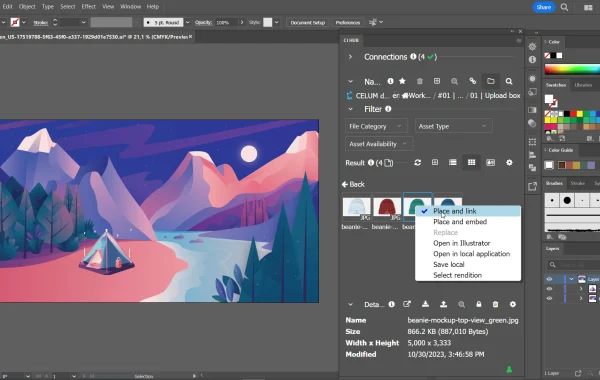
System Requirements (macOS):
- Operating System: macOS 12 (Monterey) or later
- Processor: Multicore Intel processor or Apple Silicon (M1, M2, and later supported)
- RAM: 8 GB minimum (16 GB or more recommended)
- Hard Disk Space: 2 GB of available disk space (additional space required during installation)
- Display Resolution: 1024 × 768 display (Retina display recommended)
- GPU: GPU acceleration supported on compatible systems
How to install:
- Ensure your operating system is up to date
- Disable antivirus software temporarily if needed
- Restart your system and try again
- Use Adobe’s official troubleshooting tools from their support site
Learn more about Shadow Defender Final’s features in our guide.