Unlock Tool V6.2.2, created by Gautam Great (Kumar), is a utility designed for unlocking various devices. This version is a full setup that includes a loader for Windows computers. It allows users to bypass device locks and restrictions, making it a valuable tool for those who need to unlock their devices. In this guide, we’ll walk you through the process of downloading and installing this tool on your Windows PC.
Security Updates in Unlock Tool Latest Cracked by Gautam Great:
In the latest version of Unlock Tool by Gautam Great, several significant changes have been made to enhance security. These changes aim to improve the tool’s security mechanisms, ensuring a safer and more reliable experience for users. Below are the key security updates implemented in this version:
- Changed Server Communication Passwords:
- One of the critical security updates involves changing the passwords used for server communication. This step is essential in safeguarding the tool’s connection to external servers and databases. By regularly updating and strengthening these passwords, the tool becomes more resilient to potential security breaches.
- Changed Login Endpoint:
- This change is a proactive measure to prevent unauthorized access and protect user data. By altering the login endpoint, it becomes more challenging for malicious actors to gain unauthorized access to the tool or related resources.
- Implementation of a Simple OTP:
- This is a trade-off between convenience and security and should be approached with caution.
Unlock Tool Features:
Huawei Qualcomm Erase ID Account 1-Click: This feature is designed for erasing the ID account on select Huawei devices with Qualcomm processors. It simplifies the process of removing the ID account, making it more accessible and user-friendly. Users can quickly and easily perform this operation with a single click, saving time and effort.
Supported Huawei Devices:
UnlockTool supports a range of Huawei devices for the Qualcomm Erase ID Account 1-Click feature.
- Huawei Enjoy 8
- Huawei Enjoy 8e
- Huawei Honor 8X Max
- Huawei Y7 Pro [2018]
- Huawei Y7 Pro [2019]
- Huawei Y Max
- Huawei Honor 7C
- Huawei Y7
- Huawei Honor 6A
- Huawei Y6 2022
- Huawei Honor 8C
- Huawei Honor 7A
- Huawei Enjoy 6S
Changelog!!!
Here are the key changes:
- Ramdisk iOS 14 and 15.x Bypass Hello & Passcode:
- This update enhances the bypass functionality for iOS versions 14 and 15.x, allowing users to bypass the “Hello” and passcode screens more effectively.
- Factory Reset of Ramdisk iOS 14.x and 15.x:
- New capabilities have been added to reset the ramdisk on iOS versions 14.x and 15.x. This can be a valuable feature for restoring or resetting your device.
- Support for Restoring Backup File Password .zip for iOS 12.x and 13.x with Serial Number Names:
- This update now supports the restoration of backup files with password-protected .zip archives for iOS versions 12.x and 13.x. Users can restore data with greater ease and security.
- Additional Device Support:
- The update includes support for a range of Apple devices, including:
- iPad Air 2 (Wi-Fi and Cellular)
- iPad mini 4 (Wi-Fi and Cellular)
- iPad 5th Generation (Wi-Fi and Cellular)
- iPad 6th Generation (Wi-Fi and Cellular)
- iPad 7th Generation (Wi-Fi and Cellular)
- iPad Pro 9.7 (Wi-Fi and Cellular)
- iPad Pro 10.5 (Wi-Fi and Cellular)
- iPad Pro 12.9 1st Generation (Wi-Fi and Cellular)
- iPad Pro 12.9 2nd Generation (Wi-Fi and Cellular)
- The update includes support for a range of Apple devices, including:
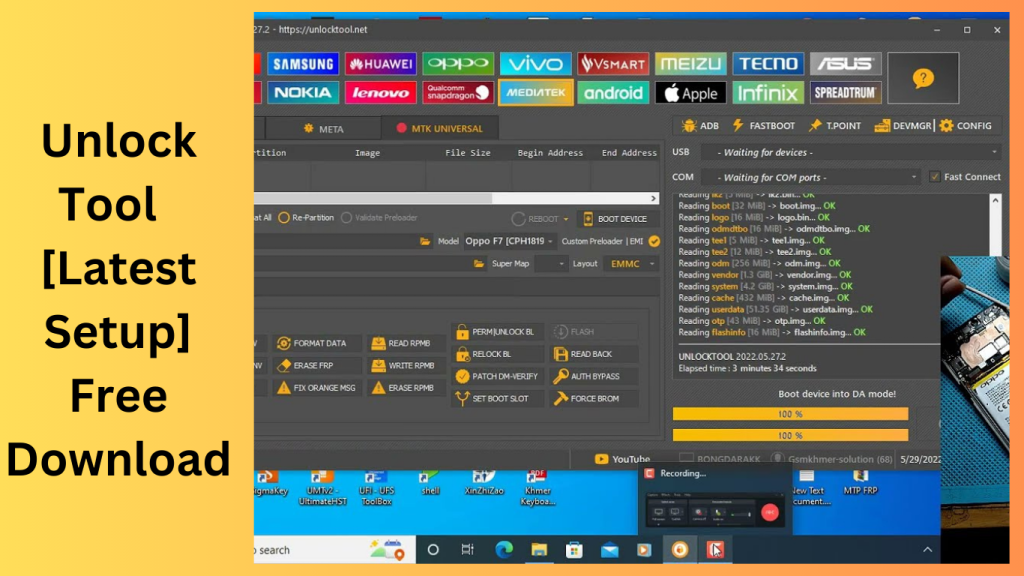
Downloading Unlock Tool:
To download Unlock Tool V6.2.2, follow these steps:
- Visit a Trusted Source: Ensure that you download the software from a reputable source to avoid potential security risks or malware. Downloading from unknown or unverified sources can be risky.
- Search for the Software: Use your preferred search engine to find a trusted source offering the tool. You can use keywords like “Unlock Tool V6.2.2 by Gautam Great Kumar.”
- Extract the File: After downloading, extract the contents of the file to access the setup files and the loader.
Installing Unlock Tool :
Follow these steps to install the software on your Windows computer:
- Run the Setup:Double-click on it to begin the installation process.
- Follow On-Screen Instructions: The installation wizard will guide you through the setup process. Follow the on-screen instructions to complete the installation.
- Use the Loader: After installation, you may need to use the provided loader to activate the software. The loader is typically included with the cracked setup files.
Get Access Now:
Download Link!
]]>