Samsung FRP Tool In this digital age, our smartphones have become an integral part of our lives, often storing sensitive information. For security reasons, manufacturers implement Factory Reset Protection (FRP) locks on Android devices, including Samsung Galaxy smartphones. If you’ve found yourself locked out of your device due to the FRP lock, don’t worry – there’s a solution. This article will delve into the world of Samsung FRP tools, specifically focusing on the Best Easy Sam FRP Tools 2026, and how it can help you regain access to your device.
What is FRP Lock?
Explaining FRP Lock
The FRP lock, or Factory Reset Protection, is a security feature designed to prevent unauthorized access to your device. It requires you to enter your Google account credentials after a factory reset. This additional layer of security is crucial in case your device is lost or stolen.
Why It Exists
The main purpose of FRP locks is to deter thieves from wiping and selling stolen devices, thus reducing the incentive for device theft. While this is a commendable security feature, it can be frustrating for users who genuinely need to regain access to their devices.
Samsung FRP Unlocking Tools:
Introduction to Samsung FRP Unlocking
Unlocking Samsung FRP locks has become a necessity for many users. The good news is that over the years, numerous tools have been developed to help users unlock their Samsung devices without any hassle.
The Evolution of Samsung FRP Tools
Samsung FRP unlocking tools have evolved significantly, offering better compatibility, faster unlocking times, and user-friendly interfaces. One such tool making waves in 2026 is the Best Easy Sam FRP Tools.
Best Easy Sam FRP Tools 2026
Best Easy Sam FRP Tools 2026 is the latest addition to the Samsung FRP unlocking arsenal. It promises to be an efficient and easy-to-use tool for bypassing FRP locks on Samsung Galaxy devices running Android 9 to 12.
How to Download Samsung FRP Tool:
Step-by-Step Guide
To download the Best Easy Sam FRP Tools 2026, follow these steps:
- Visit the official website.
- Locate the download link.
- Click on the link to start the download.
- Install the software on your PC.
System Requirements:
Before you begin the download, make sure your system meets the minimum requirements. You’ll need a Windows computer, a USB cable to connect your Samsung device, and a stable internet connection.
How to Use Samsung FRP Tool:
Unlocking Process
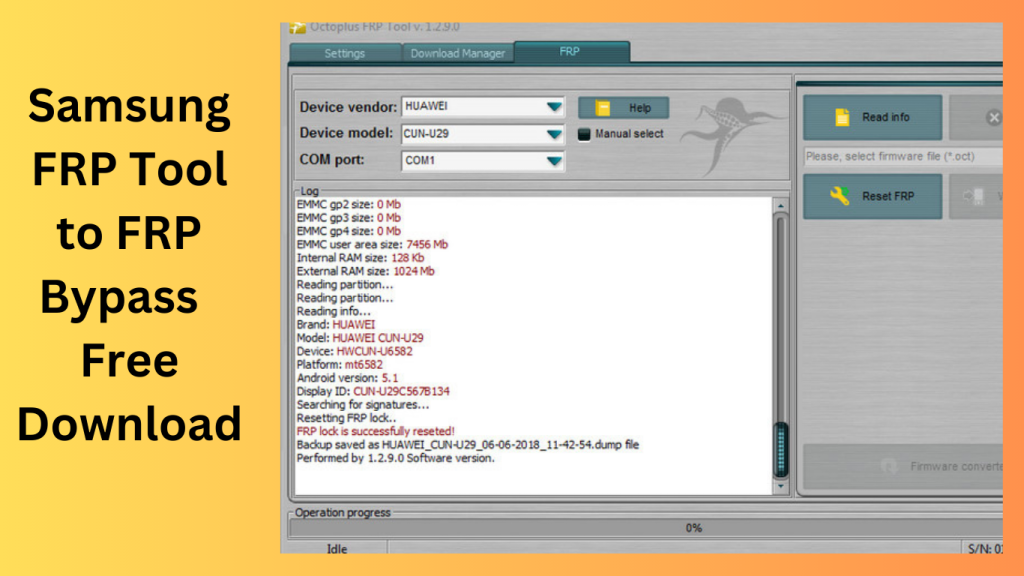
Using Best Easy Sam FRP Tools 2026 is a straightforward process. Connect your locked Samsung device to your PC, follow the on-screen instructions, and let the tool work its magic. Your device will be unlocked in no time.
Common Issues and Solutions
If you encounter any issues during the unlocking process, the tool provides troubleshooting tips to help you overcome them. This ensures a smoother experience, even for those who aren’t tech-savvy.
Compatibility and Supported Models:
Android Versions
Best Easy Sam FRP Tools 2026 supports a range of Android versions, from Android 9 to 12, ensuring compatibility with a wide range of Samsung devices.
Samsung Galaxy Models
The tool is compatible with various Samsung Galaxy models, making it a versatile solution for a diverse set of users.
The Benefits of Using Samsung FRP Tools:
Easier Access to Your Device
The primary benefit of using Samsung FRP tools like Best Easy Sam FRP Tools 2026 is regaining access to your device without hassle. It saves you from the frustration of being locked out of your phone.
Security Enhancements
While FRP locks are primarily a security feature, they can be an inconvenience for genuine users. These tools maintain the security of your device while providing an easy way for you to unlock it.
User-Friendly Interface:
Why It Matters
Best Easy Sam FRP Tools 2026 boasts a user-friendly interface, making it accessible for users with varying levels of technical expertise. The straightforward design ensures that anyone can use the tool.
Ease of Navigation
The tool’s intuitive design and step-by-step instructions make the unlocking process a breeze. You don’t need to be a tech guru to get your Samsung device back in working order.
Frequently Asked Questions:
Q1: Can I use this tool on Android 12 devices?
Yes, Best Easy Sam FRP Tools 2026 is compatible with Android 12 devices. It supports a wide range of Android versions, including Android 12, ensuring that you can use it to unlock your device.
Q2: What if I forget my Google account information after using the tool?
If you forget your Google account information after using the tool, you should take precautions to avoid this scenario. Make sure to note down your account details in a safe place. In case you do forget, you can recover your Google account information through Google’s account recovery process.
Q3: Is this tool safe to use on my Samsung phone?
Yes, Best Easy Sam FRP Tools 2026 is a safe and reliable solution. It has been developed with the utmost care to ensure the security of your device and data. However, always ensure that you download the tool from the official website to avoid potential risks associated with unofficial sources.
Q4: What makes Best Easy Sam FRP Tools 2026 different from other solutions?
Best Easy Sam FRP Tools 2026 stands out for its user-friendly interface and efficiency. Unlike some complex solutions, this tool is designed for easy navigation, making it accessible to users with varying levels of technical expertise. It simplifies the unlocking process while maintaining the security of your device.
Q5: Do I need advanced technical skills to unlock my device with this tool?
No, you do not need advanced technical skills to unlock your device with Best Easy Sam FRP Tools 2026. The tool is designed to be user-friendly and comes with step-by-step instructions. Whether you’re tech-savvy or not, you can use this tool to unlock your Samsung device without any hassle.
Conclusion:
In conclusion, Samsung FRP tools like Best Easy Sam FRP Tools 2026 provide a much-needed solution for users locked out of their Samsung Galaxy devices. They combine security with accessibility, offering an efficient way to bypass FRP locks. Don’t let the FRP lock stand in your way – download the Best Easy Sam FRP Tools
Get access now:
Download Link!
]]>
To protect user data following a device reset, Android devices must include a security feature called SamFw FRP Tool 5.4 However, there are times when consumers run into problems because they forget their Google login information or because they buy used devices that have FRP turned on. FRP bypass programs like SamFW FRP Tool 5.4 may offer solutions in these circumstances.
In today’s fast-paced digital world, where information and technology continue to advance, staying up to date with the latest tools and software is crucial. This article delves into the SamFw FRP Tool and its latest features, which aim to simplify and enhance the user experience. Let’s explore what’s new in this tool and how it can benefit you.
Bypassing FRP lock barriers:
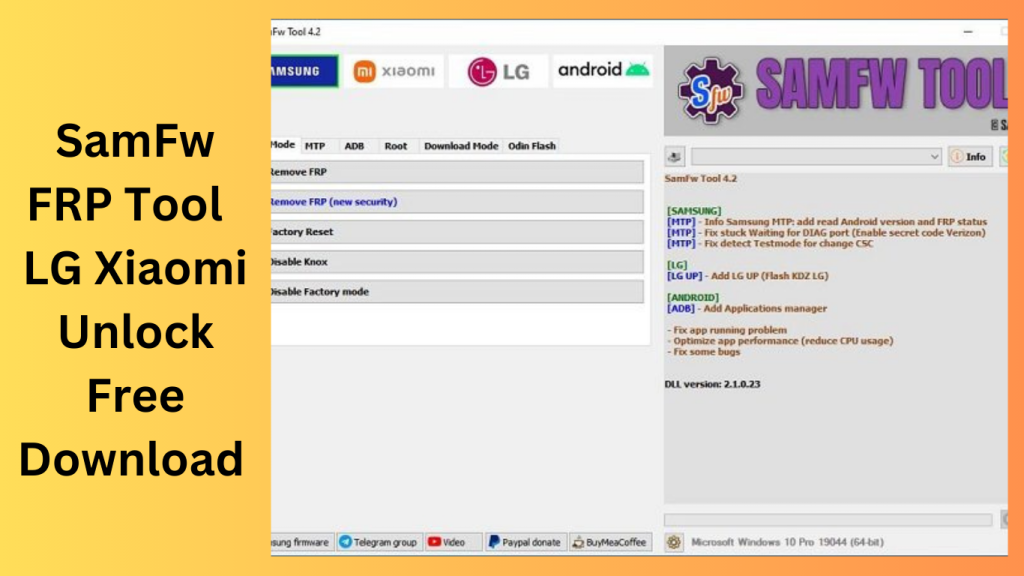
Bypassing FRP lock barriers, FRP bypass tools help users recover access to their devices. SamFW FRP Tool, including its most recent version 5.4, offers a streamlined procedure for carrying out factory resets and removing FRP locks via Test mode and supports a variety of Samsung Android versions (9, 10, 11, 12, and 13).
May fix FRP-related issues:
Users may be able to fix FRP-related problems by installing SamFW Tool 5.4 and regaining access to their Samsung devices without entering their Google account credentials. This utility makes the FRP bypass procedure simple, enabling users to carry out factory resets and get rid of FRP locks with ease.
What is the SamFw FRP Tool?
SamFw FRP Tool, also known as Samsung Firmware Remove Protection Tool, is a software application designed to unlock Samsung devices, specifically those locked with Factory Reset Protection (FRP). FRP is a security feature that requires the user to verify their identity before they can access the device after a factory reset. SamFw FRP Tool is a valuable solution for individuals who have forgotten their Google account credentials or purchased a second-hand Samsung device.
New Features of SamFw FRP Tool:
Enhanced Device Compatibility
One of the most significant updates in SamFw FRP Tool is the expanded device compatibility. The tool now supports a wider range of Samsung devices, including the latest models. This means that more users can benefit from the tool’s functionality and unlock their devices hassle-free.
User-Friendly Interface
The new version of SamFw FRP Tool boasts a user-friendly interface, making it easier for both novice and experienced users to navigate the software. The intuitive design ensures that you can quickly access the tool’s features and complete the unlocking process efficiently.
Improved Unlocking Speed
In the world of technology, speed matters. The latest update of the ToSamFw FRP Tool offers improved unlocking speed, reducing the time it takes to unlock your Samsung device. This enhancement ensures a faster and more efficient experience for the user.
Enhanced Security
Security is a top priority, and the new features of the SamFw FRP Tool reflect this. The tool now offers advanced security protocols to protect your data during the unlocking process. You can trust that your information is safe and secure.
Key Features:
- On Android devices, this feature enables the removal of the Factory Reset Protection (FRP) lock.
- Supports a broad range of Android device types and versions, including Samsung smartphones running various Android releases.
- Users may conduct a factory reset on their smartphone to restore it to its default configuration.
- User-Friendly Interface, Provides a clear and simple-to-use interface for efficient operation and navigation.
- Support for Test Mode, Some programmes let you go into Test mode, which makes the FRP removal process easier.
- Supports many Android versions, including Android 9, 10, 11, 12, and 13, to provide compatibility with a range of device setups.
- Supports users in removing the FRP lock without the need for authentic Google account credentials.
System Requirements:
- The utility could work with the Windows, Mac, or Linux operating systems. For information on the precise operating systems supported, consult the tool’s manual.
- Processor: It is required to have a suitable processor with enough processing capability. Most tools need a CPU with at least two cores.
- Memory (RAM): The tool can need at least 2GB of RAM or more, which is the average minimum.
- Storage Space: The FRP bypass utility must be installed and executed on a computer with enough free storage space on the hard disc. The precise amount of area needed might change.
- In order to connect with the device, confirm that your computer has functional USB ports.
- Internet connection: To download the FRP bypass program or to access online information and updates, you may need to have access to the internet.
How to Install:
- Get the tool here: Downloading the FRP bypass program requires going to the official website or a reliable source.
- Make sure the version you’re downloading is appropriate for your device and operating system.
- To extract the files, find the downloaded file and use a program like WinRAR or 7-Zip. The installation-related files will be created in a folder as a result.
- Launching the Installer Find the installation file by opening the extracted folder. Click it twice to launch the installation.
- The installation wizard’s on-screen prompts and instructions should be followed.
- Accept the Licence Agreement, If prompted, read and agree to the license agreement.
- Before starting the installation, it’s crucial to read the terms and conditions.
- Select Installation Location, Select the desired destination folder.
Conclusion:
In conclusion, the new features of the SamFw FRP Tool bring exciting enhancements to the table. With improved device compatibility, a user-friendly interface, faster unlocking speed, and enhanced security, this tool is a must-have for anyone looking to unlock their Samsung device. Say goodbye to FRP-related headaches and get access to your device now.
Unique FAQs
- FAQ 1: Is the SamFw FRP Tool free to use?
- No, the SamFw FRP Tool is not a free tool. You may need to purchase a license or unlock credits to use it.
- FAQ 2: Is the unlocking process with the the SamFw FRP Tool safe for my device?
- Yes, SamFw FRP Tool prioritizes user data security and employs advanced security measures to protect your device during the unlocking process.
- FAQ 3: Can I use the SamFw FRP Tool for all Samsung devices?
- The tool is compatible with a wide range of Samsung devices, but it’s essential to check the supported models on the official website.
- FAQ 4: What if I encounter issues with SamFw FRP Tool?
- If you face any problems while using the tool, you can reach out to their customer support for assistance.
- FAQ 5: Are there any alternatives to the SamFw FRP Tool?
- Yes, there are alternative tools available for unlocking Samsung devices, but the freeSamFw FRP Tool is known for its reliability and user-friendly features.
Get Access Now:
Mirror Link!
]]>