UB Power Pro Ramdisk MDM Activator All Models iOS Tool In the fast-paced world of technology, the need for flexibility and freedom in device management has become increasingly crucial. Whether you are an individual user or a tech-savvy business owner, managing your iOS devices effectively is a priority. This is where the UB Power Pro MDM Activator Software steps in, promising to bypass and remove Apple MDM (Mobile Device Management) Configuration Profiles, offering newfound control and versatility. In this article, we delve into the depths of this software solution, exploring its features, benefits, and compatibility across all iOS versions, including the groundbreaking iOS 16.
Understanding Mobile Device Management (MDM)
Before we dive into the details of the UB Power Pro MDM Activator Software, it’s essential to grasp the concept of Mobile Device Management. MDM is a vital aspect of iOS device management, often used by organizations and educational institutions to control and secure their devices remotely. However, for individual users, MDM can be restrictive, limiting your device’s potential.
The Challenge of MDM Restrictions:
MDM-enforced restrictions can be quite perplexing for iPhone and iPad users. These restrictions may include limitations on app installations, content access, and even device functionalities. For example, you may not be able to download certain apps, change critical settings, or even remove unwanted profiles without the MDM administrator’s consent.
UB Power Pro MDM Activator Software: The Ultimate Solution:
The UB Power Pro MDM Activator Software offers a ray of hope for those looking to regain control of their iOS devices. Let’s explore how this software can empower you to break free from MDM restrictions and customize your device to your heart’s content.
Seamless Bypass and Removal
UB Power Pro MDM Activator Software specializes in bypassing and removing MDM Configuration Profiles effortlessly. This means you can finally say goodbye to the restrictions imposed by MDM and enjoy the full functionality of your iPhone or iPad.
Compatibility Across All iOS Versions
One of the standout features of this software is its compatibility with all iOS versions, including the latest iOS 16. Whether you’re running an older version or the newest release, UB Power Pro has got you covered.
User-Friendly Interface
The software boasts an intuitive and user-friendly interface, making it accessible to both tech enthusiasts and those less tech-savvy. You don’t need to be an expert to navigate the software and regain control of your device.
Legal and Secure
UB Power Pro MDM Activator Software operates within the bounds of the law and prioritizes security. It ensures that your device remains safe during the bypass process, giving you peace of mind while using the software.
Regular Updates and Support
To stay ahead in the ever-evolving world of iOS, UB Power Pro provides regular updates and customer support. You can count on them to adapt to changes in iOS versions and ensure continued functionality.
How to Use UB Power Pro MDM Activator Software:
- Using UB Power Pro is a straightforward process. Here’s a step-by-step guide to get you started:
- Download and Install
- Begin by downloading and installing the software on your computer. It is compatible with both Mac and Windows systems.
- Connect Your Device
- Connect your iOS device to your computer using a USB cable. Ensure that iTunes is closed during this process.
- Launch UB Power Pro
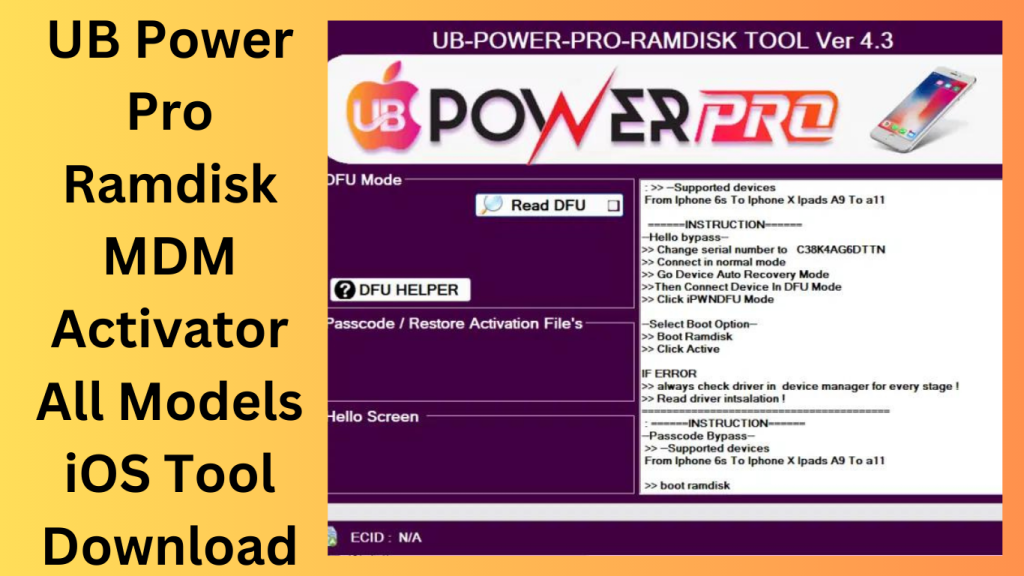
- Launch the UB Power Pro MDM Activator Software and follow the on-screen instructions to begin the bypass and removal process.
- Enjoy Freedom
- Once the process is complete, you can enjoy the freedom of using your iOS device without MDM restrictions. Customize it to your heart’s content, install your favorite apps, and make the most of its features.
Conclusion:
The UB Power Pro MDM Activator Software is a game-changer for iOS users who want to break free from the shackles of MDM restrictions. With its compatibility across all iOS versions, user-friendly interface, and commitment to security, it provides a reliable solution to regain control of your device.
Frequently Asked Questions (FAQs)
- Is UB Power Pro MDM Activator Software legal to use?
- Yes, the software operates legally and ensures the security of your device during the bypass process.
- Can I use UB Power Pro on the latest iOS 16?
- Absolutely! UB Power Pro is compatible with all iOS versions, including iOS 16.
- Do I need technical expertise to use this software?
- Not at all. UB Power Pro features a user-friendly interface suitable for all users.
- Will using UB Power Pro void my device’s warranty?
- No, using UB Power Pro does not void your device’s warranty.
- How often does UB Power Pro provide updates?
- UB Power Pro regularly updates its software to stay compatible with the latest iOS versions and provide ongoing support to its users.
Password: technical world.co
Download Link!
]]>Introducing the HASIIT3CH Power RAMDISK v10 (Stable Edition) Latest Version Download, a powerful and versatile Windows application designed to enhance your iDevice experience. With just a single click, users can perform a wide range of operations, unlocking new possibilities and optimizing device performance. Please note that certain features of this application require paid services.

Sign up for the ECID:
The most recent release of HASIIT3CH Power RAMDISK v10 (Stable Edition), which is available for download, will increase the capabilities of your iDevice. With just one click, you can carry out several tasks on your iOS device with the help of this little Windows program. Easily unlock new features, improve speed, and improve your user experience.
Variety of capabilities:
While the application offers a variety of capabilities, it’s vital to remember that certain sophisticated services can have a fee. To use these exclusive capabilities and advance your iDevice usage, sign up for the ECID through optimized dealers. Don’t pass up the chance to get the most out of your iDevice. Explore the limitless possibilities offered by HASIIT3CH Power RAMDISK v10 (Stable Edition) by downloading it right away.
Key Features:
- Simplified Operations: Use your iDevice to do a variety of tasks with just a single click for convenience and hassle-free use.
- Enhanced Performance: For a smoother and quicker user experience, personalize the performance of your iDevice and tap into its full potential.
- Access sophisticated features and functions to personalize and customize your iDevice to your preferences.
- Streamlined User Interface: Thus, Take use of a user-friendly interface that makes it simple to navigate access, and use the functions that are offered.
- Versatile Compatibility: Compatible with a variety of iDevices, providing consumers with a choice of device options with flexibility and accessibility.
- Continuous versions: Always use the most recent version of HASIIT3CH Power RAMDISK since new versions frequently include new features and enhancements.

System Requirements:
- Operating systems: Windows 7 (32-bit or 64-bit), Windows 8 (32-bit), Windows 8.1, and Windows 10.
- Processor: AMD or an Intel Core i3 equivalent. processor
- RAM: 2 GB minimum
- Storage Space: The installation requires at least 100 MB of free disc space.
- Integrated graphics card or more advanced graphics card
- Display: 1024×768 pixels should be the minimum resolution.
- Internet connectivity is necessary to download updates and use online services.
- USB ports allow you to connect your iOS device to a computer.
How to Install:
- Get the most recent version of HASIIT3CH Power RAMDISK v10 (Stable Edition) from a reliable website or source.
- Find the setup file that was downloaded to your computer.
- Thus, The setup file must be double-clicked to begin the installation procedure.
- The software’s terms and conditions should be read and accepted.
- Select the installation location for HASIIT3CH Power RAMDISK v10 (Stable Edition) installation.
- In case you are offered throughout the installation process, choose any extra settings or choices.
- To start the installation, click the “Install” button.
- Hold off until the installation is finished. It could take a little while.
Password: technical world.co
Mirror Link!