
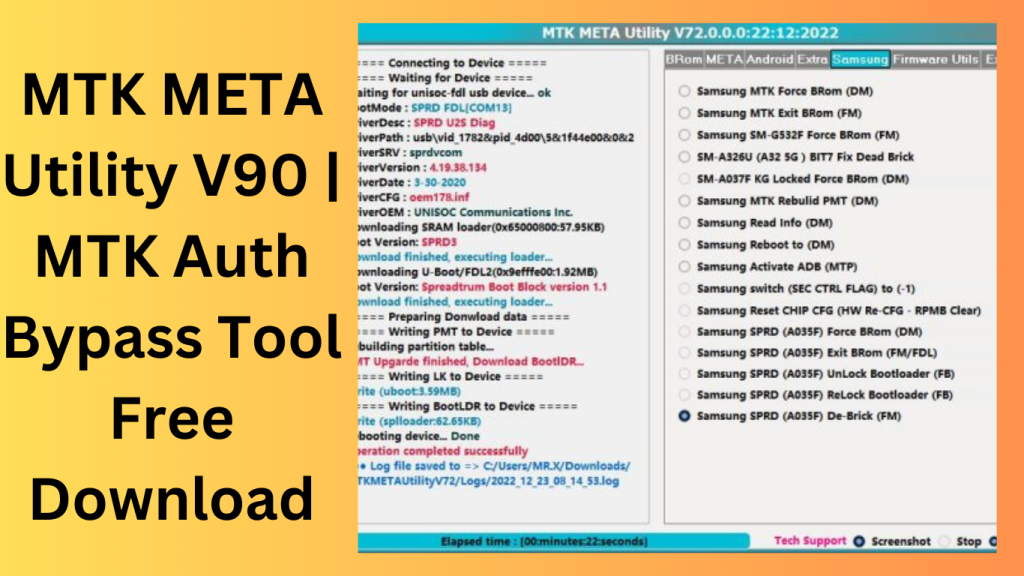
MTK META Utility V90 An programme called MTK META utility version V90:19.02.2023, which is used to perform various operations for Samsung MTK-based devices like the A03S. The most recent version enables USB preloader mode to unlock the Bootloader on the A03S Samsung (A037F U2) device.
Key Features
- Turn off the Auth
- Dump Preloader
- Preloader Crasher
- Preloader Crash To Brom
- MTK Force Brom from Samsung
- Exit Brom Samsung MTK
- Rebuilt Samsung MTK PMT (D.M.
- Force FRL-L22 Y9A Brom
- Reboot AT Mode Meta Meta Reboot
- Restart in factory mode
- Fastboot Mode Reboot
- NEW VIVO SEC View
- additional details (F.M.)
- Review the MTKA.
- Analyse the Preloader, D.A.
Changelog!!!
MTK META Utility Version 89: 19.2.2023:
- The A037F U2] Lock Bootloader via USB (one click in the preloader mode), BootROM deactivated by Efuse(MTK_SEC_CTL_FUSES), has been added to the Samsung A03S.
- Any level of SAM SEC can use it:
- “SEC CTRL STATUS (0)” is short for “SEC CTRL STATUS (0).”
(SEC CTRL STATUS (2). - (Locked/Active) (00/01) the K.G.
- Users may install customised images or custom ROMs in (Fastboot/Preloader) Mode using the Bootloader Unlock function.
- A Flash ROM option in Preloader mode for gadgets with the SEC CTRL STATUS (0/2) flag might be added.
What’s New in MTK META Utility
- The latest version of MTK META Utility introduces several enhancements aimed at improving compatibility, performance, and overall user experience for supported MediaTek devices.
- Expanded Device Compatibility
- Recent updates add support for additional MediaTek chipsets and newer smartphone models, allowing users to work with a broader range of devices.
- Faster Processing Performance
- The software has been optimized to perform supported operations more efficiently, reducing waiting times and improving workflow speed.
- Improved Stability
- Developers have addressed various bugs and software issues, resulting in a more reliable and consistent experience.
- Enhanced User Interface
- The interface has been refined to make navigation easier, helping both beginners and experienced users access features more quickly.
- Updated Security and Maintenance Functions
- Several maintenance modules have been improved to provide better compatibility with current device firmware and software environments.
Pros and Cons
Pros
- User-friendly interface
- Supports a wide range of MediaTek devices
- Lightweight and fast performance
- Regular software updates
- Useful maintenance and diagnostic features
- Suitable for technicians and advanced users
Cons
- Limited to supported MediaTek-powered devices
- Some functions may require technical knowledge
- Compatibility may vary depending on firmware versions
- Requires proper drivers and setup for optimal operation
How to Get:
- From the official website, you may obtain.
- MTK META Utility version V90:19.02.2023 without charge.
- To flash MTK Android devices, use this tool.
- It is a pretty basic and user-friendly tool.
- Run the exe file after extracting the zip file.
FAQs
- What is MTK META Utility used for?
- MTK META Utility is a device management and maintenance tool designed for supported MediaTek-based smartphones and tablets.
- Does MTK META Utility support all MediaTek devices?
- No. Device support depends on the chipset, firmware version, and compatibility included in the current software release.
- Is MTK META Utility free to use?
- Availability and licensing may vary depending on the version released by the developer.
- Can beginners use MTK META Utility?
- Yes, although some advanced functions are better suited for users with basic technical knowledge of mobile device maintenance.
Conclusion
MTK META Utility has become a well-known solution for users and technicians working with MediaTek-powered devices. Its combination of broad device compatibility, efficient performance, and practical maintenance features makes it a useful addition to many repair and servicing workflows. With ongoing updates, improved stability, and support for newer MediaTek hardware, the software continues to provide value for those seeking a reliable utility for supported devices.
Password: technical world.co
Download Link!
]]>
Download MTK META Utility Mobile gadgets have assimilated into the fast-paced technological world and are now a necessary component of our everyday life. One of the leading manufacturers of semiconductors, MediaTek, has been at the forefront of developing powerful CPUs for Android tablets and smartphones. Users may rely on the MTK META Utility to utilize these MediaTek-powered devices to their fullest capacity.
This software program has received a lot of praise for, among other things, its capacity to unlock bootloaders, restore devices to their factory settings, and fix booting problems. We will examine the most recent MTK META Utility version in this post. It was launched on V93:09.03.2023, and it has several intriguing new features and upgrades.
What is MTK META Utility?
The MTK META Utility is a powerful software tool designed specifically for MediaTek-powered Android devices. It offers an array of essential functions that enable users to carry out various tasks efficiently. Whether unlocking the bootloader for advanced customization or troubleshooting booting issues, this utility is a go-to solution for Android enthusiasts and technicians alike.
Unlock Bootloaders and Gain Control
An essential component of software that launches the device’s operating system is known as the bootloader. Customers may unlock the bootloader on their MediaTek devices using the MTK META Utility. By doing this, customers are allowed to flash customized recoveries, set up customized ROMs, and fiddle with the fundamental features of the device, opening up a world of customization and optimization options.
Reset Devices to Factory Settings with Ease
Android smartphones may experience faults that are difficult to fix. In these circumstances, the best course of action is frequently to do a factory reset. With the help of the MTK META Utility, customers can easily restore their MediaTek-powered smartphones to their original factory settings, giving them a new start.
Troubleshoot Booting Issues Effortlessly
Any Android user who experiences booting issues knows how aggravating it can be. Thank goodness, the MTK META Utility steps in to save the day. It offers consumers an efficient way to identify and fix booting problems, guaranteeing that their devices boot up without any hitches.
Introducing the Latest Version: V93:09.03.2023
The newest MTK META Utility version, released on V93:09.03.2023, has sparked enthusiasm among Android experts and fans.
Features Key:
The MTK META Utility has undergone considerable modifications that expand its capabilities in this edition. This version is a step up from its predecessors in terms of greater performance and improved device compatibility.
Seamless User Interface
A user-friendly interface in the redesigned MTK META Utility makes operation and navigation easier.
Improved Device Compatibility
Working with software tools like the MTK META Utility requires careful consideration of compatibility. The most recent version guarantees support for a larger selection of MediaTek-powered devices, making it available to a larger user base.
Speed and Performance Boost
The most current iteration ensures support for a wider range of MediaTek-powered devices, making it more widely accessible to users.
An Array of Supported Devices
The MTK META Utility makes the most of the variety of CPUs offered by MediaTek. It works with a wide range of Android devices powered by MediaTek, making it a useful tool for users of various smartphones and tablets

How to Install:
- Put all of the papers on your PC’s C drive in a zip file.
- Start the installation file after unzipping the folder.
- Run the “MTKMetaUtility.exe” file after installation.
- Install all of the necessary drivers for your current device. You may do this immediately if you’ve already loaded drivers for your device.
- I think you’ll like MTK META Utility! MTK META tool!
Conclusion:
The MTK META Utility is a robust and adaptable utility for Android smartphones running MediaTek. This program gives users complete control over their smartphones and tablets, from unlocking bootloaders to fixing booting problems.
Password: technical world.co
Download Link!
]]>
Latest Version of MTK Meta Utility (Secure Boot Disable) Download the most current version, which contains a tonne of new features and functionality method enhancements. By implementing different improvements and adjustments, users of this utility for Android smartphones may anticipate a more pleasurable experience.
One of the important improvements in this version is the capability to activate the Android browser using MTP to access other programs like YouTube, Google Maps, and Custom URLs. Google and all other Android manufacturers have access to this capability.
MTK Meta Utility Tool: What Is It?
A remedy for Samsung’s new security measures, which will be put into effect in 2023, is also included in the most recent version. The update also permits MTP to be used to activate ADB (Android Debug Bridge). The creators have enhanced firmware extractors for file types.KDZ, APP, OPS, SAM.TAR, PissarroPAC, and.OFP with several new features and modifications. The update provides straightforward and far more effective ways for extracting data from different firmware file types.
In the end, VIVO consumers won’t have to worry about the no-wifi setting wizard since they may take advantage of the most current manufacturer reset (2023) using META mode. This feature allows VIVO products like the Y91C, Y30, and Y1S to easily do a factory reset.
Features: Disable Auth MediaTek [BootROM]
- Preloader Dump
- Preloader Crasher From Brom
relaunch AT mode - Restart in factory mode
- Fastboot Mode Reboot
- View Device Info [BootROM]
- (eMMC/UFS) Review of Health [BootROM]
- (eMMC/UFS) Read[USER_SECTION] (USB) Dump [16MB]
- Input (eMMC/UFS)[USER_SECTION] Delete (USB)
- (eMMC/UFS) Read LUNO/BOOT1 BOOT_SECTION
- Input (eMMC/UFS) LUNO/BOOT1 BOOT_SECTION
- Redmi 6A with cacti Bootloader unlock for Xiaomi 11T (agate) Unlock Xiaomi 111 (agate)
- Bootloader Redmi Note 11 Pro+ 5G Re-Lock Bootloader (Pissarro) Redmi Note 11 Pro+ 5G
- Bootloader Unlock (Pissarro) Lock Bootloader LGE Again SEC new Force (FM) BRom
NEW VIVO SEC Observe (FM) - MT6771/MT6765) VIVO Force
- Exit from VIVO (MT6771/MT6765) Remove Demo from VIVO (MT6771/MT6765)

How Do I?
- Using the following link, downloading the ZIP file is the first step.
- The next step is to delete every file from the C: disc (critical). Before beginning your installation, make sure your antivirus is off.
- Following the simple steps, you should next access the folder and download the installation file.
- You may then install all the drivers you’ve already installed by running “AndroidUtility.exe”. Ignore this step.
- Establish a phone connection and try to complete any tasks.
- Enjoy ! !!
Password: technical world.co
Download Link!
]]>