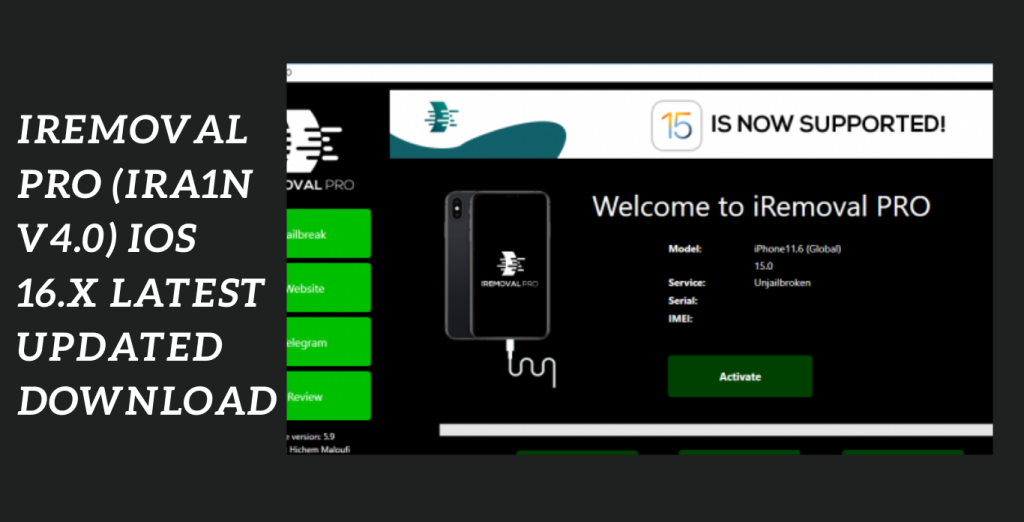
An new and safe tool called iRemoval PRO (iRa1n v4.0) is made to unlock the iCloud activation lock on iOS devices including iPhones, iPads, and iPod touches. This programme offers a trustworthy method to unlock devices and reclaim full control thanks to its cutting-edge features and complete compatibility for iOS 16.x. iRemoval PRO guarantees a safe and effective iCloud activation lock removal procedure because it was developed by the makers of iFixit, a respected Apple repair tool. In this post, we’ll examine iRemoval PRO’s features and advantages as well as how it aids customers in unlocking their iOS devices.
Safe and dependable tool:
A safe and dependable tool for unlocking the iCloud activation lock on iOS devices is iRemoval PRO v6.2 (iRa1n v4.0). iRemoval PRO offers an efficient method for unlocking iPhones, iPads, and iPod touches thanks to its compatibility for iOS 16.x, sophisticated features, and the credibility of its developers. Use this free programme to reclaim control of your iOS device and have fun.
Using iRemoval PRO:
- Download iRemoval PRO v6.2 (iRa1n v4.0) from the official website or a reputable source.
- Make sure your machine complies with the tool’s system requirements.
- Use a suitable USB cable to connect your iOS device (iPhone, iPad, or iPod touch) to your computer.
- Launch iRemoval PRO and follow the on-screen directions to start the process of removing the iCloud activation lock.
- Depending on your device and network connection, this can take some time.
- You will get a confirmation message letting you know the iCloud activation lock has been successfully removed after the procedure is finished.
- Restart your device by unplugging it from the PC.
- Configure your device as a new one.
Key Features:
- Removal of the iCloud activation lock: iRemoval PRO was created particularly to circumvent and get rid of the iCloud activation lock on iOS devices.
- It successfully unlocks iPhones, iPads, and iPod touches, enabling users to reclaim access and make unrestricted use of their gadgets.
- Full Support for iOS 16.x: iRemoval PRO works with all recent iOS versions, including iOS 16.x.
- Users may rely on the tool to unlock their iOS 16.x devices’ iCloud activation locks and keep their devices up to speed with the newest operating system.
- Secure and Reliable: It promises an unlocking procedure that is both secure and dependable.

What’s New in iRemoval PRO
- Improved Device Support
- The software now supports a wider range of iPhone, iPad, and iPod Touch models, including compatibility with newer iOS versions.
- Enhanced Unlocking Performance
- Recent updates have improved processing speed and overall stability during supported device management operations.
- Better User Interface
- The interface has been refined to make navigation easier for both beginners and experienced users.
- Bug Fixes and Stability Improvements
- Developers have resolved various issues reported by users, resulting in a smoother and more reliable experience.
- Updated Security Mechanisms
- The software includes enhancements that improve compatibility with recent Apple security updates.
Pros and Cons
Pros
- User-friendly interface
- Supports multiple iOS devices
- Regular software updates
- Fast processing performance
- Compatible with modern macOS versions
- Helpful tools for device management
Cons
- Some features may require a paid license
- Compatibility varies depending on device and iOS version
- Advanced functions may require technical knowledge
- Results can differ across different devices
System Requirements:
- Operating systems: MacOS (compatible with macOS 10.12 or later) or Windows (compatible with Windows 7, 8, and later versions).
- Processor: At least an Intel Core i3 or comparable
- RAM: 4GB minimum
- Hard disc space: There must be enough free space on the disc to install and save and its related files.
- must be downloaded via the internet in order to obtain updates.
- iOS Device Compatibility: Supports iOS 16.x-powered iPhones, iPads, and iPod touches.
How to Install:
- Go to for more information.
- Select the appropriate “Download Link” (Windows) by clicking it.
- Moreover, To install and iRa1n on your machine
- launch the installer and adhere to the on-screen instructions.
- Launch software and begin using it to unlock your iOS device’s iCloud Activation Lock or jailbreak it.
FAQs
- Is iRemoval PRO compatible with the latest macOS versions?
- Yes, the software is regularly updated to maintain compatibility with the latest macOS versions.
- Is iRemoval PRO compatible with Macs with Apple Silicon processors?
- The latest versions are optimized for Apple Silicon processors, including the M1, M2, and later chips.
- Is iRemoval PRO easy to use?
- Yes. The software features a simple interface that allows users to perform supported tasks with minimal setup.
- Do I need an internet connection to use iRemoval PRO?
- An internet connection may be required for activation, updates, and certain online features.
Conclusion
iRemoval PRO is a popular utility for users who need advanced iOS device management features on macOS. Its intuitive interface, regular updates, and broad device compatibility make it a practical choice for many users. While feature availability may vary depending on the device and software version, the application is continuously improving thanks to constant updates and performance optimizations. For those seeking a dedicated iOS management solution for Mac, iRemoval PRO remains a viable option.
Password: technicalworld.co
Mirror Link!
]]>All iOS devices, including the iPhone, iPad, and iPod touch, may have their iCloud activation unlocked using the revolutionary and dependable iremoval PRO v7.2 (iRa1n v4.0). With its most recent version, this program especially offers improved performance and security, offering a reliable option for unlocking iCloud activation.

By iFixit -A Reliable Name in Apple Repair:
The developers of iFixit, a well-known name in the Apple repair sector, have created iRemoval PRO v7.2 (iRa1n v4.0), and they are bringing it to you. You may rely on the dependability and efficacy of iRemoval PRO since it has a track record of creating products that are especially made for Apple customers.
Completely reliable and secure:
You may use iRemoval PRO v7.2 (iRa1n v4.0) with complete confidence. Throughout the unlocking process, your device’s data and privacy are safeguarded, delivering a secure and dependable experience.
Repair and Unlock Broken Baseband:
The most recent version of iRemoval PRO enables iOS devices to fix damaged basebands in addition to unlocking iCloud activation. This all-inclusive utility offers a remedy for baseband problems, ensuring that your device performs at its best.
Key Features:
- When used with iOS devices like the iPhone, iPad, and iPod touch, the utility offers a dependable and efficient way to unlock iCloud activation.
- The entire functionality of the gadgets is available to users once they recover access to them.
- Safe and Reliable, iFixit, a reputable brand in the Apple repair sector, is the developer of removal PRO v7.2 (iRa1n v4.0).
- Assuring the privacy and security of user information during the unlocking process, the tool is made to be reliable and secure.
- Free Tool, Users can unlock iCloud activation with the use of the free iRemoval PRO v7.2 (iRa1n v4.0) tool.
- Repair Broken Baseband, IRemoval PRO’s most recent iteration now can fix iOS devices’ damaged basebands. Hence, This capability aids in baseband correction.
System Requirements:
- Operating system: The instrument normally works with Windows, macOS, and Linux. Check to see if your machine satisfies the minimal requirements for the particular operating system version you’re using.
- Storage Space: Remove PRO v7.2 (iRa1n v4.0) and any associated files must be downloaded and installed on a computer with enough free disc space to do so.
- The first application in the world to make it possible for iPad cellular devices running iOS 15.5 to 15.7 to fully skip signals
- iPad 5th, iPad 6th, iPad 7th generations, iPad mini 4, iPad Air 2, and more Apple’s iPad Pro 12.9 and 9.7 10.5″ iPad Pro 2 iPad Pro 1 9.7, iPad Pro 2, and 12.9
- and removal PRO v5.9.2 of iRa1n
- It should be mentioned that only iPads with cellular connectivity will be accepted (iPad wifi will be made available soon).
How to download iRemoval PRO?
- To be sure you are obtaining a genuine copy of the utility, go to the official iRemoval v7.2 website.
- Find the download area on the website, then choose the correct iRemoval v7.2 version for your operating system.
- To install iRemoval v7.2 on your device when the download is finished, open the installation file and adhere to the on-screen directions. If any permissions are required during the installation process, make sure to allow them.
How to Install:
- To get the program, go to the official website or another reliable source.
- On the webpage, search for and click on the download button or link.
- You might need to select the correct software version (e.g., Windows, macOS, iOS, Android) depending on the hardware or operating system you’re using.
- Discover the downloaded file on your device after the download is complete.
- Run the installation file (.exe or.dmg) for desktop programs and follow the on-screen
- Directions to install the programtechnical world. Install software only from reputable sources and exercise caution when doing so.
- To use a downloaded file for a mobile application, touch it or look for it in your downloads folder. Install the using the guidelines displayed on-screen.
Is iRemoval PRO safe to use?
- Legitimacy: Ensure that you are downloading iRemoval PRO from a reputable source. Unauthorized or cracked versions of such tools may contain malware or cause other problems.
- Jailbreaking: Many iOS unlocking tools require jailbreaking your device, which can void your warranty and expose your device to security risks.
- Privacy: Be cautious about the information you share when using such tools. Some may ask for sensitive data that can be misused.
- Compatibility: Updates to iOS can sometimes break compatibility with unlocking tools, leaving you with a bricked or unusable device.
- Legal implications: Using such tools may violate Apple’s terms of service or even local laws, depending on your location.
- Data loss: Unlocking a device can result in data loss or instability. Always back up your data before attempting any unlocking procedure.
Get Access Now:
Mirror Link!
]]>