All iOS devices, including the iPhone, iPad, and iPod touch, may have their iCloud activation unlocked using the revolutionary and dependable iremoval PRO v7.2 (iRa1n v4.0). With its most recent version, this program especially offers improved performance and security, offering a reliable option for unlocking iCloud activation.

By iFixit -A Reliable Name in Apple Repair:
The developers of iFixit, a well-known name in the Apple repair sector, have created iRemoval PRO v7.2 (iRa1n v4.0), and they are bringing it to you. You may rely on the dependability and efficacy of iRemoval PRO since it has a track record of creating products that are especially made for Apple customers.
Completely reliable and secure:
You may use iRemoval PRO v7.2 (iRa1n v4.0) with complete confidence. Throughout the unlocking process, your device’s data and privacy are safeguarded, delivering a secure and dependable experience.
Repair and Unlock Broken Baseband:
The most recent version of iRemoval PRO enables iOS devices to fix damaged basebands in addition to unlocking iCloud activation. This all-inclusive utility offers a remedy for baseband problems, ensuring that your device performs at its best.
Key Features:
- When used with iOS devices like the iPhone, iPad, and iPod touch, the utility offers a dependable and efficient way to unlock iCloud activation.
- The entire functionality of the gadgets is available to users once they recover access to them.
- Safe and Reliable, iFixit, a reputable brand in the Apple repair sector, is the developer of removal PRO v7.2 (iRa1n v4.0).
- Assuring the privacy and security of user information during the unlocking process, the tool is made to be reliable and secure.
- Free Tool, Users can unlock iCloud activation with the use of the free iRemoval PRO v7.2 (iRa1n v4.0) tool.
- Repair Broken Baseband, IRemoval PRO’s most recent iteration now can fix iOS devices’ damaged basebands. Hence, This capability aids in baseband correction.
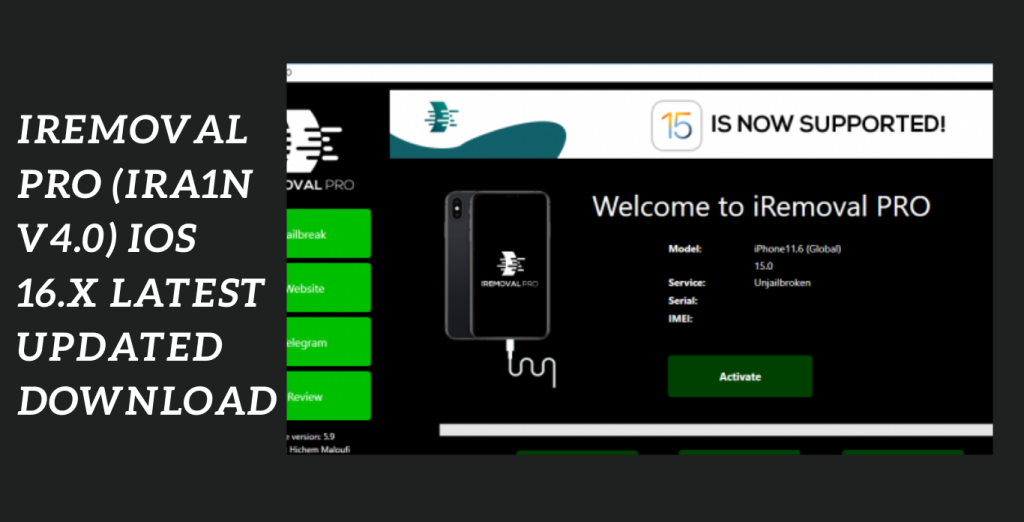
System Requirements:
- Operating system: The instrument normally works with Windows, macOS, and Linux. Check to see if your machine satisfies the minimal requirements for the particular operating system version you’re using.
- Storage Space: Remove PRO v7.2 (iRa1n v4.0) and any associated files must be downloaded and installed on a computer with enough free disc space to do so.
- The first application in the world to make it possible for iPad cellular devices running iOS 15.5 to 15.7 to fully skip signals
- iPad 5th, iPad 6th, iPad 7th generations, iPad mini 4, iPad Air 2, and more Apple’s iPad Pro 12.9 and 9.7 10.5″ iPad Pro 2 iPad Pro 1 9.7, iPad Pro 2, and 12.9
- and removal PRO v5.9.2 of iRa1n
- It should be mentioned that only iPads with cellular connectivity will be accepted (iPad wifi will be made available soon).
How to download iRemoval PRO?
- To be sure you are obtaining a genuine copy of the utility, go to the official iRemoval v7.2 website.
- Find the download area on the website, then choose the correct iRemoval v7.2 version for your operating system.
- To install iRemoval v7.2 on your device when the download is finished, open the installation file and adhere to the on-screen directions. If any permissions are required during the installation process, make sure to allow them.
How to Install:
- To get the program, go to the official website or another reliable source.
- On the webpage, search for and click on the download button or link.
- You might need to select the correct software version (e.g., Windows, macOS, iOS, Android) depending on the hardware or operating system you’re using.
- Discover the downloaded file on your device after the download is complete.
- Run the installation file (.exe or.dmg) for desktop programs and follow the on-screen
- Directions to install the programtechnical world. Install software only from reputable sources and exercise caution when doing so.
- To use a downloaded file for a mobile application, touch it or look for it in your downloads folder. Install the using the guidelines displayed on-screen.
Is iRemoval PRO safe to use?
- Legitimacy: Ensure that you are downloading iRemoval PRO from a reputable source. Unauthorized or cracked versions of such tools may contain malware or cause other problems.
- Jailbreaking: Many iOS unlocking tools require jailbreaking your device, which can void your warranty and expose your device to security risks.
- Privacy: Be cautious about the information you share when using such tools. Some may ask for sensitive data that can be misused.
- Compatibility: Updates to iOS can sometimes break compatibility with unlocking tools, leaving you with a bricked or unusable device.
- Legal implications: Using such tools may violate Apple’s terms of service or even local laws, depending on your location.
- Data loss: Unlocking a device can result in data loss or instability. Always back up your data before attempting any unlocking procedure.
Get Access Now:
Mirror Link!
]]>With the groundbreaking LGS Activator Windows Bypass Tool, unlocking iOS devices has never been simpler. This updated program is made expressly to get over the strict security precautions on iOS devices, giving users more accessibility and control. This program differs from past iterations in that it offers several added features that let users utilize all the features of their devices. The LGS Activator 2.0 Windows Bypass Tool is the best since it offers a handy three-day free trial that enables users to sample its top-notch features before making a purchase.
Easy iOS Device Unlocking:
The LGS Activator 2.0 Windows Bypass Tool makes iOS device unlocking simple. Regardless of whether you’ve lost your passcode or bought a used smartphone with several closed access, this tool guarantees a smooth unlocking procedure. It gives you access to your device’s data and features by getting beyond security restrictions, giving you back control and a completely unlocked experience.
Improved capabilities for Greater Control:
The LGS Activator 2.0 Windows Bypass Tool adds a number of sophisticated capabilities in contrast to prior iterations. This program gives you the ability to get around a variety of restrictions on your iOS device, such as iCloud activation locks and screen time limits. Even individuals with less technological skills may quickly explore and use its expanded functionality thanks to its user-friendly interface and controls.
Key Features:
- This tool has several additional functionalities that set it apart from past iterations. It gives you the freedom to get around numerous restrictions and make the most of your iOS device, like iCloud activation locks and screen time limits.
- An elegant user interface and simple controls are provided by the LGS Activator 2.0 Windows Bypass Tool. Even if you lack a lot of technical knowledge, you can easily explore and use its improved features.
- This tool’s three-day free trial is one of its most notable features. You may.
- By using this utility to unlock your iOS device, you have access to all previously prohibited features, programs, and settings. Install a new programs personalize, personalize your smartphone, and use all of its features without any restrictions.
- Your data’s security and privacy are a top priority for the LGS Activator 2.0 Windows Bypass Tool. To guarantee that your personal information is protected during the unlocking process, it utilizes strong encryption mechanisms. For a flawless experience, regular updates and customer support are also offered.
- Broad compatibility is ensured by the tool’s architecture, which makes it compatible with a variety of iOS devices. You may rely on the LGS Activator 2.0 Windows Bypass Tool to successfully unlock your device whether you have an iPhone or an iPad.

System Requirements:
- Windows operating system (compatible with versions 7, 8, and 10).
- CPU an AMD CPU similar to an Intel Core i3 or higher
- RAM 4GB at the very least
- Storage of 100MB or more of unoccupied disc space
- Internet connection Downloading and activating the tool requires a steady internet connection.
- iTunes Your Windows PC is running the most recent version of iTunes.
How to Install:
- Get the tool here: To obtain the installation file for the LGS Activator 2.0 Windows Bypass Tool, go to the official website or a reliable software vendor.
- Please be sure you get the appropriate version for your Windows operating system.
- Finding the installation File: After the download is finished, go to the directory on your computer where the installation file was saved.
- Usually, it may be found in the “Downloads” folder or the place you designated when you started the download.
- Launching the Installer To begin the installation procedure, double-click the installer file. Give the installation the required rights to alter your system if asked to do so.
- If asked, read and agree to the terms and conditions.
Password: technical world. co
Mirror Link!
]]>