
Almaradi Soft Tool On Samsung smartphones running Android 6.8 to Android 13, the programme provides translation choices with support for Arabic and the ability to analyse localization. Additionally, it allows for Keyport installation, ADB verification, and information reading on the device.
For Samsung smartphones, the software also offers a FRP (Factory Reset Protection) reset option that supports both Test Mode and ADB resets. Additionally, it contains a CSC (Consumer Software Customization) capability that enables the user to approve or disapprove switching from a SIM card to the device.
Additionally, it enables network mode, restarts the device, and sets the FRP through ADB. There are also options to skip the lock screen on LG or Redmi handsets and enable diagnostic procedures to activate and repair any LG Sprint device.
Key Features:
- Samsung phones’ localization function runs on Android 6 through 13. Arabization without a central theme
Examination of localization – Installation of Keyport – Verification of ADB + Information – FRP Samsung Reset FRP Verizon, - Reset FRP ADB CSC With SIM,
- Reset FRP Test Mode,
- and Transform ADB Functions Other Purposes Arabic Other Languages Restart and restart recovery Reboot
- Download Activate network mode Icon for Data Playback Display FTP APN Set the default Diag for FRP ADB.
- Activate Diag LT Redmi: Allow Diag;
- enable Diag ADB LG Features CDMA LG Network Repair the whole LG Sprint,
- excluding the Enable Screen Lock [PORT] LG
What’s New
- Improved support for newer Android devices.
- Enhanced device detection and connection speed.
- Updated user interface for better usability.
- Improved stability during operations.
- Added compatibility with the latest Windows versions.
- Faster processing and reduced errors.
- Security and performance improvements.
- Various bug fixes and optimizations.
Pros and Cons
Pros
- Easy-to-use interface for beginners and professionals.
- Supports a wide range of Android devices.
- Fast and reliable performance.
- Regular updates and improvements.
- Lightweight software with simple installation.
Cons
- Some features may not support all devices.
- Requires proper USB drivers for full functionality.
- Certain operations may need technical knowledge.
- Performance can vary depending on device compatibility.
- Internet access may be required for updates.
System Requirements
- Windows 7, 8, 10, or 11
- Minimum 4 GB RAM (8 GB recommended)
- At least 500 MB of free storage space
- Stable internet connection
- Installed USB drivers for supported devices
- USB data cable for device connectivity
- Administrator privileges on Windows
How Do I Use?
- Get the ZIP file using the following URL as the first step.
- Then, you must unzip each of the files on disc c: (important).
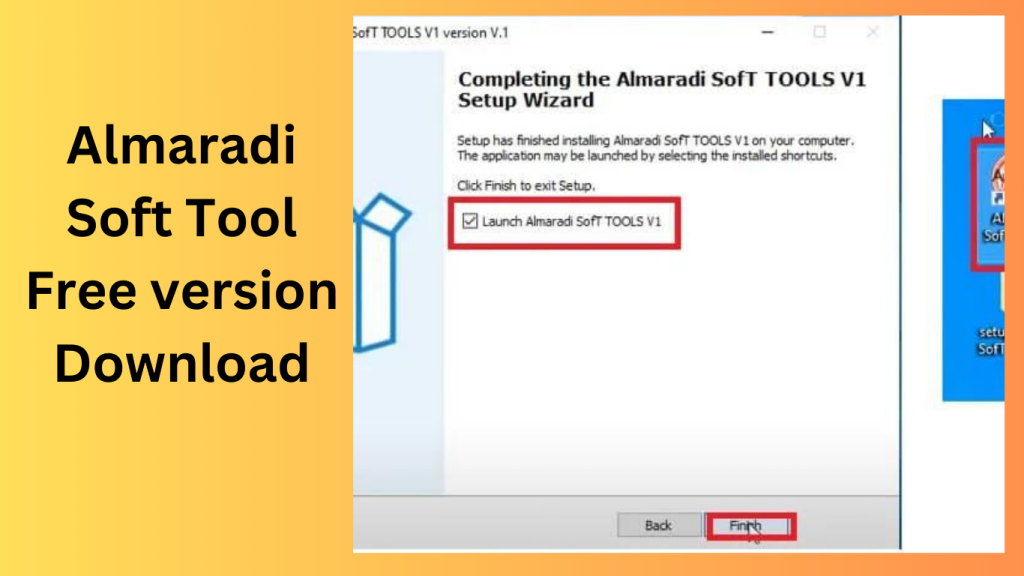
- Afterwards, open the folder by setting up the setup file in accordance with some simple guidelines.
- Launch the “Almaradi SofT ToOLS V1.exe.”
- If you already have drivers installed, you will need to install them all again after that.
- Skip thisstep if it’s still necessary.
- Use the phone’s internet connection to try out any task.
- Enjoy !!!
FAQs
- What is Almaradi Soft Tool?
- Almaradi Soft Tool is a utility designed to help users manage, maintain, and perform various operations on supported mobile devices.
- Is Almaradi Soft Tool free?
- Availability depends on the version and licensing provided by the developer.
- Which operating systems are supported?
- The tool is compatible with most modern Windows operating systems, including Windows 10 and Windows 11.
- Do I need USB drivers?
- Yes, installing the correct USB drivers helps ensure proper communication between the tool and your device.
- Is it suitable for beginners?
- Yes, the tool offers a user-friendly interface, although some advanced functions may require technical experience.
Conclusion
Almaradi Soft Tool is a useful solution for users who need a reliable device management and servicing utility. With its improved compatibility, fast performance, and easy-to-use interface, it can help simplify various maintenance tasks. Before using the tool, ensure that your system meets the requirements and that all necessary drivers are properly installed for the best experience.
Password: technical world.co
Download Link!
]]>
Huawei FRP Tool Huawei FRP, or Factory Reset Protection, is a ground-breaking answer to the problems brought on by device lockout. This programme is designed to provide users with a mechanism to escape the restrictions of limited access. By acting as a digital key, this programme allows users to recover access to their devices without jeopardising security.
Key Features:
- User-Friendly Interface: The Huawei FRP programme features a simple interface that leads customers step-by-step through the unlocking procedure.
- Comprehensive Device Support: The software works with a variety of Huawei devices, making it suitable for a range of user requirements.
How To Download:
- Using FRP software, a Huawei handset is simple to unlock:
- On a computer, download and set up the Huawei FRP application.
- Utilise a USB cord to link the secured Huawei device to the PC.
- To start the unlocking procedure, adhere to the software’s on-screen instructions. Users will be guided through the essential procedures by the programme.

Advantages of Huawei FRP Unlock
- Empowerment: By giving consumers back access to their devices, Huawei FRP software empowers people.
- Simpleness: The user-friendly interface makes it possible for users with different levels of technological expertise to quickly manage the unlocking procedure.
Conclusion:
Device locking is a widespread problem even as Huawei continues to innovate and dedicate itself to the mobile sector. Huawei FRP software fills the gap between security and usability in a world where having access to technology defines modern living and allows consumers to get the most out of their Huawei devices.
Password: technical world.co
Download Link!
]]>