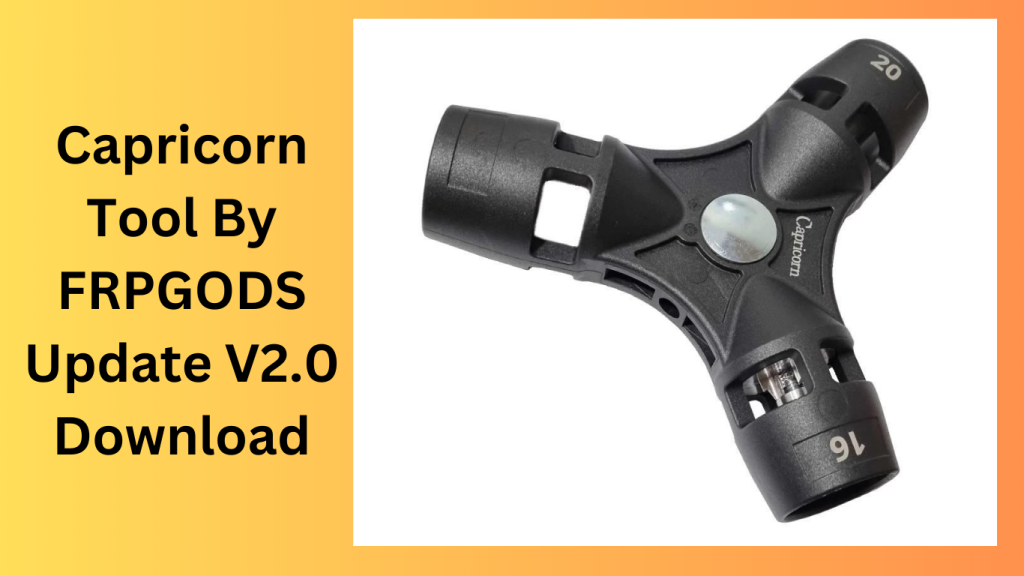
Capricorn Tool For Samsung, Tecno, iTel, Infinix, and Realme smartphones, the Capricorn utility V4.1 utility offers a number of functionality, including MDM lock removal, FRP bypass, restarting the device, and checking for updates. New features include removing the installation of Magisk after rooting from the Realme C11 Wireless Test Assistant, bypassing ADB and FRP for Tecno, iTel, and Infinix smartphones running Android 9–12, and fixing UI bugs.
Key Features:
- ADB Bypass Core FRP on Samsung A01
- With the Samsung A32 FRP Bypass,
- ADB Bypass Core FRP on Samsung M01
- FRP Bypass ADB Samsung A32
- Using ADB, the Samsung A03 Core FRP
- M32 FRP Bypass for Samsung
- With the Samsung A02 FRP Bypass,
- M32 5G FRP Bypass ADB Samsung
- M02 FRP Bypass Samsung
- With the Samsung A22 FRP Bypass,
- FRP Bypass ADB Samsung A22
- With the Samsung A31 FRP Bypass,
- ADB Bypass FRP Samsung A03S
- N/A Tecno Reset the FRP
- Companies that use the same branding
Feature Description:
- Bypass MDM ADB (No Root) without need root access to remove MDM lock on
- Android devices Bypass Tecno SPD FRP Itel SPD FRP Bypass support for Tecno smartphones with SPD chipsets running
- Android 9–12 Add support for Intel devices running Android 9–12 with SPD chipsets and Infinix SPD FRP Bypass.
- Support for Infinix devices running Google 9–12 and equipped with SPD chipsets
- Install Magisk upon rooting the capability to root the device and install Magisk.

What’s New
- Improved support for newer device models.
- Faster device detection and connection.
- Enhanced user interface for a better user experience.
- Increased software stability and reliability.
- Optimized performance for quicker operations.
- Better compatibility with the latest Windows versions.
- Enhanced security features.
- Various bug fixes and overall improvements.
Pros and Cons
Pros
- User-friendly and easy-to-navigate interface.
- Supports a wide range of compatible devices.
- Fast performance and efficient operation.
- Regular updates and feature enhancements.
- Lightweight software with simple installation.
Cons
- Some features may not work on all devices.
- Requires correct drivers for proper functionality.
- Advanced features may require technical experience.
- Performance can vary depending on hardware configuration.
- Internet access may be needed for certain functions.
System Requirements
- Windows 7, 8, 10, or 11
- Minimum 4 GB RAM (8 GB recommended)
- At least 1 GB of free disk space
- Stable internet connection for updates
- Compatible USB drivers installed
- USB cable for device connectivity
- Administrator privileges on the computer
How to install
- The first step is to click the link below to download the file.
- Launch the “Capricorn tool by FRPGods.exe.”
- You may omit this action.
- Use the phone’s internet connection to try out any task.
- Enjoy !!!
FAQs
- What is Capricorn Tool?
- Capricorn Tool is a utility designed to help users manage and perform various maintenance and servicing tasks on supported devices.
- Is Capricorn Tool free to use?
- The availability of free and paid versions depends on the developer and the specific release.
- Which operating systems are supported?
- Capricorn Tool is generally compatible with Windows 7, 8, 10, and 11.
- Do I need special drivers?
- Yes, installing the appropriate USB drivers is recommended for proper device communication.
- Is Capricorn Tool suitable for beginners?
- Yes, its simple interface makes it accessible for beginners, although some advanced features may require technical knowledge.
Conclusion
Capricorn Tool is a practical and reliable utility for users looking to manage and maintain supported devices efficiently. With improved compatibility, better performance, and regular updates, it offers a smooth user experience. While some advanced functions may require additional knowledge, the tool remains a valuable option for both casual users and professionals.
Password: technical world.co
Download Link!
]]>
EGSM Auth Tool v3.4.1 This tool’s special characteristics enable users to easily switch from Xiaomi smartphones to any Qualcomm-based model without using the Xiaomi authenticator. Let’s investigate the EGSM Auth Tool v3.4.1’s capabilities and how it alters the flashing process.
EGSM Auth Tool v3.4.1: Opening Up New Worlds:
For owners of Xiaomi devices, the EGSM Auth Tool v3.4.1 has swiftly attracted notice as a game-changing tool. With its user-friendly interface, this powerful Windows computer utility revolutionizes the device flashing procedure and opens up new opportunities.
Beyond Boundaries Flashing:
This offers up a world of gadget modification and improvement.
Xiaomi Authenticator is not necessary:
In the past, the Xiaomi authenticator was frequently needed for flashing Xiaomi devices.
Rapid and Effective Upgrades:
A device upgrade should be a quick and easy procedure. Upgrades are simplified with EGSM Auth Tool v3.4.1, enabling consumers to quickly switch from their Xiaomi handset to a Qualcomm-based model. Users may take use of the advantages of their updated gadget without needless delays thanks to its optimised operations.

Unavoidable for Anyone Using a Xiaomi Device:
Every owner of a Xiaomi device will be able to utilise all the features of their smartphone thanks to its ability to eliminate restrictions and enable cross-device flashing.
How to Use:
- The process for using EGSM Auth Tool v3.4.1 is simple:
- Download the tool from the official source, install it,
- connect your Xiaomi device to your Windows computer,
- choose the Qualcomm-based model you want to upgrade to,
Learn more about Shadow Defender Final’s features in our guide.
]]>
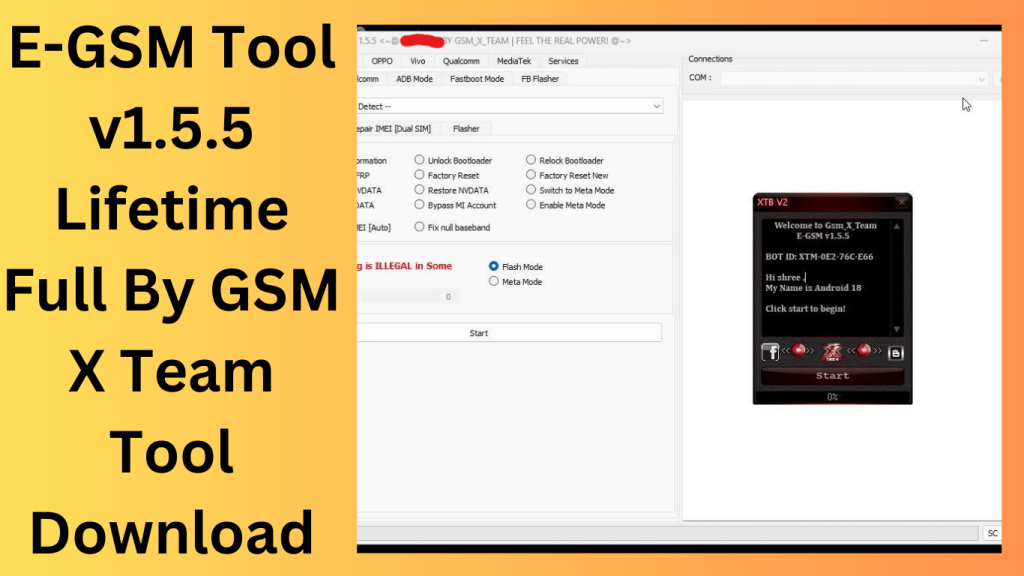
E-Gsm Tool is a little piece of Windows software made by GSMXTEAM, on your Windows computer. It is completely broken and functional both online and off. With the aid of this tool, it is simple to reset FRP, perform a factory reset, and repair an IMEI. Users may use the programme without an internet connection thanks to its offline data. Utilising the tool is simple.
Features Key:
- Dual SIM IMEI Repair: This function enables customers to update the IMEI of the dual SIM model of the Note 9 and Redmi 9.
- With the aid of the programme, the Redmi 9 and Note 9.
- There are two ways to fix IMEIs in diagnostic mode: With the use of this capability, users can change the device’s IMEI by connecting to Diag mode in one of two methods.
- IMEI repair with Meta Mode: Through their device in Meta mode, customers may utilise this capability to fix the IMEI on their handset.
Turn on Meta Mode for certain types: Users can activate Meta mode on specific models using this functionality. - Download Firmware Flash in EDL or Fastboot mode: Users can use this functionality to flash the firmware on a device that is running in Fastboot or EDL mode.
- While in EDL Mode, read the following: When using this function, users may seek up information about the device when in EDL mode.
Changelog!!!
New features and compatibility for numerous Xiaomi models are included in the most current version of the EGSM Tool. Here is a quick summary of the modifications:
assistance with new models: These Xiaomi models are helped by this update:
- Xiaomi Note 11 Pro 5G
- Xiaomi POCO X4 Pro 5G Qualcomm Auth
- Xiaomi Redmi K40S [munch] Qualcomm Auth
- Xiaomi Redmi K40 Pro [HAYDN] Qualcomm Auth
- Xiaomi RedmiK40 [alioth] Qualcomm Auth
- Xiaomi Mi 11T Pro [vili] Qualcomm Auth
- Xiaomi Redmi 10 Qualcomm Auth [selene] MTK
What is the ideal method of application?
- To begin, click the link below to download the file.
- You should then delete all files from the C: disc (essential).
- Make sure your antivirus is switched off before installing the programme.
- Install the setup file after which follow some simple steps to open the folder.
- Utilise through “XTM_E-GSM Tool v3.5.3.”
- After that, you must finish typing your name before hitting the submit button.
- Start the loader after that and sign into the tool by entering your login information.
- After that, you may install all of your current drivers. Skip this step if it’s still necessary.
- Once the phone is connected, try to do any job.
- Enjoy !!!
How To use:
- The procedures listed below may be used to download the E-GSM Tool v3.5.3 Lifetime Full Free Crack.
- Visit the software’s official website first.
- Next, select the “Download” option.
- Select the ‘Free Download’ option after that. Finally, start the downloading process by clicking the “Download Now” option.
Learn more about Shadow Defender Final’s features in our guide.
]]>
GSM Africa Multi Tool I advise contacting the official website of the tool’s authors or other reliable sources to download the genuine and authorised version of the programme if you’re interested in utilising the GSM Africa Multi Tool V1.0 or any other software. Ensure that you are authorised to use any software and that you are abiding by all applicable rules and regulations.
Additionally, use caution while utilising any unlocking or modification tools because careless use might result in data loss or irreparable harm to your devices. Before trying any alterations, always make a backup of any vital data. If you have any questions about how to use these tools, ask an expert for advice.
Getting to Know GSM Africa Multi Tool:
What is GSM Africa Multi Tool?
The GSM Africa Multi Tool is a powerful device that offers a multitude of functions for mobile technicians and enthusiasts. It serves as an all-in-one solution for tasks such as unlocking, flashing, repairing, and servicing mobile phones and tablets.
Key Features of GSM Africa Multi Tool
- Unlocking Capabilities: The tool provides the ability to unlock a wide range of mobile devices, including smartphones and feature phones, irrespective of the brand or model.
- Flashing and Firmware Updates: You can easily flash custom ROMs, update firmware, and recover bricked devices with this versatile tool.
- IMEI Repair: Fixing and restoring IMEI numbers is a breeze, ensuring your device is recognized on the network.
- FRP Bypass: Bypass Factory Reset Protection (FRP) locks effortlessly, allowing you to regain access to locked devices.
- Diagnosis and Troubleshooting: The tool offers diagnostic features to identify and fix common issues, such as software glitches and hardware problems.
Features key:
A variety of features and functionalities are available in the GSM Africa Multi Tool V1.0 to satisfy the needs of mobile enthusiasts and professionals. The functionalities offered by the tool are as follows:
EDL/9008 Modes (Auto Loader):
- In EDL/9008 mode, first remove the User Lock before removing the FRP Lock.
ADB/Fastboot/Sideload Mode:
- collect device-related data.
- Reset the factory settings.
- Without a VPN, resolve Mi Account Relock problems.
- Eliminate FRP Lock.
- Take away User Lock.
- Network file backup and flash storage.
- Xiaomi Bootloader unlock.
- Mi Account repair through ADB mode.
MediaTek:
- Formatting device (new design).
- (Old Model) Format Device.
- Eliminate the Samsung FRP Lock.
- evade the Xiaomi Account.
- Enable the bootloader.
- Lock Bootloader again.
- Delete the FRP lock.
- Bypassing authentication.
- Resolve the Oppo Recovery Error.
Qualcomm [OPPO, VIVO, Huawei]:
- User Lock removal (without data loss).
- Eliminate FRP Lock.
Samsung:
- Formatting tool.
- Eliminate the Samsung FRP Lock.
- Bypassing authentication.
MTP Bypass:
- opens Samsung Browser, FRP Bypass Direct, YouTube, Maps, and Settings without requiring MTP mode.
Fastboot:
- Reboot the device.
- Check the device.
- Normal Reboot.
- Reboot in EDL mode.
- Review Xiaomi and Huawei information.
- Review VIVO information.
- Fix the logo after switching to the Global ROM.
- Set the Active partition (a or b).
- Fix the Dm-verification.
- Flash in Fastboot mode.
ADB:
- ADB All OK, “Remove ID Lock.”
- Device restart.
- Boot into Fastboot.
- Read the info.
- Take out FRP.
- To EDL mode, reboot.
- Start from Recovery.
- Reset the factory.
Special (VIVO):
- Test the device.
- Get rid of the user lock.
- Get rid of the FRP Lock.
- Device restart.

Drivers:
- Download MTK drivers.
- Download the Hisilicon driver.
- Download a Qualcomm driver.
- Download the SPD driver.
- download drivers for Samsung.
- Download Apk Viewer.
- Install Winrar.
- Driver for (libusb).
- Install Huawei All Driver.
- Driver for Qualcomm MTK.
- Driver for Fast boot.
- CDC Driver for MTK.
- up-to-date Qualcomm _MTK drivers.
How to Use GSM Africa Multi Tool:
- Installation: Before you begin, ensure you have the necessary drivers installed on your computer. These drivers are essential for the tool to communicate with your device.
- Connect Your Device: Connect your mobile device to the computer using a compatible USB cable. Make sure your device is powered on and in debugging mode if required.
- Launch the Tool: Open the GSM Africa Multi Tool software on your computer. The interface should display options for various tasks, such as unlocking, flashing, and repairing.
- Select the Desired Function: Choose the function you want to perform from the menu. For example, if you’re unlocking a device, select the ‘Unlock’ option.
- Follow On-Screen Instructions: The tool will provide on-screen instructions for each task. Follow these instructions carefully to complete the process.
- Monitor Progress: During the operation, the tool will display the progress and status. Ensure you do not disconnect the device until the process is complete.
- Completion: Once the operation is finished, you’ll receive a notification indicating success. Your device is now ready for use or further troubleshooting.
Conclusion:
The GSM Africa Multi Tool is a versatile and indispensable companion for anyone involved in mobile device servicing and repair. Its wide array of features and user-friendly interface make it a valuable asset for technicians and enthusiasts alike. Unlock the full potential of your mobile device and troubleshoot issues with ease using this powerful tool.
What is the best way to use it?
- Download the setup file and launch the “Gsm africa Executable.
- ” Once the tool has been activated, it should be usable without further activation.
- To do this, download the activator and setup files from the mega link, extract the files using software like WinRAR, and then launch the setup file and activate the tool.
FAQs:
- Is the GSM Africa Multi Tool compatible with all mobile devices?
- Yes, the tool is designed to work with a wide range of mobile devices, making it highly versatile.
- Can I use the tool for software updates and custom ROM installations?
- Absolutely, the GSM Africa Multi Tool is equipped to handle software updates and custom ROM installations effortlessly.
- Is it safe to use the tool for IMEI repair?
- Yes, when used correctly, the tool is safe for IMEI repair and ensures your device is recognized on the network.
- What should I do if I encounter any issues during the operation?
- If you encounter any issues, refer to the tool’s user manual or seek assistance from online forums and communities for troubleshooting tips.
- Can beginners use the GSM Africa Multi Tool effectively?
- Yes, beginners can use the tool effectively by following our step-by-step guide and taking the time to learn its functions.
Get Access Now:
Download Link!
]]>