A truly outstanding solution, Geeklock Utility Tool streamlines the process of fixing software-related problems and does away with the trouble of using various programs.
Understanding Geeklock Utility Tool:
Many Different Functions
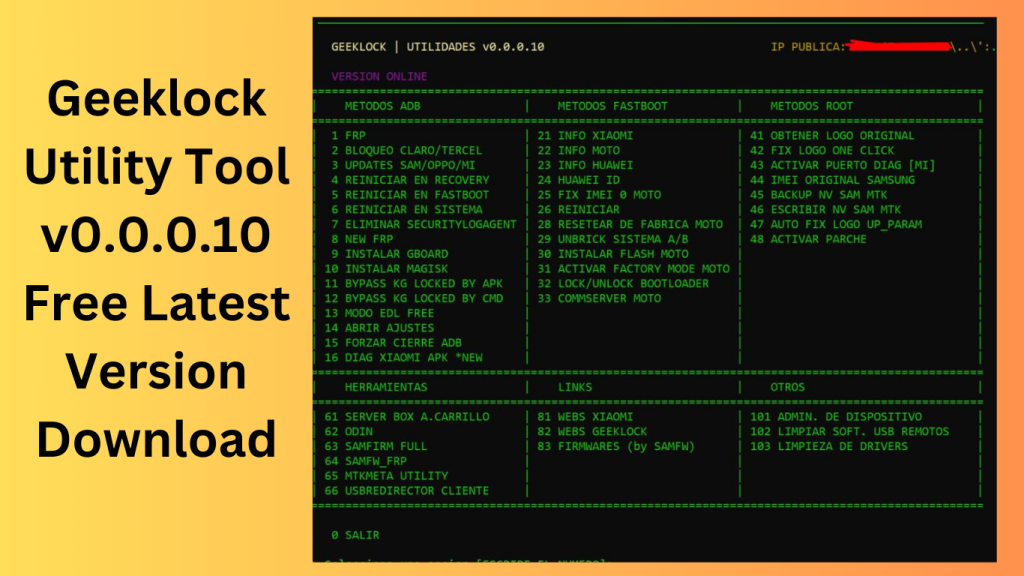
Geeklock Utility Tool performs a wide range of tasks, from unlocking devices and conducting data resets to removing Factory Reset Protection (FRP) locks.
Installation Not Necessary
Users may take advantage of its features without downloading anything or installing anything, minimizing the disturbance to their workflow.
Key Functions:
FRP Disposal
A simple way to remove these locks is provided by the Geeklock Utility Tool, improving user access to their devices.
Resetting Data in ADB Mode
The tool’s capabilities in the Android Debug Bridge (ADB) mode make data reset easier.
Software to Unbrick Fastboot
The utility provides a fast boot-based unbricking solution in the case that software problems render a device unresponsive, returning it to its working condition.
Removal of Huawei ID through factory fast boot
The Geeklock Utility Tool’s Factory Fastboot function makes it easier to remove Huawei ID locks, which enhances the usefulness of the device.
MOTO Comm Server in Fastboot
Users of MOTO devices may control their devices effectively thanks to the tool’s Comm Server feature in Fastboot mode.
Fastboot’s Device Information Retrieval
In Fastboot mode, the Geeklock Utility Tool makes it easier to retrieve crucial device data, assisting users in problem-solving and decision-making.
ADB Movement
The tool’s ADB Action functionality gives users the ability to launch different actions using the Android Debug Bridge, enhancing their ability to control devices.
How to Use:
Use after Download
Without needing to install it, users may download the program and use its features.
CLI, or command-line interface
The program uses a command-line interface (CLI) to carry out operations, giving users full control over their course of action.
Why Choose Geeklock Utility Tool?
One tool, many possible solutions
Geeklock Utility Tool’s ability to solve a variety of software issues with a single, portable tool makes it stand out from the competition.
Time and labor effectiveness
Geeklock Utility Tool improves productivity by removing the need to download and install many utilities, freeing users to concentrate on finding quick solutions to problems.
Simple Installation
The no-installation design of Geeklock Utility Tool ensures a smooth experience by minimizing interruptions to customers’ workloads.
Password: technical world.co
Download Link!
]]>