Samsung FRP Tool In this digital age, our smartphones have become an integral part of our lives, often storing sensitive information. For security reasons, manufacturers implement Factory Reset Protection (FRP) locks on Android devices, including Samsung Galaxy smartphones. If you’ve found yourself locked out of your device due to the FRP lock, don’t worry – there’s a solution. This article will delve into the world of Samsung FRP tools, specifically focusing on the Best Easy Sam FRP Tools 2026, and how it can help you regain access to your device.
What is FRP Lock?
Explaining FRP Lock
The FRP lock, or Factory Reset Protection, is a security feature designed to prevent unauthorized access to your device. It requires you to enter your Google account credentials after a factory reset. This additional layer of security is crucial in case your device is lost or stolen.
Why It Exists
The main purpose of FRP locks is to deter thieves from wiping and selling stolen devices, thus reducing the incentive for device theft. While this is a commendable security feature, it can be frustrating for users who genuinely need to regain access to their devices.
Samsung FRP Unlocking Tools:
Introduction to Samsung FRP Unlocking
Unlocking Samsung FRP locks has become a necessity for many users. The good news is that over the years, numerous tools have been developed to help users unlock their Samsung devices without any hassle.
The Evolution of Samsung FRP Tools
Samsung FRP unlocking tools have evolved significantly, offering better compatibility, faster unlocking times, and user-friendly interfaces. One such tool making waves in 2026 is the Best Easy Sam FRP Tools.
Best Easy Sam FRP Tools 2026
Best Easy Sam FRP Tools 2026 is the latest addition to the Samsung FRP unlocking arsenal. It promises to be an efficient and easy-to-use tool for bypassing FRP locks on Samsung Galaxy devices running Android 9 to 12.
How to Download Samsung FRP Tool:
Step-by-Step Guide
To download the Best Easy Sam FRP Tools 2026, follow these steps:
- Visit the official website.
- Locate the download link.
- Click on the link to start the download.
- Install the software on your PC.
System Requirements:
Before you begin the download, make sure your system meets the minimum requirements. You’ll need a Windows computer, a USB cable to connect your Samsung device, and a stable internet connection.
How to Use Samsung FRP Tool:
Unlocking Process
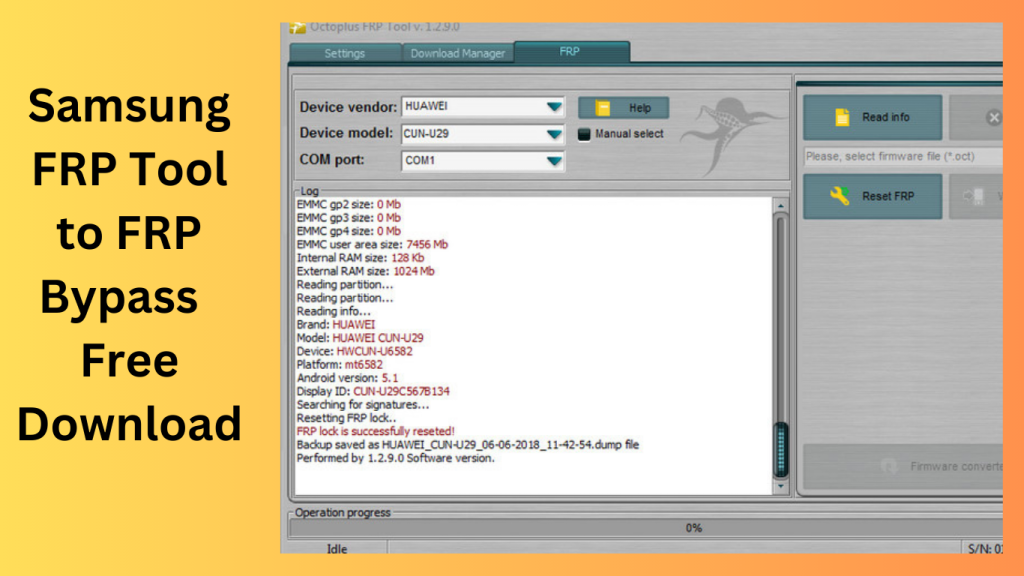
Using Best Easy Sam FRP Tools 2026 is a straightforward process. Connect your locked Samsung device to your PC, follow the on-screen instructions, and let the tool work its magic. Your device will be unlocked in no time.
Common Issues and Solutions
If you encounter any issues during the unlocking process, the tool provides troubleshooting tips to help you overcome them. This ensures a smoother experience, even for those who aren’t tech-savvy.
Compatibility and Supported Models:
Android Versions
Best Easy Sam FRP Tools 2026 supports a range of Android versions, from Android 9 to 12, ensuring compatibility with a wide range of Samsung devices.
Samsung Galaxy Models
The tool is compatible with various Samsung Galaxy models, making it a versatile solution for a diverse set of users.
The Benefits of Using Samsung FRP Tools:
Easier Access to Your Device
The primary benefit of using Samsung FRP tools like Best Easy Sam FRP Tools 2026 is regaining access to your device without hassle. It saves you from the frustration of being locked out of your phone.
Security Enhancements
While FRP locks are primarily a security feature, they can be an inconvenience for genuine users. These tools maintain the security of your device while providing an easy way for you to unlock it.
User-Friendly Interface:
Why It Matters
Best Easy Sam FRP Tools 2026 boasts a user-friendly interface, making it accessible for users with varying levels of technical expertise. The straightforward design ensures that anyone can use the tool.
Ease of Navigation
The tool’s intuitive design and step-by-step instructions make the unlocking process a breeze. You don’t need to be a tech guru to get your Samsung device back in working order.
Frequently Asked Questions:
Q1: Can I use this tool on Android 12 devices?
Yes, Best Easy Sam FRP Tools 2026 is compatible with Android 12 devices. It supports a wide range of Android versions, including Android 12, ensuring that you can use it to unlock your device.
Q2: What if I forget my Google account information after using the tool?
If you forget your Google account information after using the tool, you should take precautions to avoid this scenario. Make sure to note down your account details in a safe place. In case you do forget, you can recover your Google account information through Google’s account recovery process.
Q3: Is this tool safe to use on my Samsung phone?
Yes, Best Easy Sam FRP Tools 2026 is a safe and reliable solution. It has been developed with the utmost care to ensure the security of your device and data. However, always ensure that you download the tool from the official website to avoid potential risks associated with unofficial sources.
Q4: What makes Best Easy Sam FRP Tools 2026 different from other solutions?
Best Easy Sam FRP Tools 2026 stands out for its user-friendly interface and efficiency. Unlike some complex solutions, this tool is designed for easy navigation, making it accessible to users with varying levels of technical expertise. It simplifies the unlocking process while maintaining the security of your device.
Q5: Do I need advanced technical skills to unlock my device with this tool?
No, you do not need advanced technical skills to unlock your device with Best Easy Sam FRP Tools 2026. The tool is designed to be user-friendly and comes with step-by-step instructions. Whether you’re tech-savvy or not, you can use this tool to unlock your Samsung device without any hassle.
Conclusion:
In conclusion, Samsung FRP tools like Best Easy Sam FRP Tools 2026 provide a much-needed solution for users locked out of their Samsung Galaxy devices. They combine security with accessibility, offering an efficient way to bypass FRP locks. Don’t let the FRP lock stand in your way – download the Best Easy Sam FRP Tools
Get access now:
Download Link!
]]>
RomFW Tool V6.6 is a user-friendly program made to make managing different mobile devices easier and more effective. Let’s examine RomFW Tool V6.6’s primary features.
Device Optimization:
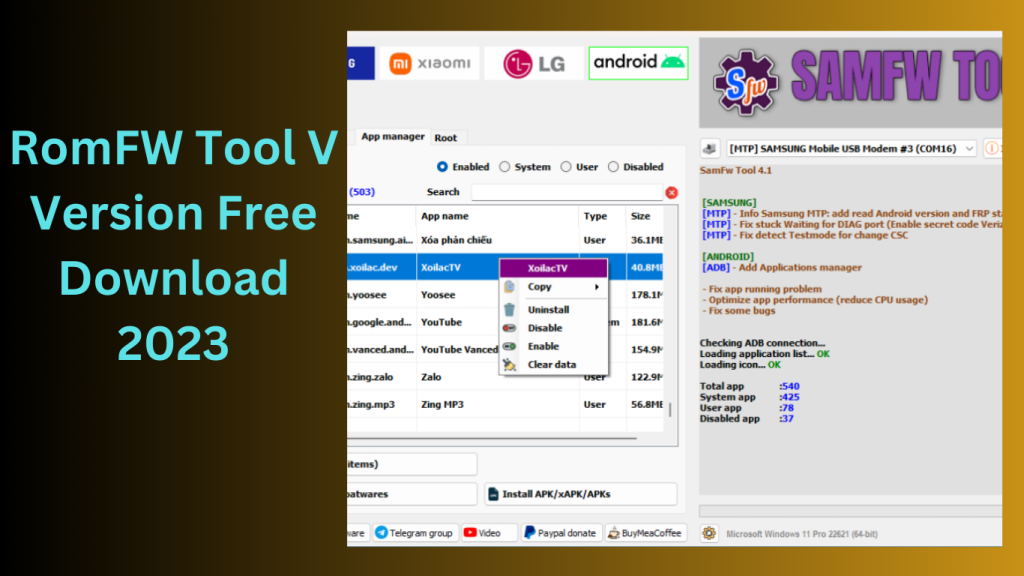
A wide range of optimization options are offered by RomFW Tool V6.6 to improve the functionality of your mobile device as a whole. You may make system settings adjustments, delete cache files, stop pointless background programmes, and free up priceless storage space. These improvements may lead to a rise in responsiveness, efficiency, and speed.
Firmware Management:
You can quickly manage the firmware of your mobile device using RomFW Tool V6.6. It gives you the ability to upgrade the firmware of the device to the most recent version, guaranteeing that you have access to the newest features, security updates, and bug fixes published by the producer.
ROM Customization:
This utility makes it simple for users to modify the read-only memory (ROM) of their device. It offers a variety of customization options, including the ability to add custom ROMs, apply themes, change the system fonts, and alter the look of the device to suit your tastes. Users may personalise their smartphone experience to fit their preferences thanks to ROM customisation.
Backup and Restore:
RomFW Tool V6.6 simplifies the process of backing up and restoring your device’s data.This feature provides peace of mind and allows for a seamless migration between devices.
Root Access and Advanced Features: RomFW Tool V6.6 gives advanced users the option to take control of the mobile device’s root access. With higher capabilities provided by root access, users may install custom recovery software, view system files, and perform sophisticated modifications.
Device Compatibility:
The RomFW Tool V6.6 is made to work with a variety of mobile devices from different manufacturers. No matter what brand or model of smartphone or tablet you own, there’s a strong possibility that RomFW Tool V6.6 will work with it.
Key Features:
- Disabling FRP Sideload and resetting EFS Sideload on Qualcomm-powered Xiaomi smartphones may be challenging for users of the company’s products.
- Tera Tool V6.6 introduces the “Remove FRP Sideload” and “Reset EFS Sideload” methods to address these problems.
- The Redmi Note10, Redmi Note10 Max, Poco M3, Mi 11 Lite, Mi 10 5G, and Note 10 Pro are among the supported gadgets.
- This feature can aid in enhancing network connectivity and fixing network-related issues.Improved Restore QCN: Tera Tool version 2.5.9 has made improvements to the “Restore QCN” function.
- may now skip IMEIs throughout the QCN restoration process, saving them valuable time.Xiaomi Mediatek in Flash Mode Partition Manager and Root Device:
- For Xiaomi devices with Mediatek CPUs, Tera Tool V6.6 offers a Partition Manager and Root Device functionality in flash mode.
- This allows managing partitions and rooting Xiaomi devices with Mediatek CPUs easier.
- Tera includes server improvements, bug fixes, and GUI updates.
How to Use:
- To get the zip file, use the provided URL.Unzip the files to your C: disc.
- Inspect the zip folder to make sure you have extracted every file.
- To install the required drivers, adhere to the directions given by the Tera Tool programme.
- Utilise Tera Tool with pleasure for your phone-related duties..
Password: technicalworld.co
Download Link!
]]>