
Dragonfly Tool I can provide some basic guidance or suggest well-known and reliable products that are already on the market if you’re seeking for tools to help with Android cellphones. In order to prevent any security dangers or legal problems, always make sure you are downloading software from legitimate sources.
What exactly is Dragonfly?
GSM Sulteng created the software application Dragonfly with Windows machines in mind. It promises to offer an effective and convenient solution for different Android smartphone-related chores.
It is significant to note that, as of my most recent update in September 2023, I was unaware of any more improvements to the Dragonfly Tool v1.0.1 code. As a result, I suggest checking out the official website or other trustworthy sources to get the most up-to-date details on Dragonfly and its features. Whenever using any programme, make sure you Download it from reliable sources to prevent malware or any security problems.
Features Key:
- MTK Universal: This capability makes a wide range of MTK-based smartphones possible by enabling interoperability with devices that use MTK CPUs.
- On Android smartphones, Dragonfly can assist you with problems relating to pattern locks.
- You may reset your smartphone to its factory default settings by performing a factory reset on it.
- Factory Reset (Old MTK): To execute a factory reset on a device with an older MTK CPU, choose this option.
- Protected Format Data: This function safely and securely formats the data on your device without causing any data loss.
- Reset Account: Dragonfly can assist with resetting account-related issues on your device.
- Remove FRP (Factory Reset Protection): After a factory reset, you may unlock the device because the FRP lock is no longer there.
- Remove FRP (2nd Method): There is a different way to get around the device’s FRP lock.
- Samsung FRP Eraser: This function is made particularly to remove FRP from Samsung devices.
- Eliminate MI Cloud Tam: This aids with unlocking Xiaomi devices’ MI Cloud locks.
- Dragonfly offers methods for interacting with the device’s bootloader in bootloader mode.
- Unlock Bootloader (UBL): You may make use of this capability to unlock your device’s bootloader.
- Secure Bootloader (ReUBL): After unlocking the device, lock the bootloader once again to increase security.
- You can use the device’s modem-related features while in this mode.
- Erase NvRam using Dragonfly to get rid of non-volatile memory for the device’s random access memory (NvRam).
- NvData should be removed to make the device’s non-volatile data (NvData) clean.
- NvRam and NvData backup: You can make a copy of your device’s NvRam and NvData.

How to Use?
- Download the application: Obtain the Dragonfly tool from a reliable source or, if available, the official website. Make sure you’re getting the most recent and authentic version of the programme.
- After downloading the Dragonfly utility, extract the contents from the package (which are often in RAR format) and save them to a folder on your computer.
- provide Login Information: To use the tool, provide your login ID and password if prompted. Don’t use any unauthorised or shared accounts, and make sure you received the login information legally.
- Install Drivers (If Required): The utility may ask you to install drivers if your computer does not already have them installed for your Android smartphone. To install the necessary drivers, adhere to the on-screen directions.
Password: technicalworld.co
Download Link!
]]>
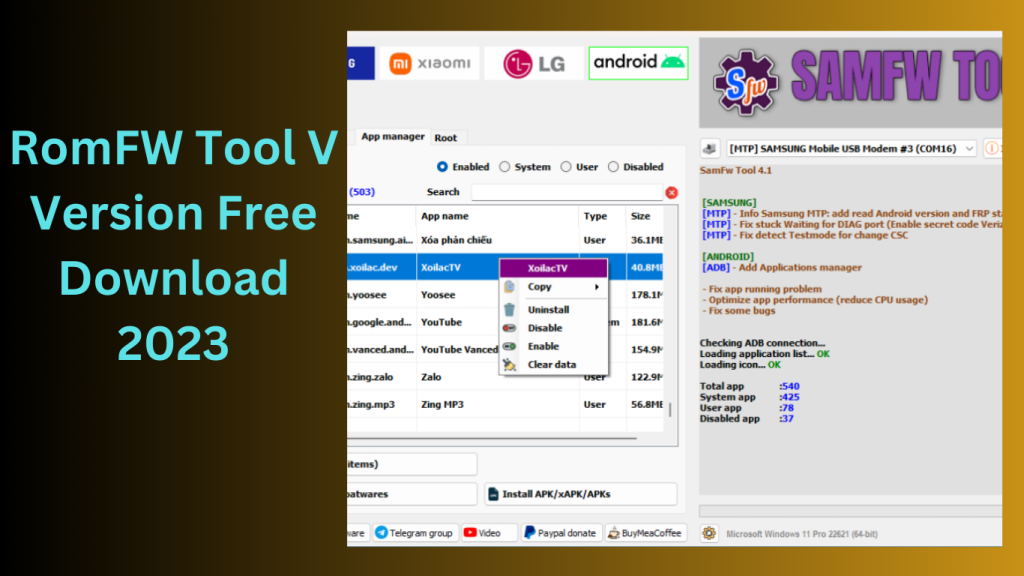
RomFW Tool V6.6 is a user-friendly program made to make managing different mobile devices easier and more effective. Let’s examine RomFW Tool V6.6’s primary features.
Device Optimization:
A wide range of optimization options are offered by RomFW Tool V6.6 to improve the functionality of your mobile device as a whole. You may make system settings adjustments, delete cache files, stop pointless background programmes, and free up priceless storage space. These improvements may lead to a rise in responsiveness, efficiency, and speed.
Firmware Management:
You can quickly manage the firmware of your mobile device using RomFW Tool V6.6. It gives you the ability to upgrade the firmware of the device to the most recent version, guaranteeing that you have access to the newest features, security updates, and bug fixes published by the producer.
ROM Customization:
This utility makes it simple for users to modify the read-only memory (ROM) of their device. It offers a variety of customization options, including the ability to add custom ROMs, apply themes, change the system fonts, and alter the look of the device to suit your tastes. Users may personalise their smartphone experience to fit their preferences thanks to ROM customisation.
Backup and Restore:
RomFW Tool V6.6 simplifies the process of backing up and restoring your device’s data.This feature provides peace of mind and allows for a seamless migration between devices.
Root Access and Advanced Features: RomFW Tool V6.6 gives advanced users the option to take control of the mobile device’s root access. With higher capabilities provided by root access, users may install custom recovery software, view system files, and perform sophisticated modifications.
Device Compatibility:
The RomFW Tool V6.6 is made to work with a variety of mobile devices from different manufacturers. No matter what brand or model of smartphone or tablet you own, there’s a strong possibility that RomFW Tool V6.6 will work with it.
Key Features:
- Disabling FRP Sideload and resetting EFS Sideload on Qualcomm-powered Xiaomi smartphones may be challenging for users of the company’s products.
- Tera Tool V6.6 introduces the “Remove FRP Sideload” and “Reset EFS Sideload” methods to address these problems.
- The Redmi Note10, Redmi Note10 Max, Poco M3, Mi 11 Lite, Mi 10 5G, and Note 10 Pro are among the supported gadgets.
- This feature can aid in enhancing network connectivity and fixing network-related issues.Improved Restore QCN: Tera Tool version 2.5.9 has made improvements to the “Restore QCN” function.
- may now skip IMEIs throughout the QCN restoration process, saving them valuable time.Xiaomi Mediatek in Flash Mode Partition Manager and Root Device:
- For Xiaomi devices with Mediatek CPUs, Tera Tool V6.6 offers a Partition Manager and Root Device functionality in flash mode.
- This allows managing partitions and rooting Xiaomi devices with Mediatek CPUs easier.
- Tera includes server improvements, bug fixes, and GUI updates.
How to Use:
- To get the zip file, use the provided URL.Unzip the files to your C: disc.
- Inspect the zip folder to make sure you have extracted every file.
- To install the required drivers, adhere to the directions given by the Tera Tool programme.
- Utilise Tera Tool with pleasure for your phone-related duties..
Password: technicalworld.co
Download Link!
]]>