
EGSM Auth Tool v3.4.1 This tool’s special characteristics enable users to easily switch from Xiaomi smartphones to any Qualcomm-based model without using the Xiaomi authenticator. Let’s investigate the EGSM Auth Tool v3.4.1’s capabilities and how it alters the flashing process.
EGSM Auth Tool v3.4.1: Opening Up New Worlds:
For owners of Xiaomi devices, the EGSM Auth Tool v3.4.1 has swiftly attracted notice as a game-changing tool. With its user-friendly interface, this powerful Windows computer utility revolutionizes the device flashing procedure and opens up new opportunities.
Beyond Boundaries Flashing:
This offers up a world of gadget modification and improvement.
Xiaomi Authenticator is not necessary:
In the past, the Xiaomi authenticator was frequently needed for flashing Xiaomi devices.
Rapid and Effective Upgrades:
A device upgrade should be a quick and easy procedure. Upgrades are simplified with EGSM Auth Tool v3.4.1, enabling consumers to quickly switch from their Xiaomi handset to a Qualcomm-based model. Users may take use of the advantages of their updated gadget without needless delays thanks to its optimised operations.

Unavoidable for Anyone Using a Xiaomi Device:
Every owner of a Xiaomi device will be able to utilise all the features of their smartphone thanks to its ability to eliminate restrictions and enable cross-device flashing.
How to Use:
- The process for using EGSM Auth Tool v3.4.1 is simple:
- Download the tool from the official source, install it,
- connect your Xiaomi device to your Windows computer,
- choose the Qualcomm-based model you want to upgrade to,
Learn more about Shadow Defender Final’s features in our guide.
]]>
E-Gsm Tool is a little piece of Windows software made by GSMXTEAM, on your Windows computer. It is completely broken and functional both online and off. With the aid of this tool, it is simple to reset FRP, perform a factory reset, and repair an IMEI. Users may use the programme without an internet connection thanks to its offline data. Utilising the tool is simple.
Features Key:
- Dual SIM IMEI Repair: This function enables customers to update the IMEI of the dual SIM model of the Note 9 and Redmi 9.
- With the aid of the programme, the Redmi 9 and Note 9.
- There are two ways to fix IMEIs in diagnostic mode: With the use of this capability, users can change the device’s IMEI by connecting to Diag mode in one of two methods.
- IMEI repair with Meta Mode: Through their device in Meta mode, customers may utilise this capability to fix the IMEI on their handset.
Turn on Meta Mode for certain types: Users can activate Meta mode on specific models using this functionality. - Download Firmware Flash in EDL or Fastboot mode: Users can use this functionality to flash the firmware on a device that is running in Fastboot or EDL mode.
- While in EDL Mode, read the following: When using this function, users may seek up information about the device when in EDL mode.
Changelog!!!
New features and compatibility for numerous Xiaomi models are included in the most current version of the EGSM Tool. Here is a quick summary of the modifications:
assistance with new models: These Xiaomi models are helped by this update:
- Xiaomi Note 11 Pro 5G
- Xiaomi POCO X4 Pro 5G Qualcomm Auth
- Xiaomi Redmi K40S [munch] Qualcomm Auth
- Xiaomi Redmi K40 Pro [HAYDN] Qualcomm Auth
- Xiaomi RedmiK40 [alioth] Qualcomm Auth
- Xiaomi Mi 11T Pro [vili] Qualcomm Auth
- Xiaomi Redmi 10 Qualcomm Auth [selene] MTK
What is the ideal method of application?
- To begin, click the link below to download the file.
- You should then delete all files from the C: disc (essential).
- Make sure your antivirus is switched off before installing the programme.
- Install the setup file after which follow some simple steps to open the folder.
- Utilise through “XTM_E-GSM Tool v3.5.3.”
- After that, you must finish typing your name before hitting the submit button.
- Start the loader after that and sign into the tool by entering your login information.
- After that, you may install all of your current drivers. Skip this step if it’s still necessary.
- Once the phone is connected, try to do any job.
- Enjoy !!!
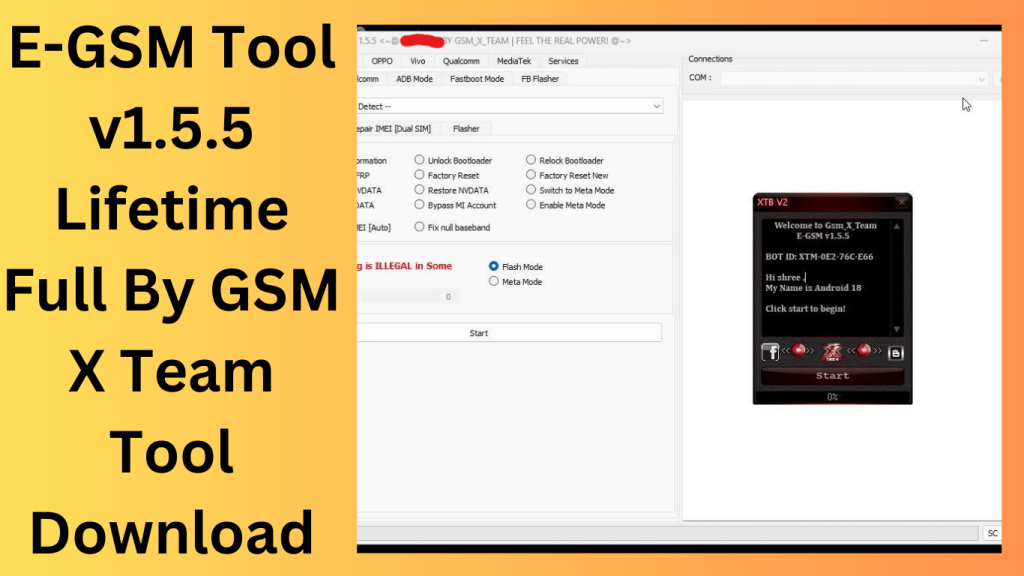
How To use:
- The procedures listed below may be used to download the E-GSM Tool v3.5.3 Lifetime Full Free Crack.
- Visit the software’s official website first.
- Next, select the “Download” option.
- Select the ‘Free Download’ option after that. Finally, start the downloading process by clicking the “Download Now” option.
Learn more about Shadow Defender Final’s features in our guide.
]]>