All iOS devices, including the iPhone, iPad, and iPod touch, may have their iCloud activation unlocked using the revolutionary and dependable iremoval PRO v7.2 (iRa1n v4.0). With its most recent version, this program especially offers improved performance and security, offering a reliable option for unlocking iCloud activation.

By iFixit -A Reliable Name in Apple Repair:
The developers of iFixit, a well-known name in the Apple repair sector, have created iRemoval PRO v7.2 (iRa1n v4.0), and they are bringing it to you. You may rely on the dependability and efficacy of iRemoval PRO since it has a track record of creating products that are especially made for Apple customers.
Completely reliable and secure:
You may use iRemoval PRO v7.2 (iRa1n v4.0) with complete confidence. Throughout the unlocking process, your device’s data and privacy are safeguarded, delivering a secure and dependable experience.
Repair and Unlock Broken Baseband:
The most recent version of iRemoval PRO enables iOS devices to fix damaged basebands in addition to unlocking iCloud activation. This all-inclusive utility offers a remedy for baseband problems, ensuring that your device performs at its best.
Key Features:
- When used with iOS devices like the iPhone, iPad, and iPod touch, the utility offers a dependable and efficient way to unlock iCloud activation.
- The entire functionality of the gadgets is available to users once they recover access to them.
- Safe and Reliable, iFixit, a reputable brand in the Apple repair sector, is the developer of removal PRO v7.2 (iRa1n v4.0).
- Assuring the privacy and security of user information during the unlocking process, the tool is made to be reliable and secure.
- Free Tool, Users can unlock iCloud activation with the use of the free iRemoval PRO v7.2 (iRa1n v4.0) tool.
- Repair Broken Baseband, IRemoval PRO’s most recent iteration now can fix iOS devices’ damaged basebands. Hence, This capability aids in baseband correction.
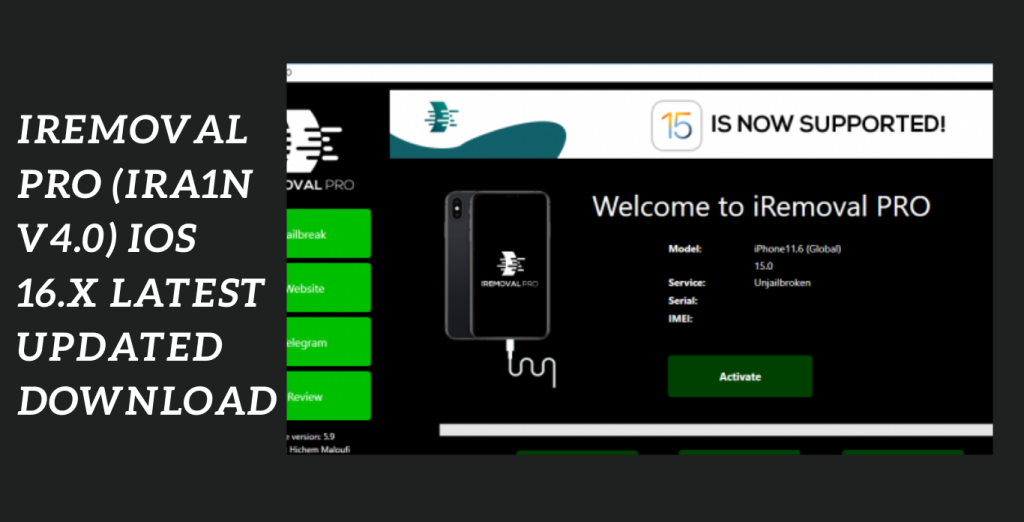
System Requirements:
- Operating system: The instrument normally works with Windows, macOS, and Linux. Check to see if your machine satisfies the minimal requirements for the particular operating system version you’re using.
- Storage Space: Remove PRO v7.2 (iRa1n v4.0) and any associated files must be downloaded and installed on a computer with enough free disc space to do so.
- The first application in the world to make it possible for iPad cellular devices running iOS 15.5 to 15.7 to fully skip signals
- iPad 5th, iPad 6th, iPad 7th generations, iPad mini 4, iPad Air 2, and more Apple’s iPad Pro 12.9 and 9.7 10.5″ iPad Pro 2 iPad Pro 1 9.7, iPad Pro 2, and 12.9
- and removal PRO v5.9.2 of iRa1n
- It should be mentioned that only iPads with cellular connectivity will be accepted (iPad wifi will be made available soon).
How to download iRemoval PRO?
- To be sure you are obtaining a genuine copy of the utility, go to the official iRemoval v7.2 website.
- Find the download area on the website, then choose the correct iRemoval v7.2 version for your operating system.
- To install iRemoval v7.2 on your device when the download is finished, open the installation file and adhere to the on-screen directions. If any permissions are required during the installation process, make sure to allow them.
How to Install:
- To get the program, go to the official website or another reliable source.
- On the webpage, search for and click on the download button or link.
- You might need to select the correct software version (e.g., Windows, macOS, iOS, Android) depending on the hardware or operating system you’re using.
- Discover the downloaded file on your device after the download is complete.
- Run the installation file (.exe or.dmg) for desktop programs and follow the on-screen
- Directions to install the programtechnical world. Install software only from reputable sources and exercise caution when doing so.
- To use a downloaded file for a mobile application, touch it or look for it in your downloads folder. Install the using the guidelines displayed on-screen.
Is iRemoval PRO safe to use?
- Legitimacy: Ensure that you are downloading iRemoval PRO from a reputable source. Unauthorized or cracked versions of such tools may contain malware or cause other problems.
- Jailbreaking: Many iOS unlocking tools require jailbreaking your device, which can void your warranty and expose your device to security risks.
- Privacy: Be cautious about the information you share when using such tools. Some may ask for sensitive data that can be misused.
- Compatibility: Updates to iOS can sometimes break compatibility with unlocking tools, leaving you with a bricked or unusable device.
- Legal implications: Using such tools may violate Apple’s terms of service or even local laws, depending on your location.
- Data loss: Unlocking a device can result in data loss or instability. Always back up your data before attempting any unlocking procedure.
Get Access Now:
Mirror Link!
]]>Scylla Tool The unlocking of iCloud-locked devices is revolutionized by Scylla Tool V3.0’s cutting-edge technology and newest features. The tool offers consumers an improved unlocking experience by introducing a variety of sophisticated choices.

You may break free from iCloud’s constraints and take back complete control of your Apple device by utilizing Scylla Tool V3.0. Scylla Tool V3.0 strives to offer a practical and efficient solution, regardless of whether you have forgotten your iCloud account data or have bought a secondhand device that is locked to someone else’s account.
Please be aware that using iCloud removal programs could have moral and legal repercussions. It’s crucial to comprehend and abide by Apple’s rules and utilize these tools appropriately. Be cautious when downloading and utilizing third-party software as well.
Key Features OF Scylla Tool:
- The Auto Plist Reader feature dramatically speeds up unlocking and is a new addition to the Scylla Tool 3.0. The device’s list files are automatically scanned and read by this clever function, streamlining the unlocking procedure. It makes iCloud FMI OFF removal quick and simple as never before.
Check for Chimaera Lock Compatibility: The Scylla Tool v3.0 is made to work with a variety of devices, hence offering universal support. The tool promises unlocking capability for all Apple devices, including iPhones, iPads, and other models.
These features enable users of the Scylla Tool to bypass iCloud limitations and fully take advantage of the capabilities of their Apple devices. - It’s critical to keep in mind that unlocking iCloud-locked devices can have moral and legal repercussions. Make sure you comprehend and follow Apple’s terms and conditions, and use caution while utilizing third-party solutions. Always put the security of your device and your data first by downloading software only from dependable and trustworthy sources.
Use the Scylla Tool sensibly and by all applicable laws and Apple’s legal guidelines.

How To Use And Download:
- Get the zip file here: Download the zip file from the supplied link to get started.
Decompress the files: Extract all the files from the zip file you downloaded. For simpler access, extracting them to the C: disc is advised.
Disable antivirus: Before beginning the installation, temporarily turn off your antivirus program. To avoid any disruptions during the installation procedure, this is crucial.
Setup the software: Find the setup file by opening the extracted folder. Run the setup file and adhere to the directions to finish the installation.
Scylla tool launch Find and launch the “Scylla Tool Instant iCloud OFF Removal” program when the installation is finished. - Install drivers (if necessary): Use the tool’s installation instructions to install the necessary drivers if you haven’t already. You may skip this step if the drivers are already on your computer.
Link your phone: Utilise a USB cable that is compatible to connect your iPhone or iPad to your PC.
Execute desired actions: Now that your device is linked, you may explore all of the choices and features that the Scylla Tool has to offer. To carry out the appropriate actions, such as turning off iCloud, simply adhere to the on-screen directions.
Enjoy: When you have finished the required actions, you may benefit from utilizing the Scylla Tool to remove iCloud OFF.
Download Link!
]]>
Cheetah Qualcomm IMEI Repair Tool Technical problems can occur in the quick-paced world of smartphones, annoying and frustrating customers. The most difficult of these difficulties to fix are those involving IMEI, MEID, and ESN.
Understanding the Importance of IMEI, MEID, and ESN
The Significance of IMEI, MEID, and ESN:
Mobile devices have distinctive identities called IMEI (International Mobile Equipment Identity), MEID (Mobile Equipment Identifier), and ESN (Electronic Serial Number). These codes are essential for ensuring that smartphones operate properly and are connected to mobile networks.
What is Cheetah Qualcomm, IMEI Tool?
It provides a complete collection of tools to quickly identify, resolve, and restore IMEI, MEID, and ESN problems.
Key Features:
- The utility can successfully fix and restore IMEI and MEID codes that may have been harmed or corrupted.
- Cheetah Qualcomm IMEI Tool can restore ESN codes to their original condition, ensuring uninterrupted communication.
- User-Friendly Interface: The product has an intuitive interface that makes it simple for even non-technical people to use its functions.
Utilizing Cheetah Qualcomm IMEI Tool v1.1.0:
Download and Installation:
Users may download the Cheetah Qualcomm IMEI Tool v1.1.0 from its official source to get started. It is simple to complete the installation process and does not call for any specialized technical knowledge.
Repairing and Restoring Codes:
The user can start the repair and restoration procedure after diagnosing the problems. Users can follow the instructions in the Cheetah Qualcomm IMEI Tool v1.1.0 to guarantee a successful resolution.
Feedback from Satisfied Customers:
Positive User Experiences:
Customers who have used the Cheetah Qualcomm IMEI Tool v1.1.0 are pleased with its performance and usability. Many people have expressed their thanks for a free and trustworthy solution to a serious smartphone problem.
High Demand in the Qualcomm Community:
Users like the simplicity it provides in dealing with IMEI, MEID, and ESN issues.
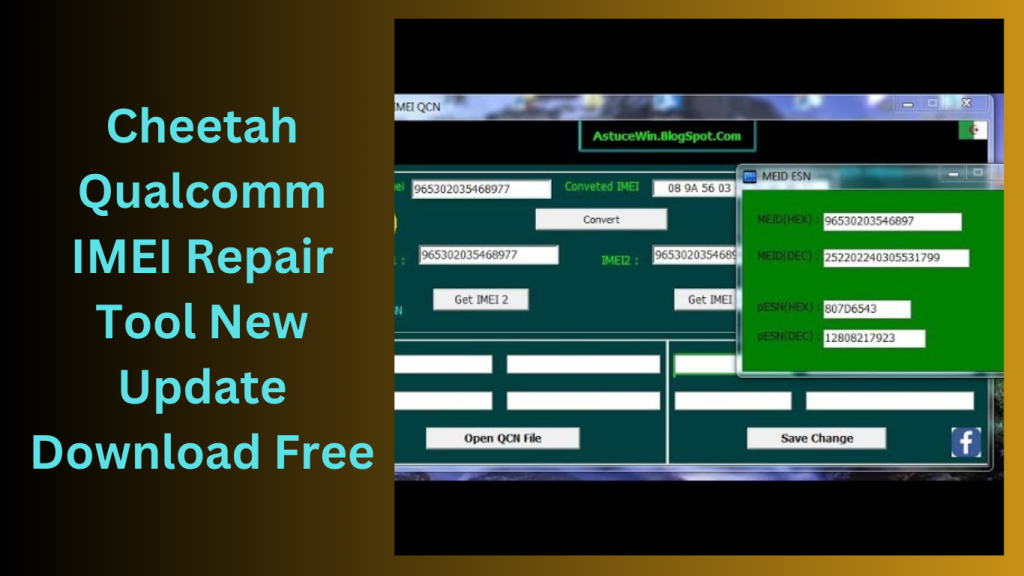
How to Install:
- Follow the installation instructions below step-by-step to make optimal use of this tool:
- Start by selecting the link to get the Cheetah Qualcomm IMEI Tool v1.1.0 from the website.
- Use file extraction tools like WinRAR or 7Zip to find the downloaded file on your computer and extract it where you want it to be.
- Find the setup file, which typically has a name that sounds like “setup.exe.”
- set-up up wizard guide you through the installation procedures.
- To finish the installation, the setup wizard will ask you to follow the on-screen directions.
- exe” will appear on your desktop.
- To launch the program, double-click this shortcut.
- The setup wizard will prompt you to follow on-screen instructions to complete the installation.
- After the successful installation, you can find a shortcut icon named “Cheetah Qualcomm IMEI Tool.
- exe” on your desktop. Double-click on this shortcut to open the application.
Conclusion:
Its compatibility and user-friendly interface make it a significant resource for smartphone users looking for effective repairs without the need for pricy service centers.
Password: technical world. co
Download Link!
]]>
L4AT MyTool The possession of a smartphone has become a necessity in modern life. But occasionally, consumers may have technological problems that are frustrating and inconvenient. Without the proper tools or technical know-how, dealing with a factory reset issue or the FRP lock may appear to be insurmountable. But don’t worry! Your best bet for dealing with problems with Qualcomm devices is L4AT MyTool (For Qualcomm).
Understanding Qualcomm Devices:
Before getting into L4AT MyTool’s features, let’s take a minute to discuss Qualcomm devices. Leading manufacturer of semiconductors and telecoms gear Qualcomm is renowned for creating state-of-the-art mobile CPUs and modems. Qualcomm’s strong chipsets are used in a large number of smartphones and tablets from different manufacturers, making them a preferred option for people all over the world.
However, Qualcomm-powered smartphones might eventually run into technological issues, just like any other electrical product. These difficulties might range from simple bugs in the software and system to more complicated problems that impair the functionality and usefulness of the device.
The Need for L4AT MyTool:
Many consumers turn to professionals or try difficult fixes they find online when faced with technical issues on their Qualcomm smartphones. Unfortunately, these solutions might not always be available or trustworthy, leaving customers indignant and helpless.
This gap will be filled by L4AT MyTool, which offers customers a simple, efficient, and secure solution to handle problems with Qualcomm devices. This effective utility was created especially for Qualcomm products, assuring compatibility and top performance.
Key Features:
- L4AT Factory Reset Solution For Qualcomm devices, MyTool provides a hassle-free factory reset option. This tool offers a simple and effective way to erase the device’s data, whether you need to do so to enhance performance or fix software problems.FRP Lock Removal: For users who forget their Google account credentials, removing the FRP (Factory Reset Protection) lock can be quite difficult. Users who utilise L4AT MyTool can easily restore access to their devices since it successfully circumvents FRP locks.Flashing the firmware: Changing the firmware might be crucial for improving device performance or fixing software-related issues. By streamlining the firmware flashing procedure for Qualcomm devices, L4AT MyTool lowers the possibility of mistakes and issues.
- Device Information and Diagnostics: Users may obtain comprehensive device information and run diagnostics to find potential problems using L4AT MyTool. This useful tool helps with problem-solving and identifying the underlying causes of issues.L4AT’s user-friendly interface MyTool is accessible to both novice and expert users because to its simple and user-friendly design. The tool’s uncomplicated design makes troubleshooting simple and stress-free.Regular Updates: The L4AT MyTool team is committed to giving users the best experience possible. To cover the most recent Qualcomm devices and successfully resolve new difficulties, they update the tool on a regular basis.

How to Download:
- Visit the official L4AT MyTool website (make sure you are using a trusted and secure provider).
- Look for the tool’s Qualcomm version’s download link.
- To begin the procedure, click the download link.
- Install the tool on your computer when the download is finished.
Conclusion:
L4AT MyTool is the ideal option you require when dealing with technical issues on your Qualcomm-powered smartphone. L4AT MyTool gives customers the power to take control of their devices and handle problems on their own thanks to its factory reset capabilities, FRP lock removal capabilities, firmware flashing features, and thorough device diagnostics.
With L4AT MyTool (For Qualcomm), bid technical annoyances farewell and welcome a flawless smartphone experience. Download it right away to easily maximise the performance of your Qualcomm smartphone.
Password: technical world. co
Download Link!
]]>A ground-breaking solution created by the Miko team and created especially for devices running the Xiaomi MIUI 13 operating system is the Miko Xiaomi Recovery 5.0 Sideload Tool. Bypassing Mi Reactivation Cloud, formatting, deleting FRP (Factory Reset Protection), and sideloading to EDL (Emergency Download) boot mode are just a few of the features that this compact yet potent programme gives customers. The Xiaomi MI Assistant (Sideload) mode makes it easy for users to carry out these tasks.

Quickly handle a variety of issues:
The Miko team created the robust and practical Miko Xiaomi Recovery 5.0 Sideload Tool. Users may quickly handle a variety of issues experienced on Xiaomi MIUI 13 devices because to its breadth of functionality, including sideloading to EDL boot mode, formatting, eliminating FRP, and circumventing Mi Reactivation Cloud. This programme offers a dependable solution whether you need to get around activation problems, reset your device, remove FRP, or carry out extensive diagnostics. Today, get the Miko Xiaomi Recovery 5.0 Sideload Tool to fully use your MIUI 13 smartphone.
How to Use the Xiaomi Recovery 5.0 Sideload Tool for Miko Xiaomi:
- Download and install on your PC
- The Xiaomi MIUI 13 phone should be configured to USB debugging. Go to Settings > About phone > MIUI version and tap it seven times to enable developer options. Go to Settings > Additional settings > Developer options and then allow USB debugging.
- Use a USB cable to connect your Xiaomi device to the PC.
- Launch the Miko Xiaomi Recovery 5.0 Sideload Tool, then choose the necessary operation, such as formatting,
- sideloading to EDL boot mode, avoiding the Mi Reactivation Cloud, or erasing FRP.
- Follow the tool’s on-screen instructions to complete the selected process.
Key Features:
- It enables users to bypass the Mi Reactivation Cloud and provides a workable solution for people who have had activation issues with their Xiaomi MIUI 13 devices.
- With the help of this programme, users may format their devices, erasing all data and settings, and performing a factory reset.
- This feature is useful when fixing or preparing a device for resale.
The programme makes FRP (Factory Reset Protection) removal feasible. - After a factory reset, a security feature called FRP can occasionally make it challenging to access a device.
- By employing it, users may circumvent this security measure and regain access of their MIUI 13 devices.
- To boot into EDL mode, users can sideload software using the Xiaomi MI Assistant (Sideload) option.

System Requirements:
- Operating System: Intel Core i3 or above is the suggested CPU.
- Windows 10, Windows 8.1, Windows 8, or Windows 7 are the other options.
- RAM: at least 4 GB, however 8 GB or more is recommended.
- 100 MB or more of available disc space for storage.
- Xiaomi MIUI 13 devices may be synced via USB 2.0 or USB 3.0 connections.
- Additional Requirements: Xiaomi MIUI 13 device with USB debugging enabled and USB cable for connecting the Xiaomi device to the PC
How to Install:
- The configuration file may be obtained from a reliable website or the Miko team’s official website.
- Locate the downloaded setup file on your computer and double-click it to start the installation process.
- The installer will start and display the installation wizard.
- If prompted, read and accept the terms and conditions of the licence agreement.
You can install the software in either the default place or a specific folder that you choose. - To continue, select “Next”.
- Select the extra parts or options to install if the installation process provides them. Should it not, select “Next.”
- Click “Install” after carefully reviewing the list of installation choices.
Password: technicalworld.co
Mirror Link!
]]>Look no further than the Huawei Reader Tool created by Mahar if you’re looking for a program that provides a thorough insight into your Hisilicon Kirin or Qualcomm handset. With the help of this powerful tool, users may access comprehensive information about their devices, including vital information like the product name and the locked or unlocked condition of the device’s bootloader.
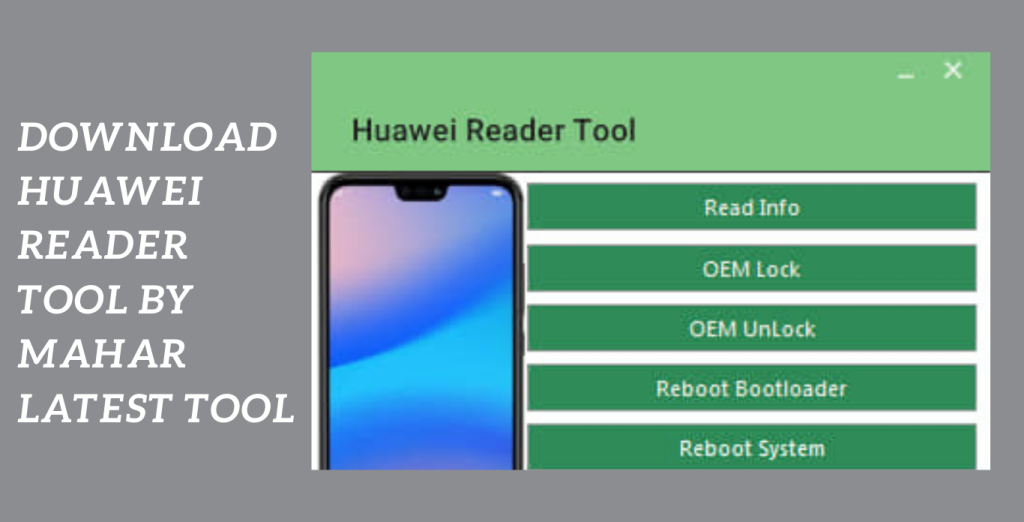
For devices unlock the power of the Huawei Reader Tool:
Huawei Reader Tool by Mahar is a standout as a priceless option when it comes to comprehending the whole image of your Hisilicon Kirin or Qualcomm gadget. Users who make use of this potent tool have access to a wealth of device data, giving them knowledge about the features, capabilities, and bootloader state of their devices.
Detailed Information about the Device:
The model name, bootloader status, and other crucial device details may be rapidly retrieved with the Huawei Reader Tool. This information gives you a thorough overview of your device, allowing you to make wise decisions and utilize all of its features.
Key Features:
- Complete Device Information: The programanalyze gives customers comprehensive information about their Qualcomm or Hisilicon devices, including the product name and bootloader status.
- Advanced users can use this information to analyse the security of the device or to unlock the bootloader.
- Use of the program allows users to analyse their devices in-depth analyze and learn more about their features, capabilities, and bootloader state.
- They can use their devices to their fullest extent and make educated judgments as a result.
- User-Friendly Interface: The tool has a user-friendly interface that makes it simple and accessible for users of all technical backgrounds.
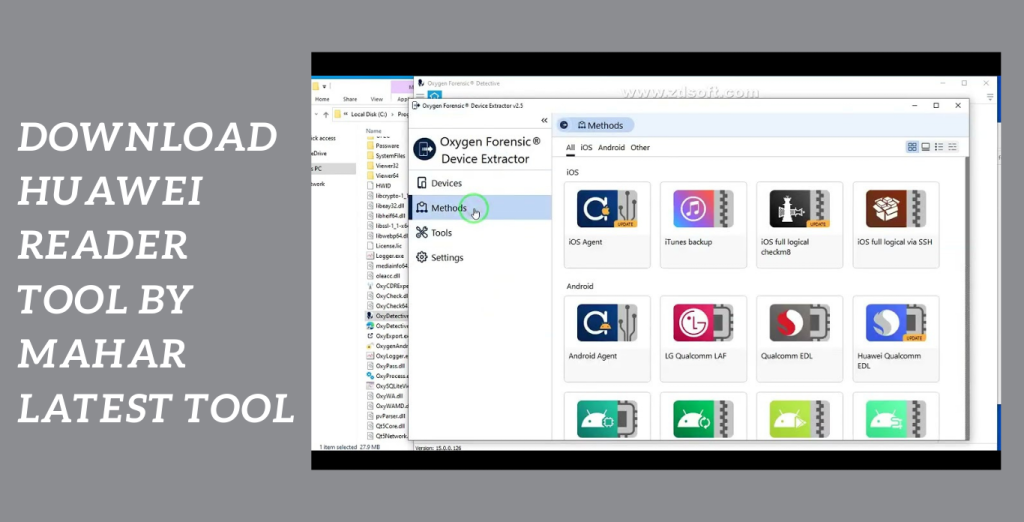
System Requirements:
- Operating System: Windows, including versions 7, 8, and 10, or any other compatible operating systems as indicated by the utility.
Intel Core i3 or later suggested as the processor. - a minimum of 4 GB of RAM.
- Storage: The tool installation and related files will require enough free disc space.
- To connect the Hisilicon Kirin or Qualcomm device to the PC, there is a USB port available.
- An uninterrupted internet connection might be essential to download the tool or any required updates.
How to Install:
- Get the instrument here: Download the Huawei Reader Tool setup file from a reputable website or the official source.
- Make sure you download it from an unbiased, reputable source.
- If you didn’t specify a different place, it’s often in the “Downloads” folder.
- If to the installation wizard: Through the installation procedure, the installation wizard will direct you.
- If a license agreement is shown, read it, accept it, and select the installation choices you want.
Password: technical world. co
Mirror Link!
]]>Introducing the HASIIT3CH Power RAMDISK v10 (Stable Edition) Latest Version Download, a powerful and versatile Windows application designed to enhance your iDevice experience. With just a single click, users can perform a wide range of operations, unlocking new possibilities and optimizing device performance. Please note that certain features of this application require paid services.

Sign up for the ECID:
The most recent release of HASIIT3CH Power RAMDISK v10 (Stable Edition), which is available for download, will increase the capabilities of your iDevice. With just one click, you can carry out several tasks on your iOS device with the help of this little Windows program. Easily unlock new features, improve speed, and improve your user experience.
Variety of capabilities:
While the application offers a variety of capabilities, it’s vital to remember that certain sophisticated services can have a fee. To use these exclusive capabilities and advance your iDevice usage, sign up for the ECID through optimized dealers. Don’t pass up the chance to get the most out of your iDevice. Explore the limitless possibilities offered by HASIIT3CH Power RAMDISK v10 (Stable Edition) by downloading it right away.
Key Features:
- Simplified Operations: Use your iDevice to do a variety of tasks with just a single click for convenience and hassle-free use.
- Enhanced Performance: For a smoother and quicker user experience, personalize the performance of your iDevice and tap into its full potential.
- Access sophisticated features and functions to personalize and customize your iDevice to your preferences.
- Streamlined User Interface: Thus, Take use of a user-friendly interface that makes it simple to navigate access, and use the functions that are offered.
- Versatile Compatibility: Compatible with a variety of iDevices, providing consumers with a choice of device options with flexibility and accessibility.
- Continuous versions: Always use the most recent version of HASIIT3CH Power RAMDISK since new versions frequently include new features and enhancements.

System Requirements:
- Operating systems: Windows 7 (32-bit or 64-bit), Windows 8 (32-bit), Windows 8.1, and Windows 10.
- Processor: AMD or an Intel Core i3 equivalent. processor
- RAM: 2 GB minimum
- Storage Space: The installation requires at least 100 MB of free disc space.
- Integrated graphics card or more advanced graphics card
- Display: 1024×768 pixels should be the minimum resolution.
- Internet connectivity is necessary to download updates and use online services.
- USB ports allow you to connect your iOS device to a computer.
How to Install:
- Get the most recent version of HASIIT3CH Power RAMDISK v10 (Stable Edition) from a reliable website or source.
- Find the setup file that was downloaded to your computer.
- Thus, The setup file must be double-clicked to begin the installation procedure.
- The software’s terms and conditions should be read and accepted.
- Select the installation location for HASIIT3CH Power RAMDISK v10 (Stable Edition) installation.
- In case you are offered throughout the installation process, choose any extra settings or choices.
- To start the installation, click the “Install” button.
- Hold off until the installation is finished. It could take a little while.
Password: technical world.co
Mirror Link!
A strong software program called Miracle Box offers complete options for fixing Android phones. Miracle Box is a go-to option for both novice and expert users thanks to its capacity to carry out tasks like firmware updating, IMEI repair, factory settings reset, and flashing operations using a variety of modes like EDL, Meta, Fastboot, VCOM, and ADB.

Quickly and effectively fix your smartphone:
You may quickly and effectively fix your smartphone with just one click by using the download link for Miracle Thunder Box 2.82 crack and a few easy steps.
Use genuine approved versions:
Please be aware that using genuine, approved versions of software is crucial to ensuring adherence to moral and legal requirements. Miracle Box-authorized versions offer dependable updates, customer service, and improved security features for a smooth repair process.
Dependable tool:
Explore Miracle Box as a dependable tool that can solve a variety of problems if you’re looking for a simple and efficient way to fix your Android phone. Simply adhere to the easy instructions and use the Miracle Thunder Box 2.82 crack to quickly resuscitate your smartphone.
Key Features:
- It provides a full range of capabilities and instruments to fix, update, and flash firmware on your device.
- You may simply flash and upgrade the Android phone’s firmware using Miracle Box. You may do this to install the most recent software releases, giving you access to new features, bug fixes, and enhanced performance.
- Your Android device’s IMEI numbers may be repaired with Miracle Box. If the IMEI of your smartphone has been damaged, lost, or invalidated, this tool can help.

System Requirements:
- Operating system: Windows-based PCs are compatible. It works with the 32-bit and 64-bit versions of Windows XP, Windows Vista, Windows 7, Windows 8, and Windows 10.
- USB Port: To connect your Android phone to the computer and establish communication for repair and flashing procedures, you’ll need a USB port.
How to Install:
- Buy a genuine copy from the original seller or a licenced reseller.
- To ensure validity and access to updates and support, make sure you purchase the program from a reputable source.
- If it’s a download, start the download by clicking the supplied link.
- After the setup file has completed downloading, find it on your computer, double-click it, and the installer will launch.
- If physical installation media, place the disc in the DVD drive of your computer.
- Take the Installation Wizard’s advice: You will be led by the installation wizard through
Password: technical world.co
Mirror Link!
]]>Many low-cost smartphones are powered by MediaTek chipsets, which deliver dependable performance at a reasonable cost. The Maui Meta utility, which helped MediaTek devices’ IMEI numbers be fixed and recovered, is covered in our earlier tool guide. Now, we’re bringing you an updated model of ModemMeta Tool. a potent instrument made specifically for writing IMEI numbers on MediaTek hardware.
Advances IMEI-related operations:
The Modem Meta Tool advances IMEI-related operations and offers consumers struggling with network connectivity or device identification issues on MediaTek-powered smartphones a complete solution. Even for those with little technological expertise, this application provides a flawless experience because of its user-friendly design and sophisticated features.
The Ultimate Solution for MediaTek Devices:
Writing IMEI numbers on MediaTek devices is one of Modem Meta Tool’s unique functions. When IMEI numbers need to be changed or restored for optimum device functioning, this tool is vital. To further increase its usefulness and adaptability, the program also provides sophisticated features like NVRAM parameter resetting, data backup, and restoration.
Windows PC with the necessary specifications:
You’ll need a Windows PC with the necessary specifications toTo use Modem Meta Tool, including an Intel Pentium 4 or later CPU, a minimum of 1 GB of RAM, and a minimum of 100 MB of free disc space. Link your MediaTek device to your PC through a functional USB cable.
Key Features:
- In order to repair and restore IMEI numbers, customers can utilize the Modem Meta Tool, which was created especially for MediaTek devices.
- Mobile devices have a special identification code called the IMEI (International Mobile Equipment Identity).
- The ModemMeta Tool gives users the option to write IMEI numbers on MediaTek hardware. Which can help address network connectivity or identity problems.
- In addition to IMEI-related chores.
- Modem Meta Tool also provides advanced features including backing up and restoring device data and resetting NVRAM settings.
- The tool has an intuitive UI that makes it simple to use even for those with no technical expertise to explore and utilise.

System Requirements:
- Operating system: 32-bit or 64-bit versions of Windows XP, Windows Vista, Windows 7, Windows 8, Windows 8.1, or Windows 10.
- Intel Pentium 4 or newer processor.
- RAM: A minimum of 1 GB.
- Storage: 100 MB or more of unoccupied disc space.
How to Install:
- Find a trustworthy source or the official ModemMeta Tool download page. Toprogram downloads the installation package to your computer, and click on the supplied download link.
- Before starting the installation, make sure your Windows PC complies with all necessary specifications.
- The supported operating systems (Windows XP, Vista, 7, 8, 8.1, or 10), the required amount of RAM, the amount of free disc space, and any other dependencies indicated by the tool’s creator are examples of these.
- After the download is complete, find the installation package and use a file extraction programme like WinRAR or 7-Zip to extract the files within.
- Launching the Installer Locate it by opening the extracted folder of the installation file (often ending with “.exe”). To start the installation procedure, double-click the installer file.
- You can complete the installation procedure by following the installation wizard’s instructions.
- To begin the installation process after making the appropriate options, click the “Install” or “Next” button. You’ll need to install the programtechnical world on your Windows computer.
Password: technicalworld. co
Mirror Link!
]]>Looking for a dependable method to sideload to EDL boot, remove FRP, format, and circumvent Mi Reactivation Cloud on your Xiaomi phone running MIUI 13? Use the Miko Xiaomi Recovery 6.0 Sideload Tool right now. This compact yet effective application, created by the Miko team, provides users of MIUI 13 with a smooth and user-friendly experience.

Proceed with caution:
Utilize the download provided by the Miko team to maximize the capabilities of your MIUI 13 handset. Always proceed with caution while making any changes to your device, and be sure to adhere to the tool’s instructions to get the desired outcomes. Moreover, For smooth MIUI 13 device administration and a hassle-free experience with your Xiaomi smartphone, rely on the Miko Xiaomi Recovery 6.0 Sideload Tool.
Key Features:
- Remove the Mi Cloud lock quickly and obtain access to your Xiaomi smartphone by avoiding the Mi Reactivation Cloud.
- To unlock your phone and avoid the requirement for Google account verification, remove FRP (Factory Reset Protection).
- Support for Format: Format your Xiaomi MIUI 13 smartphone to start over or fix software-related problems.
- You may undertake extensive troubleshooting on your Xiaomi smartphone or install several firmware by sideloading to the EDL (Emergency Download) boot mode.
- Utilise the Xiaomi MI Assistant (Sideload) mode to quickly and easily sideload files and carry out program tasks on your smartphone.

System Requirements:
- Operating System: The to is compatible with Windows 7, 8, and 10 operating systems.
- MiUI 13 devices from Xiaomi: Miko The MIUI 13-compatible Xiaomi devices are the only ones for which it was created. Moreover, Before using the tool, make sure that MIUI 13 is running on your smartphone.
- USB Debugging: Set your Xiaomi device to allow USB debugging. To turn on USB debugging, navigate to Settings > Additional settings > Developer options > USB debugging.
- Utility needs: Access to your device’s Xiaomi MI Assistant (Sideload) mode in order to function. To make the sideloading procedure easier, make sure this mode is on.
How to Install:
- Get the setup file here: To obtain the setup file for the Miko Xiaomi Recovery 6.0 Sideload Tool, go to a reputable website or the Miko team’s official website.
- Find the setup file: After the download is finished, go to the folder or place on your computer where the setup file was saved.
- Run the setup program: The setup file must be double-clicked to begin the installation procedure. Moreover, Your operating system might ask you to confirm your action.
- Take the Installation Wizard’s advice: You will be led through the installation procedure by the installation wizard. If asked, read and agree to the terms and conditions. You can also be prompted to select the tool’s installation location.
- Moreover, Launch the Installation: Select “Install” or “Next” from the menu.
Password: technical world.co
Mirror Link!
]]>