
Spaceland is a dynamic turn-based strategy game inspired by classic old-school tactics. Featuring intense action with fewer covers, you land on a mysterious, lost planet filled with mutants. Assemble a daring team of fighters and engage in thrilling combat—shoot, kick, blow up, and destroy your way through enemies. Unravel the secrets of the mystical planet while enjoying a rich science fiction experience rooted in the best traditions of the genre.
Key Features:
- Classic Turn-Based Strategy: Tactical combat with a modern twist, inspired by old-school strategy games.
- Action-Focused Gameplay: Less reliance on cover, emphasizing aggressive and dynamic combat.
- Sci-Fi Setting: Explore a mysterious lost planet filled with mutants and alien threats.
- Team Building: Assemble and customize a diverse and reckless team of fighters.
- Varied Combat Mechanics: Use shooting, melee attacks, explosives, and environmental destruction.
- Story-Driven Campaign: Unravel the mysteries of the planet through an engaging narrative.
- Challenging Missions: Face different tactical challenges and enemy types requiring strategic thinking.
- Retro-Inspired Visuals: Classic sci-fi aesthetic with detailed environments and character designs.
System Requirements:
- Operating System: Windows 10 (64-bit)
- Processor: Intel Core i5 or better
- Memory: 8 GB RAM
- Graphics: NVIDIA GeForce GTX 660 or equivalent with 2 GB VRAM
- DirectX: Version 11
- Storage: 4 GB available space
How to Install:
- Purchase or Download: Buy or download Spaceland from your preferred digital storefront (e.g., Steam, GOG, or the official website).
- Download the Installer: If purchasing through a platform like Steam, the game will be added to your library automatically. For other sources, download the game installer file to your computer.
- Run the Installer: Locate the downloaded installer file (usually) and double-click to start the installation process.
- Follow Installation Prompts: Follow the on-screen instructions to choose the installation folder and complete setup.
- Launch the Game: Once installed, launch Spaceland from your desktop shortcut or the game library (e.g., Steam Library).
Learn more about Shadow Defender Final’s features in our guide
]]>
Sociable Soccer 25 for Windows PC offers an exciting blend of fast-paced arcade soccer action combined with strategic gameplay. Designed by the legendary Jon Hare, it aims to deliver an electrifying soccer experience that appeals to both casual players and soccer enthusiasts.
Key Features:
- Fast-paced, arcade-style soccer gameplay with intuitive controls
- Strategic depth allowing tactical team management and playstyles
- Developed by legendary designer Jon Hare, known for classic soccer games
- Multiple game modes including single-player, multiplayer, and online play
- Smooth animations and vibrant, retro-inspired graphics
- Customizable teams, players, and leagues for personalized experiences
- Dynamic AI that adapts to player tactics for challenging matches
- Local and online multiplayer options for competitive play with friends
- Regular updates and community-driven enhancements
System Requirements:
- OS: Windows 10 64-bit
- Processor: Intel Core i5 or better
- Memory: 8 GB RAM
- Graphics: DirectX 11 compatible graphics card with 2 GB VRAM or more
- DirectX: Version 11
- Storage: 3 GB available space or more
- Sound Card: DirectX compatible sound card
How to Install:
- Purchase and Download: Buy Sociable Soccer 25 from an official platform such as Steam, the Microsoft Store, or the game’s official website. After purchase, download the game installer or client.
- Launch Installer or Game Client: If you downloaded an installer file, double-click it to start the installation process. If using a game client like Steam, open the client and navigate to your library.
- Follow Installation Prompts: Follow the on-screen instructions to install the game. Choose your preferred installation location and wait while the game files are copied to your PC.
- Complete Installation: Once installation is complete, you may be prompted to launch the game immediately or you can open it later from the desktop shortcut or game client library.
- Configure Settings: On first launch, adjust your graphics, controls, and audio settings for optimal gameplay experience.
Learn more about Shadow Defender Final’s features in our guide
]]>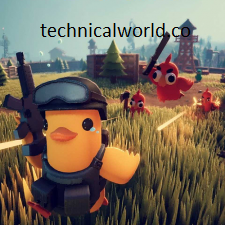
Escape From Duckov is a first-person shooter (FPS) game with survival and tactical elements. Set in a fictional post-Soviet city called Duckov, the game challenges players to navigate urban environments, engage in combat with various enemies, and complete missions. It features realistic gun mechanics, atmospheric environments, and a blend of action and strategy.
Key Features:
- First-Person Shooter: Realistic gunplay with a variety of weapons.
- Survival Elements: Manage resources, health, and tactical positioning.
- Open Urban Environment: Explore a detailed city with dynamic encounters.
- Missions and Objectives: Complete various tasks across the map.
- Atmospheric Setting: Post-Soviet urban landscape with immersive sound and visuals.
- Multiplayer Modes: Potential for cooperative or competitive play (depending on version).
System Requirements:
- Operating System: Windows 7 (64-bit) or later
- Processor: Intel Core i5-2400 or AMD FX-6300
- RAM: 8 GB
- Graphics: NVIDIA GeForce GTX 660 or AMD Radeon HD 7870
- DirectX: Version 11
- Storage: 15 GB available space
- Sound Card: DirectX compatible
How to install:
- Purchase or Access the Game: Visit an official platform such as Steam or the game’s official website. Purchase or access the game legally.
- Download the Game Client: If you don’t have the platform’s client (e.g., Steam), download and install it from the official website.
- Log In to Your Account: Open the client and log in with your credentials.
- Find Escape From Duckov: Use the search function to locate Escape From Duckov in the store or library.
- Purchase and Add to Library: Complete the purchase if not already done. The game will be added to your library.
Learn more about Shadow Defender Final’s features in our guide
]]>
Manor Lords is an upcoming medieval city-building strategy game that combines realistic simulation and large-scale battles. Players are tasked with constructing and managing a medieval settlement, overseeing resource production, diplomacy, and warfare. The game emphasizes historical accuracy and immersive gameplay, allowing players to experience life in the Middle Ages from village development to commanding armies.
Key Features:
- Realistic City Building: Construct detailed medieval villages and towns with authentic architecture.
- Resource Management: Manage agriculture, trade, and production to sustain your population.
- Large-Scale Battles: Command troops in tactical real-time battles on realistic battlefields.
- Diplomacy and Politics: Engage with neighboring lords through alliances, trade, and warfare.
- Dynamic Environment: Experience changing seasons and weather impacting gameplay.
- Detailed Simulation: Realistic population behavior, economy, and infrastructure management.
- Historical Accuracy: Immersive medieval setting inspired by actual history.
System Requirements:
- Operating System: Windows 10 (64-bit)
- Processor: Intel Core i5 or equivalent
- RAM: 8 GB
- Graphics: NVIDIA GeForce GTX 970 or AMD Radeon RX 570
- DirectX: Version 11
- Storage: 20 GB available space
How to install:
- Create or Log in to Your Account: If you don’t already have an account on the platform (e.g., Steam), create one. Log in to your account.
- Purchase or Access the Game: Search for Manor Lords in the store. Purchase or redeem the game if you have a key.
- Download the Game Client: If you haven’t installed the platform’s client (e.g., Steam), download and install it from their official website.
- Find Manor Lords in Your Library: After purchase, go to your game library. Locate Manor Lords.
- Start the Installation: Click on the “Install” button. Choose your preferred installation location or accept the default path. Confirm and start the download and installation process.
Learn more about Shadow Defender Final’s features in our guide
]]>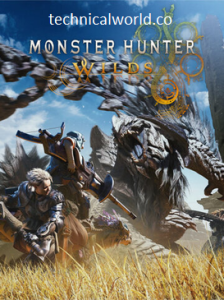
Monster Hunter Wilds a popular action RPG developed by Capcom. It’s widely known for its immersive gameplay where players hunt large monsters in diverse environments, craft gear, and team up for cooperative multiplayer hunts.
Key Features of Monster Hunter: World:
- Open-World Exploration: Vast and detailed environments to explore.
- Epic Monster Hunts: Battle large, dynamic creatures with unique behaviors.
- Weapon Variety: Multiple weapon types with distinct playstyles.
- Crafting System: Hunt monsters to craft weapons, armor, and items.
- Multiplayer Co-op: Team up with friends online for cooperative gameplay.
- Dynamic Ecosystem: Wildlife and weather affect gameplay and monster behavior.
- Continuous Updates: Regular expansions and seasonal events.
System Requirements:
- Operating System: Windows 7, 8, 10 (64-bit required)
- Processor: Intel Core i5-4460 3.2 GHz or AMD FX-6300
- RAM: 8 GB
- Graphics: NVIDIA GeForce GTX 760 or AMD Radeon R7 260x (2GB VRAM)
- DirectX: Version 11
- Storage: 20 GB available space
- Sound Card: DirectX compatible sound card
How to Install:
- Purchase or Access the Game: Visit an official platform such as Steam or the Capcom store. Purchase or redeem the game legally.
- Download and Install the Game Client: If you don’t have Steam, download and install it from. Log in to your Steam account.
- Find Monster Hunter: World: Use the search bar in Steam to locate Monster Hunter: World.
- Purchase and Add to Library: Complete the purchase if needed. The game will be added to your Steam library.
- Install the Game: Select the game in your library. Click “Install.” Choose the installation directory or accept the default location. Wait for the download and installation to complete.
Learn more about Shadow Defender Final’s features in our guide
]]>
Sniper Elite is a popular tactical shooter video game series that focuses on realistic sniper gameplay set primarily during World War II. Players take on the role of a sniper tasked with completing missions that require stealth, precision shooting, and tactical planning. The game is well-known for its detailed ballistics system, slow-motion kill cams, and immersive environments.
Key Features:
- Realistic Sniper Mechanics: Bullet drop, wind effects, and breathing control affect your shots.
- Stealth Gameplay: Use shadows, cover, and tactical movement to avoid detection.
- Kill Cam: Detailed X-ray kill cam shows bullet impact and damage to enemy bones and organs.
- Varied Missions: Engage in diverse missions across different locations and scenarios.
- Weapons Customization: Modify rifles and gear to suit your play style.
- Multiplayer Modes: Competitive and cooperative multiplayer gameplay.
- Engaging Storyline: Follows a protagonist involved in key WWII battles.
System Requirements:
- Operating System: Windows 7/8/10 (64-bit)
- Processor: Intel Core 2 Quad 2.5 GHz or AMD Phenom II X4 940
- RAM: 4 GB
- Graphics: NVIDIA GeForce GTX 560 or ATI Radeon HD 6950 with 1 GB VRAM
- DirectX: Version 11
- Storage: 7 GB available space
- Sound Card: DirectX compatible
How to install:
- Purchase or Access the Game: Visit an official platform such as Steam, Epic Games Store, or the game’s official website. Purchase or access the game legally.
- Download the Game Client: If you don’t have the platform’s client (e.g., Steam), download and install it.
- Log In to Your Account: Open the client and log in with your credentials.
- Find Sniper Elite V2: Search for the game in the store or your library.
- Purchase and Add to Library: Buy the game if you haven’t already. It will be added to your game library.
Learn more about Shadow Defender Final’s features in our guide
]]>
Lucid Blocks is a relaxing and engaging puzzle game that challenges players to arrange falling blocks in a visually pleasing and strategic way. It combines elements of classic block-stacking games with a soothing aesthetic and calming soundtrack, making it a great choice for casual gamers looking to unwind.
Key Features of Lucid Blocks:
- Simple yet Challenging Gameplay: Arrange falling blocks to clear lines and score points.
- Relaxing Atmosphere: Features calming visuals and ambient music.
- Multiple Game Modes: May include classic, time attack, or endless modes.
- Intuitive Controls: Easy to pick up and play with smooth mechanics.
- Progressive Difficulty: Increasing challenge as you advance through levels.
- Leaderboard Support: Compete with friends and players worldwide.
System Requirements:
- Operating System: Windows 10 or 11 (64-bit)
- Processor: 2.0 GHz or faster
- RAM: 4 GB or more
- Graphics: DirectX 11 compatible graphics card
- Storage: 200 MB of free disk space
How to install:
- Download the Game: Visit the official website, a trusted digital storefront (such as Steam or the Microsoft Store), or the developer’s page. Download the latest installer or game package for Lucid Blocks.
- Close Other Applications: Exit any running programs to avoid conflicts during installation.
- Run the Installer: Locate the downloaded installer file, usually in your Downloads folder. Double-click the installer to launch the setup wizard.
- Allow Installation: If prompted by User Account Control (UAC), click “Yes” to allow the installer to make changes.
- Accept License Agreement: Read the terms and conditions carefully. Agree to the license terms and click “Next” or “Accept.”
Learn more about Shadow Defender Final’s features in our guide.
]]>