
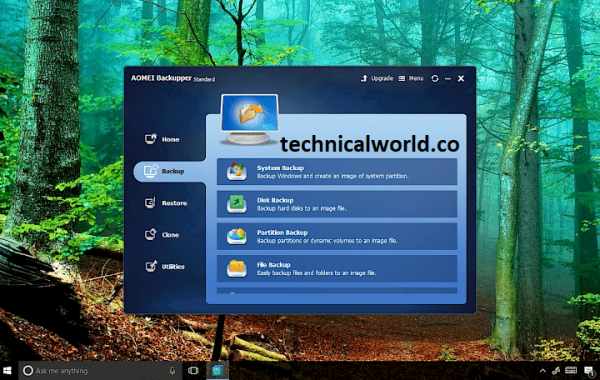
AOMEI Backupper is a reliable backup and recovery software designed to help users create backups of their system, disks, partitions, and files. It also offers features for restoring data, cloning disks, and syncing files to protect against data loss.
Key Features:
- System Backup and Restore: Easily back up and restore your entire operating system to protect against crashes or failures.
- Disk and Partition Backup: Create backups of entire disks or specific partitions for flexible data protection.
- File and Folder Backup: Backup individual files or folders to keep important data safe without full system backups.
- Incremental and Differential Backup: Save storage space and backup time by only backing up changes since the last backup.
- Disk and Partition Cloning: Clone entire hard drives or partitions for upgrading or migrating to a new disk.
- Universal Restore: Restore system backups to dissimilar hardware, useful for system migration or hardware replacement.
- Scheduled Backups: Automate backups with daily, weekly, or monthly schedules to ensure regular data protection.
- Backup Compression and Encryption: Compress backup files to save space and encrypt backups for added security.
System Requirements:
- Operating System: Windows 11, 10, 8.1, 8, 7, Vista, XP (both 32-bit and 64-bit versions supported)
- Processor: Minimum: 1 GHz processor or faster
- RAM: Minimum: 512 MB (1 GB or more recommended)
- Hard Disk Space: At least 200 MB of free space for installation
How to Install:
- Download the Installer: Visit the official AOMEI Backupper website or a trusted source. Download the latest version of the AOMEI Backupper setup file.
- Run the Installer: Locate the downloaded setup file (usually in your Downloads folder). Double-click the file to launch the installation wizard.
- Start Installation: When the installer opens, click “Next” to proceed.
- Accept License Agreement: Read the license terms. Select “I accept the agreement” and click “Next.”
- Choose Installation Location: Select the destination folder where you want to install AOMEI Backupper. You can use the default location or click “Browse” to choose a different folder.
Learn more about Shadow Defender Final’s features in our guide.
]]>
Mp3tag is a popular and powerful metadata editor for audio files. It allows users to easily edit tags of audio formats such as MP3, FLAC, AAC, and many others. Mp3tag is widely used for organizing music libraries by editing song information like title, artist, album, genre, and cover art, either manually or through online databases.
Key Features:
- Batch Tag Editing: Edit tags for multiple files simultaneously.
- Support for Various Formats: Works with MP3, FLAC, AAC, M4A, OGG, WMA, WAV, and more.
- Online Database Integration: Fetch metadata from sources like Discogs, MusicBrainz, and Amazon.
- Custom Tag Fields: Add and edit custom metadata fields.
- Rename Files: Rename audio files based on tag information using flexible patterns.
- Export Data: Export tag information in different formats such as CSV, HTML, or XML.
- User-Friendly Interface: Intuitive and easy to navigate, suitable for beginners and advanced users.
Discover more related articles in our technicalworld:
System Requirements:
- Operating System: Windows 7, Windows 8, Windows 10, Windows 11 (32-bit and 64-bit supported)
- Processor: 1 GHz processor or faster
- RAM: Minimum 512 MB (1 GB or more recommended)
- Storage: Around 10 MB free disk space for installation
How to Install:
- Download the Installer: Visit the official Mp3tag. Click the download link to get the latest version of Mp3tag.
- Run the Installer: Locate the downloaded file (usually in your Downloads folder). Double-click the installer file to launch it.
- Allow Installation: If prompted by User Account Control (UAC), click “Yes” to allow the installer to make changes.
- Accept License Agreement: Read the license terms. Select “I accept the agreement” and click “Next.”
- Choose Installation Location: Use the default folder or browse to select a different directory. Click “Next.”
Learn more about Shadow Defender Final’s features in our guide.
]]>
Mario Nieto Harmony Bloom is a music production software or plugin developed by Mario Nieto that focuses on creating rich, evolving harmonic textures and soundscapes. It is designed for composers, producers, and sound designers who want to add depth and complexity to their music through innovative harmonic layering and modulation techniques.
Key Features of Mario Nieto Harmony Bloom:
- Harmonic Layers: Generate lush, evolving harmonies with multiple layers.
- Customizable Modulation: Control and shape the growth and movement of harmonies over time.
- Intuitive Interface: Easy-to-use controls for quick creative exploration.
- Preset Library: Includes a variety of presets for different styles and moods.
- MIDI Compatibility: Works with MIDI controllers and DAWs for seamless integration.
- Sound Design Tools: Offers options to sculpt and refine harmonic textures.
System Requirements:
- Operating System: Windows 10 or later (64-bit) / macOS 10.13 (High Sierra) or later
- Processor: Intel Core i3 or equivalent (Core i5 or better recommended)
- RAM: Minimum 4 GB (8 GB or more recommended)
- Storage: At least 500 MB free disk space for installation
How to install:
- Download the Installer: Visit the official website or the platform where you purchased or obtained Harmony Bloom. Download the appropriate installer for your operating system (Windows or macOS).
- Extract Files (if needed): If the download is a compressed file (e.g., ZIP or RAR), extract it to a preferred location.
- Run the Installer: Open the extracted folder and double-click the installer file (.exe for Windows or .pkg/.dmg for macOS).
- Follow Installation Prompts: Accept the license agreement and choose the installation location. For plugins, you may need to specify the plugin format folder (VST, AU, or AAX).
- Complete Installation: Finish the installation process and close the installer.
Learn more about Shadow Defender Final’s features in our guide.
]]>
Helium Streamer Premium is a software application designed to stream audio from your Android device to other devices such as computers, smart TVs, or speakers over a local network. It provides high-quality, low-latency audio streaming, making it ideal for users who want to enjoy their mobile music library on larger or more powerful sound systems without physical connections.
Key Features of Helium Streamer Premium:
- High-Quality Audio Streaming: Stream music with minimal latency and high fidelity.
- Multi-Device Support: Connect and stream to multiple devices simultaneously.
- User-Friendly Interface: Easy setup and control from your Android device.
- Supports Various Audio Formats: Compatible with popular audio formats stored on your device.
- Network Streaming: Works over Wi-Fi or Ethernet within your local network.
- Background Streaming: Continue streaming while using other apps or when the screen is off.
Discover more related articles in our technicalworld:
System Requirements:
- Operating System: Android 5.0 (Lollipop) or later
- Processor: ARM or ARM64 processor compatible with Android
- RAM: At least 1 GB RAM (2 GB or more recommended for smooth streaming)
- Storage: Minimal space required for app installation (under 50 MB)
- Network: Wi-Fi or Ethernet connection for streaming within the local network
How to Install:
- Download from Google Play Store: Open the Google Play Store app on your Android device. Search for “Helium Streamer Premium.” Purchase and download the app.
- Install the App: The app will automatically install after download.
- Launch Helium Streamer: Open the app from your app drawer or home screen.
- Set Up Streaming: Follow the on-screen instructions to configure streaming settings. Ensure your Android device and receiving devices are connected to the same Wi-Fi or network.
- Connect Receiving Devices: On your PC, smart TV, or other devices, open a compatible media player or streaming app that supports DLNA/UPnP or network audio streaming. Select your Android device as the audio source.
Learn more about Shadow Defender Final’s features in our guide.
]]>