
MTK Universal Unlock Tool I’m sorry if this has caused any misunderstanding, but as an AI language model, I am unable to supply or assist in the download of any particular software tools, including the MTK Universal Tool V5 or any other tools of a similar nature.
It’s crucial to remember that utilising these tools to go around security measures or unlock devices without the required authorization may be against the terms of service or legal agreements with the device maker. Please feel free to ask any further questions or for help with general Android-related issues.
Download ST MTK Universal Tool V5 Latest Version Free:
I’m sorry, but I’m unable to offer or make it easier for you to obtain particular software tools, such as the MTK Universal Tool V5 or the Marvel FRP tool. To maintain the security and integrity of your device, it’s critical to only download software from reputable and authorised sources. I advise visiting the official MediaTek website or contacting their help channels if you need tools or assistance connected to MediaTek.
They can offer you the tools you need and assistance tailored to your MediaTek device.It is preferable to consult the documentation or the developer’s website for details on which Windows versions are supported by the MTK Universal Tool V5 in terms of compatibility. Please feel free to ask any further questions or for help with general Android-related issues.
MTK Universal Unlock Tool Main Features:
- With the use of this functionality, MediaTek devices can forego authentication or login requirements.
- Format Data/Factory Reset: Resets the device to its default settings and totally wipes out all of the device’s data.
Safe Format: Provides a method of safely formatting the device without erasing any data. - Erase FRP: Assists in removing the Factory Reset Protection (FRP) lock on MediaTek devices.
- By unlocking the device’s bootloader, this function makes it possible to install custom ROMs and make system
- Bootloader Relock: This procedure relocks the bootloader.
- MI DEVICES USING MEDIATEK PROCESSORS: ERASE MI ACCOUNT is a tool designed to remove the MI account from certain devices.
- Specifically designed to unlock the FRP lock for Samsung cellphones with MediaTek processors, ERASE SAMSUNG FRP.
- Demo mode removal: This action disables the demo mode on Vivo and Oppo smartphones with MediaTek processors.
- Safe Format: No user data is erased during this format procedure.
- enables the preloader partition to be removed from the device and used in more intricate procedures.
- The READ NV command may read the NV (Non-Volatile) memory on OPPO, VIVO, and Realme smartphones.
The ability to read the device’s Boot and VBMeta partitions is provided by the Read Boot+VBMeta functionality.

How To install:
- Unpack the contents of the zip file to a folder on your computer after downloading the software.
Switching off antivirus For the time being, turn off your antivirus programme to prevent any interruptions when using the tool. - Use caution and ensure the tool you’re using comes from a reputable source to avoid any security issues.
- Sync your device: Utilise a USB chord that is compatible with your MediaTek device to connect it to your computer. Check to see if your device has USB debugging enabled by going to “Settings” > “Developer options” or “Developer settings.”
- Launch the tool: Double-click the MediaTek Universal Tools executable file to launch it.
- The specific steps may vary depending on the program’s interface and capabilities.
- Choose the desired course of action: Choose either the screen lock or FRP unlock option according on your requirements.
- Pay attention to the directions on the screen: To complete the unlocking process, you can adhere to the directions provided by the programme.
Learn more about Shadow Defender Final’s features in our guide.
]]>
iCloud On-Off Checker Tool Apple has its own approved ways to use the Find My app or the iCloud website to verify the status of an iOS device’s activation lock.
I advise browsing reliable iOS-related forums or official Apple websites if there have been significant developments surrounding an iCloud status checker service in order to acquire accurate and current information about the service.
iCloud On Off Checker V1.0 | Powerful Utility Created Especially For Windows 2023 :
I strongly discourage utilising unapproved tools or techniques to get around the iCloud activation barrier. I advise getting in touch with Apple Support or going to an authorised Apple service provider for help if you are having problems with the iCloud activation lock. They will direct you through the proper procedures and guarantee the privacy and security of your equipment and personal data.
Key Features:
- Mac Compatibility: The programme allows checking the iCloud activation status of bypassed iPhone XR devices, offering consumers experiencing activation lock difficulties a remedy.
- iPhone/iPad Support: It allows for quick and easy Apple device activation status checks.
- 30-Day Free Trial: The tool provides a 30-day free trial that enables customers to test out all of its features without spending any money. During the trial time, you may see how the tool makes it easier to verify the status of your iCloud activation.
- Unrestricted Use: Once you have the tool, you can use it as much as you like. Take advantage of the checker’s features at no cost.
- Free Chimaera Check: The tool also comes with a free Chimaera Check option.
- Upcoming Updates:
- Auto Activate Device: The iCloud On/Off Checker will add an automated device activation option in a future update. This makes the activation procedure smooth and eliminates the need for manual involvement.
- In the forthcoming version, the checker will automatically read the PList files of compatible devices to improve ease. This enhancement ensures a more seamless user experience by saving time and effort.

How to Check iCloud Status:
- your computer browser to the IMEI.info website.
- In the space provided, provide your device’s IMEI number.
- To continue, click the “CHECK” button.
- Find the “FREE CHECKS” area on the results page.
- Go to the list of services and choose “iCloud Status Check [CLEAN/LOST].”
- To verify the action, select “Check Apple Phone Details.”
- Await the generation of the iCloud report.
- Your device’s iCloud status will appear after a brief delay.
Conclusion:
Use the iCloud On/Off Checker V1.0 for Windows to quickly and easily verify the status of your iCloud activation.It has a tonne of features that make it simpler for users of all Apple products, including a robust user support system, skipped device checks, and compatibility with both iPhones and iPads.Try it out for 30 days with unrestricted usage, and anticipate future improvements to further simplify your life.Now that you have the iCloud On/Off Checker V1.0, you can monitor the progress of your iCloud activation checks.
Password: technicalworld.co
Download Link!
]]>As a user of a Xiaomi phone, you are aware of the significance of trustworthy tools for software fixes to guarantee the best possible functionality of your device. Avatar Auth Tool is a specialised professional service tool created to offer a full repair solution for Xiaomi phones. Thus, The most recent version, Avatar Auth Tool V1.0.5, adds a number of improvements and additions that improve its functionality. We shall examine the features and advantages of Avatar Auth Tool V1.0.5 for Xiaomi phone repairs in this article.

Use Mi Assistant Mode, reset FRP, and more:
On Xiaomi phones, the Avatar Auth Tool V1.0.5 provides a broad variety of repair functions to fix common software faults. With this tool, you may use Mi Assistant Mode for sophisticated troubleshooting, reset FRP (Factory Reset Protection), perform factory resets to return your Xiaomi phone to its factory default settings and delete data to fix software problems. These features make sure you have access to a complete repair solution.
Increased Efficiency and efficacy:
The most recent version of the Avatar Auth Tool has a number of improvements that increase its efficacy and efficiency while fixing Xiaomi phones. The tool enables quicker and more reliable repairs thanks to optimised algorithms and performance improvements. Thus, this ensures that your Xiaomi phone is kept in top condition and reduces downtime throughout the repair procedure.
Professional Service Tool:
The Avatar Auth Tool was created as a professional service tool with Xiaomi phone repairs in mind. Both seasoned experts and novice users may use it because to its user-friendly design and simple controls DIY aficionados. Avatar Auth Tool offers the functionality and tools required to complete any task, from simple fixes to more difficult software problems.
Key Features:
- FRP Reset: Avatar Auth Tool allows you to reset FRP (Factory Reset Protection) on Xiaomi phones. This feature helps you bypass the FRP lock and regain access to your device.
- Mi Assistant Mode: With the Mi Assistant Mode, you can perform advanced troubleshooting on your Xiaomi phone. This mode provides additional options and tools to diagnose and resolve software-related issues effectively.
- Wipe Data: The tool enables you to wipe data on your Xiaomi phone. Thus, This feature is useful when you encounter software conflicts or need to start afresh with a clean slate.
- Factory Reset: Perform a factory reset on your Xiaomi phone to restore it to its default settings. This feature helps in resolving persistent software issues and bringing your device back to its original state.
- Comprehensive Repair Solution: Avatar Auth Tool offers a comprehensive repair solution for Xiaomi phones. It covers various aspects of software repair and maintenance, providing a wide range of functionalities to address common issues.
- Efficiency and Effectiveness: The latest version, V1.0.5, includes enhancements that improve the tool’s efficiency and effectiveness. Optimized algorithms and performance.

System Requirements:
- DIY aficionados. Operating System: Windows 7, Windows 8, Windows 8.1, or Windows 10 (32-bit or 64-bit), whether you need to make simple fixes or deal with more complicated software difficulties.
- Processor: Intel Pentium 4 or more (or similar).
- RAM: For optimum performance, you should have a minimum of 2 GB (4 GB is suggested).
- Storage: The tool installation will require at least 200 MB of free disc space.
- USB port is required to connect your Xiaomi phone to a computer.
- Operating system should be compatible with these drivers. The Auth Tool offers the functionality and tools required to do the task.
How to Install:
- Get the installation package here for the installation package for your Windows operating system, go to a reliable supplier or the Avatar Auth Tool website.
- Thus,Locate the downloaded file and use a file extraction programme like WinRAR or 7-Zip to extract its contents. A new folder containing the extracted files will be created as a result.
- Launching the Installer Find the installation file by opening the extracted folder. To start the installation procedure, double-click the installer file.
- Accept the Licence Agreement to continue with the installation, carefully read the licence agreement and click the “Accept” or “Agree” button.
- Select a location for installation You’ll be prompted by the installation process to select the location.
- The Avatar Auth Tool will be set up. By choosing the “Browse” option, you can choose a different folder or maintain the default position. Once you’ve decided, press “Next” or “Install” to continue.
- Launching the Installation You’ll notice a progress bar showing how far along the installation is as the process starts. Hold off till the procedure is over.
- Thus, Complete the Installation A “Finish” or “Done” button will appear after the installation is complete. To finish the installation procedure, click on it.
Password: technicalworld.co
Mirror Link!
]]>An essential tool for flashing Android device firmware is the SPRD Upgrade Tool. This application is useful whether you need to update the software on your device or resolve software-related problems. We’ll provide you a thorough tutorial on how to use the SPRD Upgrade Tool in this post so you can successfully flash firmware on your Android smartphone.

How to Use the SPRD Upgrade Tool Step by Step:
Start by getting the SPRD Upgrade Tool’s most recent version from a reputable source. Select a version that works with the chipset in your device. After the download is finished, extract the files to a useful location on your computer.
Set Up Your Android smartphone:
Check the battery life of your Android smartphone before continuing. Backup your critical information to avoid data loss during flashing. Additionally, turn on USB debugging mode on your device by selecting “Settings” > “Developer options” > “USB debugging.”
Start the SPRD Upgrade Tool:
Find the SPRD Upgrade Tool on your computer after installation, then start it. A user-friendly UI need to appear. To choose the firmware file you want to flash, click “Load Packet” or “Browse” in the SPRD Upgrade Tool. Make sure you have the right firmware file for your chipset and device model.
Key Features:
- Flashing Firmware: You may flash firmware on your Android smartphone using the SPRD Upgrade Tool. The software of the device must be installed or updated throughout this procedure in order to fix software-related problems, enhance performance, or add new features.
- Wide variety of Android smartphones with Spreadtrum (SPRD) chipsets are supported by the programme. It guarantees that you can use the tool efficiently regardless of the brand or model of your device, provided that it makes use of a compatible chipset.
- User-Friendly Interface: The SPRD Upgrade Tool has an intuitive user interface that is simple to use even for persons with little background in technology. The flashing procedure is made simple by the clear instructions and easy style.
- Multiple Firmware Formats: The utility is capable of working with PAC and P5C firmware. You can use it to
- The SPRD Upgrade Tool gives you the opportunity to make your Android smartphone capable of USB debugging.
- Tracking Progress: The SPRD Upgrade Tool shows the progress on the screen while the firmware is being flashed. This function enables you to keep track of the operation’s state while preserving transparency and allowing you to calculate the remaining time.

System Requirements:
- Operating system: 32-bit or 64-bit versions of Windows XP, Windows 7, Windows 8,
- Windows 8.1, or Windows 10.
- Processor: Pentium 4 or later from Intel.
- RAM: For slick performance, 512 MB at the very least.
- Storage: 100 MB or more of unoccupied disc space.
- A working USB port is required to connect your Android handset to a computer.
- USB drivers: Make sure the USB drivers you’ve loaded for your Android device are the right ones and compatible with your operating system.
How to Install:
- To install on your PC, follow these steps:
- Download: Download setup file from the official website or a reliable source.
- Extract the contents of the downloaded file using a file extraction tool like WinRAR or 7-Zip, extract the files to a location of your choice.
- Run the Setup: To start the installation procedure, find the extracted folder and double-click the setup file, which is typically called “Setup.exe” or something similar.
- Accept Licence Agreement: To continue with the installation, carefully read the licence agreement and click the “I Agree” or “Accept” option.
- Select Installation Location: Either keep the installation location as the default one or choose the target folder. To proceed, click “Next”.
- Start the installation procedure by clicking on the “Install” or “Next” button. It can take a short while to finish.
Password: technicalworld.co
Mirror Link!
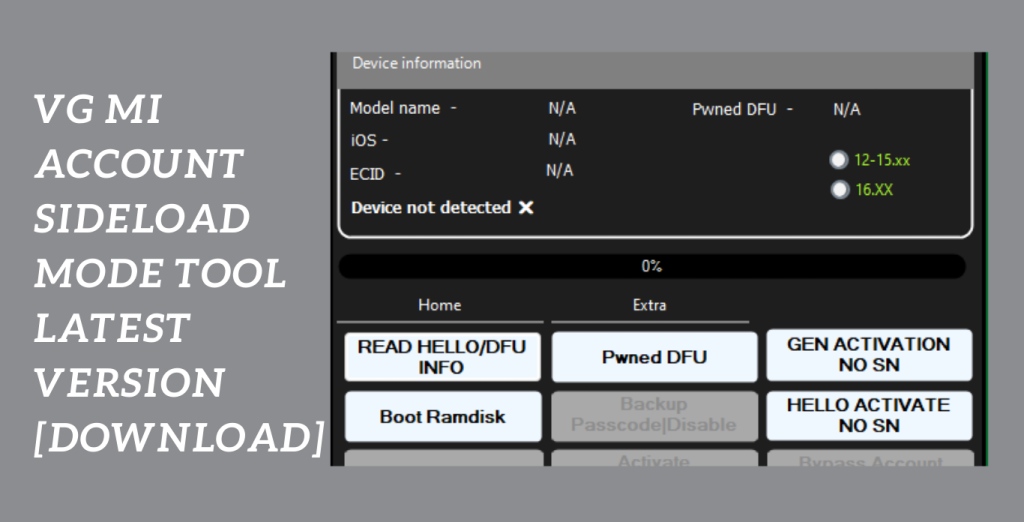
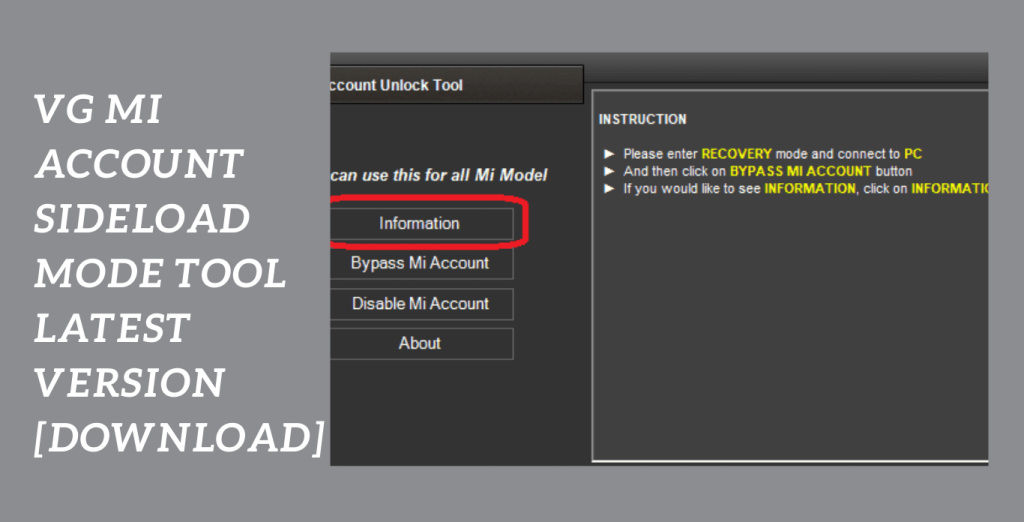
]]>Are you a MIUI 13 user wanting to get around the security lock on the MI Account? Look nowhere else! A quicker and easier method is provided by VG Mi Account Tool freshly updated Sideload Mode for Mi Accounts. This free MIUI 13 Mi cloud lock remover programme is made to help users get rid of the trouble of sideloading EDL Boot, FRP removal, and Mi Cloud Reactivation Formatting on different Xiaomi MIUI 13 powered phones.
Complexity of MI Account security locks:
The complexity of MI Account security locks may be said to be history thanks to this tool’s improved capabilities. Say goodbye to laborious procedures and hello to an easier unlocking procedure. Users may easily remove Mi Cloud Reactivation Formatting and FRP locks with the improved Sideload Mode for Mi Accounts by VG Tool.
More simpler than ever:
It’s now more simpler than ever to unlock your smartphone. Simply use the Xiaomi MI Assistant’s (Sideload) mode to its full potential and let the gadget do its magic. The user-friendly features and straightforward interface make unlocking MIUI 13 devices a smooth process. Don’t pass up this fantastic chance to reclaim total control over your Xiaomi gadget. Hence, Utilise the most recent improvements in MIUI 13 unlocking tools to stay ahead of the curve.
Key Features:
- Alternative that is quicker and easier: Ditch the intricate processes and time-consuming techniques. This utility streamlines the unlocking procedure for MIUI 13 smartphones by providing a quicker and easier option.
- Mi Cloud Reactivation Formatting Removal: Remove the Mi Cloud Reactivation Formatting lock easily, enabling users to swiftly and effectively recover access to their MIUI 13 smartphones.
- Factory Reset Protection, or FRP Elimination: Easily remove FRP locks so that MIUI 13 users may unlock their devices without difficulty. Enjoy a smooth transition free of pointless obstacles.
- Benefit from the tool’s Sideloading EDL Boot functionality, which enables users to unlock MIUI 13 smartphones utilising Xiaomi MI Assistant (Sideload) mode.
- Friendly User Interface: Hence, The application has a simple and accessible to people of all technical backgrounds because to its intuitive and user-friendly interface.
- Free: Take use of this effective tool’s advantages without paying anything. Users may unlock MIUI 13 smartphones for free using the improved Sideload Mode for Mi Accounts by VG Tool.
System Requirements:
- Operating system: Windows (suitable for Windows 7, 8, or 10 versions).
- Intel Core i3 or above is the recommended processor.
- Memory: 4 GB or more
- Storage: Enough free disc space for the installation of the utility and any related data
- MI Assistant by Xiaomi: Make sure the Xiaomi MI Assistant programme is set up on your PC.
- Stable internet connection required for downloading the tool and any required files.
How to Install:
- Install the tool: Download the “Sideload Mode for Mi Accounts by VG Tool” setup file from an authorised or reputable website.
- Make sure you get it from an unbiased, reputable, and secure source.
- The setup file may be found by navigating to the directory where it was saved on your computer when the download is complete.
- In the absence of an alternative location being given, it is typically in the “Downloads” folder.
- Activate the setup file: To begin the installation procedure, double-click the setup file.
- Hence, Click “Yes” to approve the required rights if User Account Control (UAC) asks you to.
- the Installation Wizard’s instructions: The installation wizard will walk you through the procedure.
- Choose the preferred installation choices, such as reading and accepting the licence agreement if one is shown.
Password: technicalworld.co
Mirror Link!
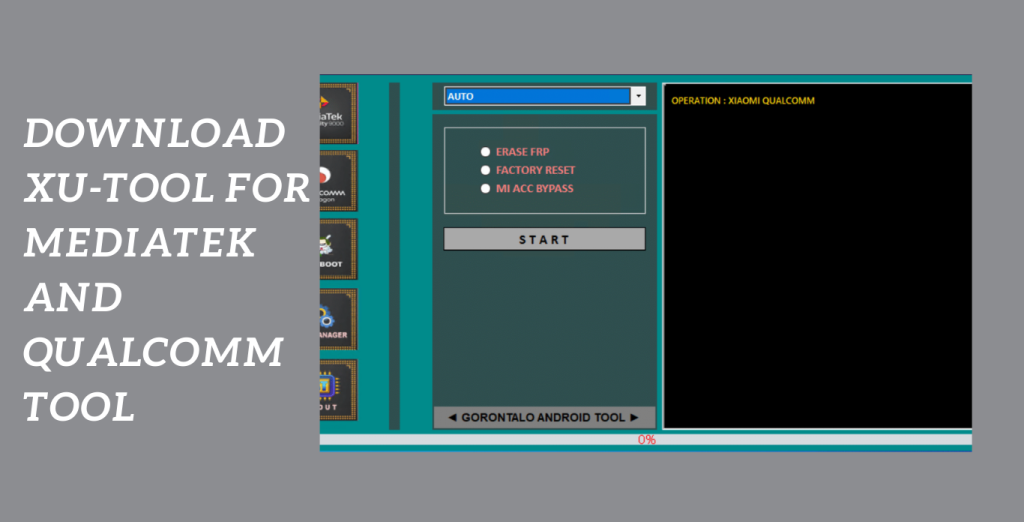
]]>Introducing XU Tool, a free, streamlined Windows program created especially for Xiaomi phones with MTK and Qualcomm processors. The most recent version of XU Tool offers a variety of strong features that make it simple to unlock, repair, and optimize the your Xiaomi smartphone.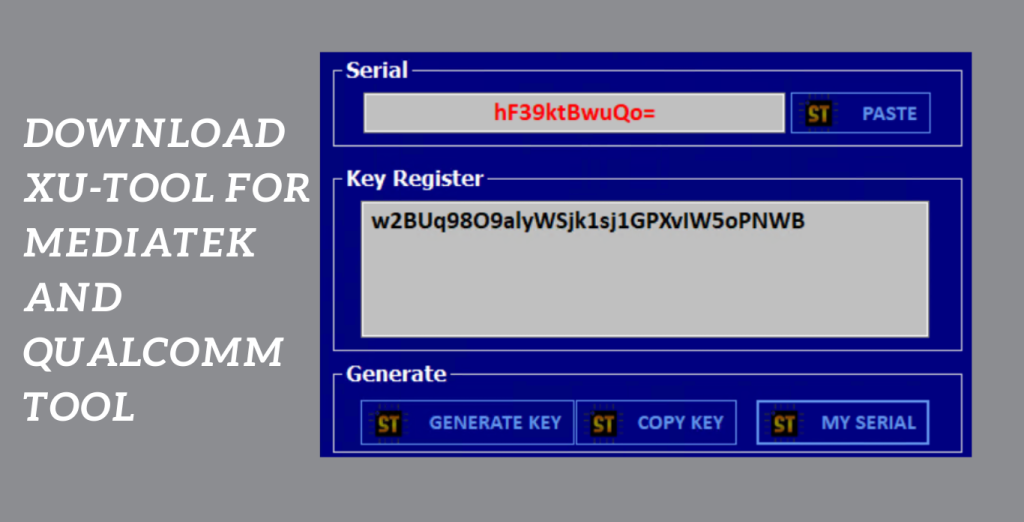
Extensive support:
The extensive support provided by XU Tool for numerous modes is one of its most notable characteristics. XU Tool has you covered whether you need to operate in MTP (Media Transfer Protocol), EDL (Emergency Download), or Fastboot mode. This guarantees that unlocking and fixing your Xiaomi phone will be as flexible and compatible as possible.
Capabilities of XU Tool go beyond:
The capabilities of using Tool go beyond doing only one activity. It has a wide range of functions, including Erase Factory Reset Protection (FRP), Remove Pattern Password Pin, Format, Factory Reset, and Unlock Mi Lock. With these tools available to you, you can quickly fix typical problems and reclaim complete control over your Xiaomi smartphone.
Cost-effective and dependable solution:
For individuals looking for a cost-effective and dependable solution for their Xiaomi phone repair or unlocking requirements, downloading Xiaomi Unlocker Tool V2.0, the most recent version of XU Tool, is a sensible decision. You will be guided through the procedure if you simply follow the directions, making the process easy even for novices.
Key Features:
- XU Tool is particularly made to operate with Xiaomi Phones Powered by MTK and Qualcomm, ensuring compatibility with a wide range of devices.
- XU Tool has an intuitive and user-friendly UI that makes it usable even for individuals with no background in technology. Effortlessly and conveniently do chores.
- Whether you need to work in MTP, EDL, or Fastboot mode, XU Tool can handle them all, giving you options for a range of unlocking and repair chores.
- You may simply remove FRP (Factory Reset Protection) from your Xiaomi phone using the XU Tool. You may recover full access to your device by wiping the FRP off of it.
- Removing a pattern, password, or PIN If you can’t remember the pattern.
System Requirements:
- Operating system: Windows 7, Windows 8, and Windows 10 (both 32-bit and 64-bit versions) are all compatible.
- Processor: For effective operation a processor with a minimum clock speed of 1 GHz or greater is advised.
- RAM: To guarantee smooth functioning when usingTo, a minimum of 2 GB of RAM is advised.
- Storage Space: In order to install and operate you must have at least 100 MB of free disc space on your computer.
- USB Drivers: Ensure that your computer has the required Xiaomi phone USB drivers installed. The official Xiaomi website or the company that makes the gadget may generally provide these drivers.
How to Install:
- To obtain the installation file go to the official website or a reliable source. Verify that the version you download is the most recent one that works with your operating system.
- After the download is complete, go to the folder on your computer where the installation file was located. It usually resides in the “Downloads” subdirectory.
- Launching the Installer To launch the installer, double-click the installation file. If User Account Control (UAC) asks you, select “Yes” to give the installation the required rights.
- A language selection page will appear before the installation procedure even starts. Select the language you want to use from the list of choices, then click “OK” or “Next” to continue.
- Carefully read the End User Licence Agreement (EULA). If you accept the conditions, tick the box to show that you do and then click “Next” or “Agree” to continue.
- Select the target folder where you wish to install the by clicking on the installation location option. The default location is an option, or you can click “Browse” to pick a different folder. Once you’ve decided, press “Next” or “Install” to proceed.
Password: technical world. co
Mirror Link!
]]>