
Introduction
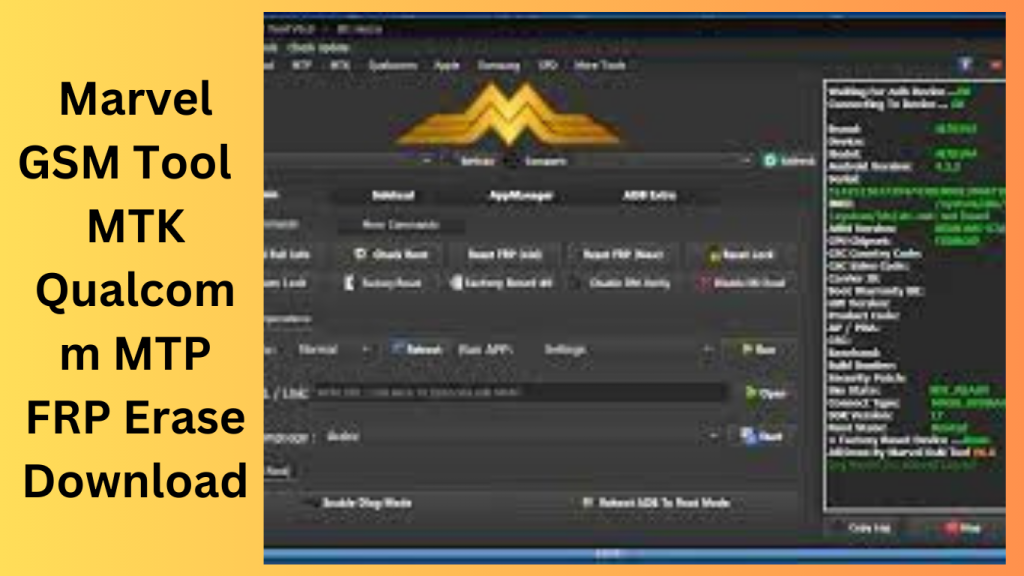
Marvel GSM Tool 7.4 is a versatile and user-friendly utility designed to address common issues encountered by Android device users. It offers a plethora of functionalities, allowing users to effortlessly manage their devices. Whether you’re struggling with a forgotten password, a Google account lock, or you simply want to customize your device, this tool has you covered.
What Is Marvel GSM Tool 7.4?
Marvel GSM Tool 7.4 is a powerful application that is compatible with Windows PCs. It’s primarily used for erasing Factory Reset Protection (FRP), flashing firmware, unlocking networks, installing languages, and removing password locks, patterns, or PINs. The best part? It’s absolutely free to use!
Features and Capabilities:
Unlocking FRP Locks
One of the standout features of Marvel GSM Tool 7.4 is its ability to bypass FRP locks. FRP locks are a security feature that can be challenging to deal with when you forget your Google account credentials. This tool simplifies the process, allowing you to regain access to your device without any hassle.
Flashing Firmware
Flashing firmware is a common task for device enthusiasts, and Marvel GSM Tool 7.4 excels in this area. You can easily update or reinstall your device’s software, ensuring it runs smoothly and efficiently.
Network Unlocking
Network locking can be frustrating, especially if you’re traveling and need to use a different SIM card. Marvel GSM Tool 7.4 lets you unlock your device, giving you the freedom to choose your preferred network provider.
Language Installation
For multilingual users, language customization is crucial. This tool allows you to add and customize languages, making your device more accessible and user-friendly.
Password Lock Removal
Forgot your device’s password, pattern, or PIN? Marvel GSM Tool 7.4 can help you remove these locks, granting you access to your device once more.
Exploring Fastboot Operations with Marvel GSM Tool 7.4:
Fastboot, a powerful tool for Android devices, allows users to interact with the device’s bootloader. This mode enables various operations such as flashing firmware, unlocking bootloaders, and managing device partitions. Marvel GSM Tool 7.4 provides an array of Fastboot operations, making it an essential tool for Android device enthusiasts. In this guide, we’ll take a closer look at the Fastboot operations available in Marvel GSM Tool 7.4.
Read Info
The ‘Read Info’ operation retrieves vital information about your device, including its model, software version, and other relevant data. This can be useful for diagnosing issues or ensuring compatibility before making changes to your device.
Advanced Info
‘Advanced Info’ takes the ‘Read Info’ operation a step further, providing additional details about your device’s hardware and software components. This in-depth information can be valuable for advanced users and technicians.
Remove FRP Methods:
Marvel GSM Tool 7.4 offers three different methods for removing Factory Reset Protection (FRP), which is a security feature designed to prevent unauthorized access to your device.
- Remove FRP Method 1: This method is one way to bypass FRP locks, allowing you to regain access to your device if you’ve forgotten your Google account credentials.
- Remove FRP Method 2: Method 2 provides an alternative approach to bypass FRP locks, giving you flexibility in case one method doesn’t work for your specific device.
- Remove FRP Method 3: The third method ensures that you have multiple options to bypass FRP, making it easier to recover your device.
Remove FRP for Specific Brands:
Marvel GSM Tool 7.4 extends its FRP removal capabilities to specific brands:
- Remove FRP for Moto: This operation is tailored for Motorola devices, offering a brand-specific solution for bypassing FRP locks.
- Remove FRP for Lenovo: Lenovo device users can utilize this feature to unlock their devices without the hassle of FRP locks.
- Remove FRP for Micromax: Micromax users can remove FRP restrictions using this specific method.
- Remove FRP for Xiaomi: Xiaomi device owners can now bypass FRP locks with ease.
Unlock and Lock Bootloader:
Marvel GSM Tool 7.4 enables you to unlock and lock the bootloader of your device. Unlocking the bootloader allows you to install custom recovery, custom ROMs, and other modifications. Locking it enhances security, preventing unauthorized access.
Erase Operations:
Various erase operations are available to manage specific device partitions:
- Erase Data: This operation wipes user data on your device, making it useful when selling or recycling your device.
- Erase System: Erasing the system partition can be necessary when upgrading or reinstalling your device’s operating system.
- Erase Cache: Clearing the cache partition can help resolve issues related to app performance and system stability.
- Erase Recovery: Erasing the recovery partition can be helpful when installing custom recoveries or resolving issues related to stock recovery.
- Full Erase: This operation wipes the entire device, offering a fresh start.
Reboot Operation:
Marvel GSM Tool 7.4 also provides options for rebooting your device into specific modes:
- Reboot to EDL: Reboot your device into Emergency Download (EDL) mode, which is essential for device recovery.
- Reboot RUU: Reboot your device into the RUU mode, allowing you to perform updates or repairs.
- Exit Fastboot: Exit the Fastboot mode and return to normal device operation.
Compatibility with Android Devices
Marvel GSM Tool 7.4 supports an extensive range of Android devices, including popular brands like Huawei, Vivo, Oppo, Moto, Xiaomi, LG, Samsung, Umax, ANS, Tecno, and Infinix. It’s a versatile solution that caters to a wide audience.
Modes of Operation
To ensure that it can work with a variety of device conditions, Marvel GSM Tool 7.4 operates in four different modes:
ADB Mode
This mode is ideal for devices that are accessible through Android Debug Bridge. It’s a common mode for developers and technicians.
Fastboot Mode
Fastboot mode is perfect for dealing with devices in bootloader mode. It’s commonly used for flashing firmware and unlocking bootloaders.
MTP Mode
Media Transfer Protocol mode is useful for managing files on your device. It’s particularly handy for transferring media files.
EDL Mode
EDL (Emergency Download) mode is employed for unresponsive devices, allowing you to recover them.
Ease of Use:
Marvel GSM Tool 7.4 prides itself on its user-friendly interface. You don’t need to be a tech expert to navigate and utilize its features.
Safety and Reliability
The tool is safe and reliable, ensuring that your device remains intact during the processes. It’s an excellent choice for those who want to maintain the integrity of their devices.
Frequently Asked Questions (FAQs)
- Q1: Is Marvel GSM Tool 7.4 safe to use on my Android device? A1: Yes, it’s a safe and reliable tool when used as instructed.
- Q2: Do I need any technical knowledge to use this tool? A2: No, Marvel GSM Tool 7.4 is designed for both beginners and experienced users.
- Q3: Can I use Marvel GSM Tool 7.4 on a Mac computer? A3: No, it is compatible with Windows PCs.
- Q4: Is this tool really free to use? A4: Yes, Marvel GSM Tool 7.4 is completely free, making it a cost-effective solution for managing your Android devices.
- Q5: Where can I get Marvel GSM Tool 7.0? A5: You can access the tool by visiting:
Get Access Now:
Download Link!
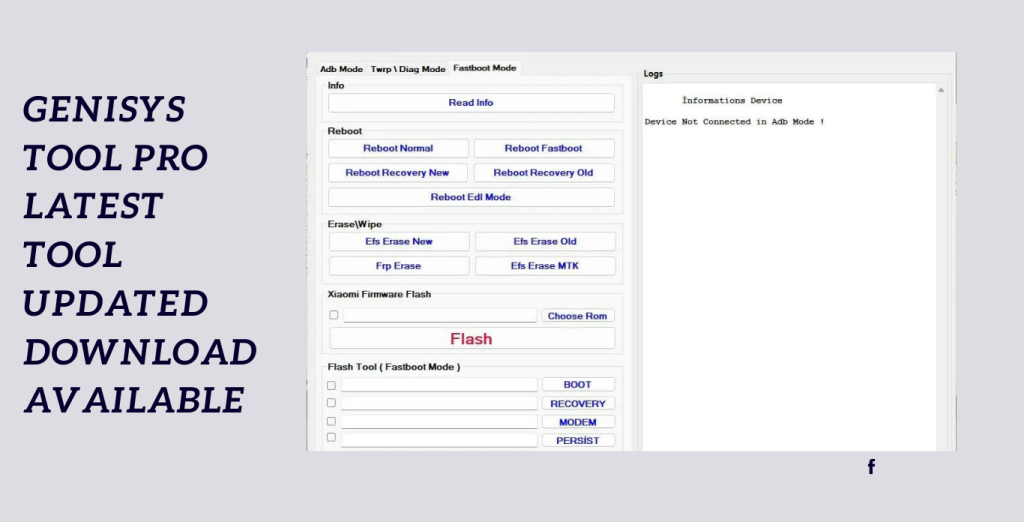
]]>Genisys Tool Pro V1.8.4. This tool gives users the ability to easily carry out a variety of tasks because of its small size and large range of capabilities.
Make the Most of Your Xiaomi Smartphone’s Potential:
Xiaomi smartphone owners may now make use of all of their smartphones’ capabilities thanks to Genisys Tool Pro V1.8.4. This adaptable program provides a wide range of functions to improve user experience and simplify several chores.
Large in Features, but Small in Size:
The tiny size of Genisys Tool Pro V1.8.4 is one of its most notable qualities. This program optimized has a tiny physical footprint, yet it has a wide variety of functions. Users may control their devices, optimise their systems, and more.
Specially designed for Xiaomi smartphones:
Xiaomi smartphone owners’ particular demands have been catered for in Genisys Tool Pro V1.8.4. Users can realize the full potential of their smartphones because of its flawless integration with Xiaomi devices, which guarantees a smooth and seamless experience.
Key Features:
- Device Administration: straightforward file management. Simple installation and removal of apps System Optimisation:
- Speed and performance improvement: Emptying the cache and deleting trash files
Optimizing RAM for greater stability - Backup and restoration Messages, media files, and contacts are all securely backed up.
- Options for Customization: Customise your themes, backgrounds, fonts, and icons.
- Updates to Firmware: Keep up with the most recent Xiaomi firmware updates.
System Requirements:
- (Compatible with Windows XP, Vista, 7, 8, and 10) Windows operating system
- Enough computer storage to accommodate the installation
- stable internet connection for online functionality and firmware upgrades
- Compatible with Genisys Tool Pro V1.8.4 is the Xiaomi smartphone
How to Install:
- To ensure its security and validity, be sure to obtain it from a reputable source.
- Make sure your machine satisfies all requirements for the program to work correctly.
- To launch the installer, find the downloaded installation package on your computer and double-click it. If asked, provide the required authorizations to continue.
- Choose the desired installation settings after carefully reading each step.
Password: technical world.co
Mirror Link!
]]>
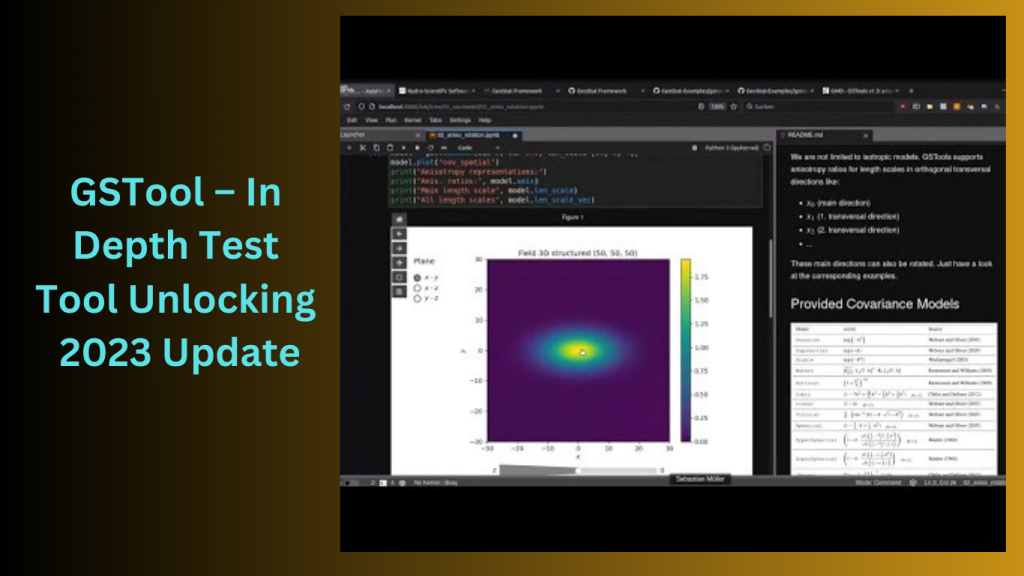
GSTool – In Depth Test Tool Android users frequently demand greater control and personalization over their devices in the quick-paced world of technology. A fantastic tool by the name of GSTool was developed in response to these demands and offers Realme device users, particularly Android users, unmatched versatility and customization. This article delves deeply into the functioning and potential of GSTool, highlighting its essential features and demonstrating how it allows users to unlock the bootloader of their Realme devices, enabling them to carry out a broad range of intricate operations and customizations.
What is GSTool?
GSTool is a built-in program intended to help Android users, particularly those with Realme devices, with a variety of chores involving their smartphones and tablets. It has a wide variety of features and functions that can be used by both novice and experienced users. The tool is available to everyone and offers a smooth experience thanks to its user-friendly layout.
The Importance of Unlocking the Bootloader:
The first application that launches when you turn on your Android smartphone is called the bootloader. It includes directions for starting the operating system. To protect the safety and reliability of the device, the bootloader is locked by default. However, users who wish to explore their device’s capabilities and carry out sophisticated tasks like installing custom ROMs, rooting, and creating custom recoveries must unlock the bootloader.
Features:
Unlock Bootloader Realme
Many people think unlocking the bootloader on a Realme smartphone is tough. However, GSTool makes this process simple to understand and straightforward to follow. Users may get the newest settings and modifications by unlocking their device’s bootloader in only a few clicks.
Depth Test Realme
Users may test the software and hardware of their device in further detail with this GSTool feature. This tool is quite helpful in locating any flaws the device may have and fixing them before they become more serious difficulties.
Users may use Bytes, by OS, and kind, to do a thorough test on their Realme device. This aids in the discovery of any memory or storage, CPU, or other hardware component problems. Users can detect flaws, hiccups, and compatibility issues by running this test using the device’s software.
Flashing Fastboot
Users may flash custom ROMs, recoveries, and kernels onto their devices using GSTool’s Fastboot flashing feature. The gadget may be customised or the newest updates can be installed with this capability.
The program also offers the choice of unlocking Fastboot’s flash, which enables you to access the device’s Bootloader. For customers who want to utilise their devices to perform complex activities, this capability is essential.
How to Install:
- The procedure of downloading and installing GSTool is simple.
- On the official website, users may find the most recent version of the programme and follow the on-screen instructions to install it on their Realme devices.
- Once installed, the tool’s user-friendly design makes it simple to access all of its functions.
- You must first download the File by clicking the following link at the beginning.
- After that, you must unzip every file on drive c: (important)
- Before beginning the installation, be sure the antivirus has been uninstalled.
- Then, after following some simple steps, you should access the folder and install the setup file.
- Run the “GSTool In-depth Test v1.0.exe” test.
- If you already installed any drivers, you will need to install them all again after that. You may omit this action.
- Connect the phone, then try any function.
- Enjoy !!!
Step-by-Step Guide to Unlocking Realme Bootloader:
Secure Your Data
Backing up all of your critical data is a must before beginning the bootloader unlock process to avoid data loss.
Make USB Debugging and Developer Options available.
On your Realme device, you must activate Developer Options and USB Debugging in order to successfully unlock the bootloader.
OEM Decryption
The OEM Unlocking option must then be enabled in order to unlock the bootloader.Unlocking the bootloader
Now that the required settings have been activated, use GSTool to unlock the bootloader.GSTool Flashing on Realme Devices
You may flash GSTool onto your Realme smartphone to gain access to its wealth of capabilities after unlocking the bootloader.
Safety Precautions When Using GSTool:
While GSTool offers intriguing possibilities for device modification, it is essential to use prudence at all times. Before continuing, users should carefully read all instructions and back up their data. The warranty may be nullified if the bootloader is unlocked, thus consumers should be aware of this possibility before doing so.
Frequently Asked Questions (FAQs)
- Is it secure to unlock the bootloader on my Realme device?
- Can the bootloader unlocking procedure be undone?
- Will my device’s performance suffer if I unlock the bootloader?
- Does GSTool support products made by other companies?
- Can I install customised ROMs without the bootloader being unlocked?
Conclusion:
In conclusion, GSTool is a superb utility that provides Realme device owners with new opportunities. Users are given complete control over their smartphones thanks to its ability to unlock the bootloader, allowing them to install custom ROMs, change system settings, and identify hardware problems. To guarantee a seamless experience, users must proceed cautiously and adhere to safety precautions. Utilise GSTool’s strength to bring out the full potential of your Realme smartphone!
Password: technical world. co
Download Link!
]]>TEKSIR OFP EXTRACTOR NEW 2026 Free Download

TEKSIR OFP EXTRACTOR The TEKSIR OFP Extractor Tool appears to be made to extract firmware from OFP (Octal Firmware Package) files, though, based on the description you supplied. Smartphones and other devices with Qualcomm or MediaTek chipsets frequently use OFP files.
It is claimed that the programme is free and simple to use, enabling users to quickly extract each.img file from the OFP files. Firmware that has been extracted from OFP files can be used for a variety of tasks, including flashing or software modification on devices.
TEKSIR OFP EXTRACTOR Windows Tool Free Download:
To prevent any potential security threats, be cautious while downloading any third-party software and only do it from reliable sources.
To prevent any potential security threats, be cautious while downloading any third-party software and only do it from reliable sources.
Features Key:
- The utility enables users to extract each and every.img file found within OFP (Octal Firmware Package) files.
- These.img files most likely include system images or firmware for MediaTek and Qualcomm devices.
- This indicates that it can manage OFP files related to hardware that uses any of these chipsets.
- No cost download: You may get the TEKSIR OFP Extractor Tool without charge.
- Users who need to deal with OFP files can access it more easily because of its free nature. and without spending any more money, remove firmware components.

How To Use?
- Launch a web browser: Open your computer’s favourite web browser.
- Visit this website: To access the website, put “Gsmatoztool.com” in the address field and hit Enter.
- Find the download link here: On the website’s main page or other pertinent pages, look for the download button for the TEKSIR OFP Extractor Tool. It may have the words “Download,” “Download Now,” or some similar phrase in the title.
- Please click the download link.
- When you’ve located the download link, click it to start the download.
- You should choose a spot on your computer to save the TEKSIR OFP Extractor Tool.
- Await the download to finish: The size of the file and the speed of your internet connection will determine how long it takes to download.
- You’ll have the tool saved on your PC after the download is complete.
- Prior to starting any downloaded executable file, it is crucial to confirm its validity and integrity.
Password: technicalworld.co
Download Link!

Xiaomi RSA Helper I advise checking the official Xiaomi website or credible technical news sites and forums to find the most recent version of the Xiaomi RSA Helper or any other software for your Xiaomi phone. The most recent information on software releases and downloads for Xiaomi smartphones is frequently available on these channels.
I advise going to the official Xiaomi website or reliable sources like credible technology forums, software repositories, or the app store particular to your device if you want to obtain the Xiaomi RSA Helper or any other software for your Xiaomi or POCO smartphone. These websites often provide trustworthy and current software downloads for Xiaomi smartphones. To secure your device and personal information, be sure you are getting it from a reliable source.
Features Xiaomi RSA Helper:
- Redmi 6A – Equipment Hardware RSA Security Disable Solution Redmi 7 RSA Security Solution to Disable
- Redmi 8 and Redmi 8A Hardware Security Disable Solution
- Redmi 9 – Equipment RSA Security Solution to Disable
- Redmi 9T – Equipment RSA Security Solution to Disable
- Hardware Solution to Disable RSA Security Using Redmi 9A/9C NFC
- Redmi 10 – Equipment Hardware RSA Security Disable Solution Redmi Note 8 RSA Security Disable Solution
- Hardware Security Disablement by RSA for the Redmi Note 8 Pro
- Hardware Security Disablement by RSA for the Redmi Note 9
- Hardware Disable by RSA Security on the Redmi Note 9S
- Hardware Security Disablement by RSA for the Redmi Note 10
- Hardware Solution for Disabling RSA Security on the Redmi Note 10S
- Hardware to Disable RSA Security with Poco X3 Pro

How To Use?
- From the relevant URL, download the tool’s zip file.
- Remove each part of the zip file separately.
- Select “C:” to extract the data to a disc. This task is seen to be crucial.
- Open a folder that contains all of the extracted files.
Password: technicalworld.co
Download Link!
]]>
iReverse Qualcomm Tool Lite Look no farther than iReverse Qualcomm solution Lite if you need a strong and secure solution to improve your Windows PC experience. This creative solution was created by the gifted team at HadiK IT and is intended to enhance numerous procedures and make them more user-friendly.
A thorough optimisation programme that can assist with streamlining and maximising your computer’s performance is called iReverse Qualcomm programme Lite. It includes a variety of features designed to improve your Windows experience and ensure a smoother, more efficient use.
Key Features:
- Performance Boost: IReverse Qualcomm Tool Lite enhances your system’s performance by identifying and removing performance bottlenecks. This improves system stability and helps prevent errors and crashes.
Privacy Protection: The iReverse Qualcomm Tool Lite safeguards your privacy by wiping records of your online activities.
Using the startup manager feature, you may control and manage the programmes that launch with your computer.
The junk file cleaner in iReverse Qualcomm Tool Lite locates and deletes unnecessary software, temporary files, and previous downloads from your computer. By clearing up disc space, it improves system performance and storage capacity. - Driver Updates: This tool keeps the drivers in your system up to date by automatically searching for and installing newer versions. Updated drivers provide compatibility with the latest recent software and hardware, which increases system stability and performance.
Making System Backups and Restore Points: The iReverse Qualcomm Tool Lite provides a useful technique for doing such. In the event of any issues or system failures, you may rapidly restore your data and revert to a previous stable condition.

How to Use:
- Set up the programme: Start by downloading the tool from the provided URL. Click the corresponding link to begin the download. This step is crucial to ensuring that the tool operates properly. Click the file twice to begin the installation process. The installation wizard will walk you through the process.
- Set up the programme: Start by downloading the tool from the provided URL. Click the corresponding link to begin the download.
This step is crucial to ensuring that the tool operates properly. - Click the file twice to begin the installation process. The installation wizard will walk you through the process.
Password: technicalworld.co
Download Link!
]]>
Zenon Unlock Tool I advise seeking into trustworthy sites like dependable technology forums, well-known software repositories, or official Samsung resources if you’re looking for a trustworthy, free unlocking solution for your Samsung phone. These websites frequently provide secure and dependable unlocking methods for Samsung handsets.
Zenon Unlock 2.5 Samsung Qualcomm Xiaomi Free Unlocking Tool Download:
If you intend to unlock or flash your mobile device, I advise doing your homework from reliable sources and getting advice from respected technical forums or official help channels.
Features:
- With this skill, you can modify the software or firmware on your device.
- The software enables the unlocking of several different mobile phone manufacturers. This includes unlocking choices like Mi Account/FRP (Factory Reset Protection), which may be utilised to get around device security measures.
- With this streamlined process, you may complete each step with a single click.

How To Use:
- Start by downloading the utility file by clicking the provided link.
- Next, purge all files from your computer’s C: disc. The installation process depends on this step.
- In the location where you extracted the downloaded files, look for the setup file. Follow the simple steps below to continue with the installation.
- Run the “Zenon.exe” file to launch the software.
- If not, skip this step.
- Connect your smartphone to your PC via a USB connection.
- There are now several uses for the Zenon Unlock Tool.
Password: technicalworld.co
Download Link!
]]>The Infinix Hot 12 Play FRP File is here to assist you if you’re seeking for a quick and simple way to get around the FRP (Factory Reset Protection) Google Account verification lock on your Infinix Hot 12 Play handset. You can quickly unlock Google verification with the SPD Research Download tool.

Download the FRP file for the Infinix Hot 12:
Download the Infinix Hot 12 Play X6816C (SPD Pac) FRP File from a reliable website. Make sure the file you download is compatible with the model of your particular device. After the download is finished, use a file extractor to open the FRP file and view its contents as WinRAR or 7-Zip, which are extraction programs.
SPD Research Download Tool will be launched:
Locate the executable file on your computer, then launch the SPD Research Download utility. Run the application as an administrator to guarantee correct operation. Install the SPD Research Download Tool on your computer by downloading and installing it. To get the best performance out of the tool, make sure you have the most recent version.
Key Features:
- Google Account verification lock may be removed with only one click using the FRP Bypass method.
- Tool for downloading SPD Research Specifically created for use with the SPD Research Download tool.
- Easy and Quick Fix Recover access to your device quickly and without a lot of hassle.
- reputable source From a trustworthy and respected source, obtain the FRP File.
- Instructions in plain English For a successful FRP bypass technique, simple to follow guidelines.
- No additional costs are necessary, making this a free solution that is also economical.
- Solution That Is Quick and Simple Quickly recover access to your device without the need for protracted procedures.
- The Infinix Hot 12 Play X6816C is compatible with specific to the Infinix Hot 12 Play X6816C model.

System Requirements:
- For the FRP File to work, you must have an X6816C handset, therefore make sure you have that model.
- Computer The following specs are required for your device:
- Windows is a supported operating system for the SPD Research Download tool.
- AMD or Intel processors are available.
- RAM 2GB or more is the minimum.
- Storage Enough free space to install and store the SPD Research Download utility.
- Preparing an appropriate USB cord will allow you to connect your Infinix Hot 12 Play smartphone to your PC and perform the FRP bypass.
How to Install:
- The necessary files to download are the Infinix Hot 12 Play X6816C (SPD Pac) FRP File from a reputable supplier.
- Extraction of the FRP File Contents To extract the contents of the downloaded FRP File, use a file extraction program like WinRAR or 7-Zip.
- You’ll get the files you need for the bypass procedure as a result of this.
- The FRP file loads To do this, use the “Load Packet” or a similar option in the SPD Research Download tool, and then choose the FRP file you extracted earlier.
Password: technical world.co
Mirror Link!
]]>If your Infinix Hot 10i FRP (Factory Reset Protection) Google Account verification lock is preventing you from using it, read this. We can help you with the Infinix Hot 10i FRP File! With only one click, the FRP lock may be removed by utilizing the SPD Research Download programutilizing.

Take a look at the Infinix Hot 10i PR652B & PR652C SPD Pac FRP File:
The PR652B & PR652C SPD Pac File may be downloaded from a reliable source to begin started. To unlock the FRP lock on your Infinix Hot 10i mobile, you will need to use the files and tools in this download.
Bypass FRP Google Lock by Following These Simple Steps:
When you have the PR652B & PR652C SPD Pac File downloaded, follow these easy steps to remove the FRP lock. When disabling locks on devices, keep in mind to use caution and abide by all laws and ethical standards. Check the legitimacy and security of the files and tools before downloading or as them by consulting reputable forums. Official sites that are dedicated to bypass techniques.
Key Features:
- Users of the Infinix Hot 10i handset may unlock their device’s FRP lock with only one click using the SPD Research Download tool.
- Compatible with SPD (Spreadtrum) Chipset: The utility is especially made to function with gadgets employing SPD (Spreadtrum) chipsets, such the Infinix Hot 10i.
- Fast and Effective: Bypassing the FRP is a quick and effective technique that saves users’ time and energy.
- Secure and Reliable: For getting around FRP locks, the File and the SPD Research Download tool are well-known and regarded in the community.
- Google Account Verification Bypass: With the use of this tool, users can get past the Google Account verification lock. And reclaim control of their device.

System Requirements:
- Windows-based PC having administrator rights (for example, Windows 7, 8, or 10).
- Connect your Infinix Hot 10i mobile to the computer using a USB cable that is compatible with it.
- Install the SPD Research Download utility on your PC after downloading it. Make sure the tool is up to date for best compatibility.
How to Install:
- Save the tools: Download the SPD Research Download program program and the file. File to your PC from a reliable source.
- Use a file extraction programme like WinRAR or 7-Zip to extract the contents of the downloaded files (such as in ZIP or RAR format).
- Setting up the SPD Research Download Tool. Run the installation file for the SPD Research. Download the utility after opening the extracted folder. The utility install on your computer by following the on-screen instructions.
- Launch the utility: After its installation, go to the desktop of your computer or the Start menu and choose the SPD Research Download utility.
- Follow the FRP Bypass Instructions: Consult the particular guidelines included with the Infinix Hot 10i FRP File.
Password: technical world.co
Mirror Link!
]]>Using the Realme Upgrade Tool to flash stock firmware onto your Realme smartphone is an easy process that even non-technical people can do. The programme provides a hassle-free and easy flashing process with its user-friendly interface and detailed instructions. On your Realme smartphone, installing the official Stock ROM will provide you the advantages of improved performance, increased stability, and bug fixes.

Useful for flashing Stock Firmware:
The Realme Flash Tool is useful for flashing Stock Firmware as well as fixing problems with your Realme phone like Bootloops or being stuck at the boot logo. You may efficiently fix these issues and restore your gadget to working order by making use of the tool’s sophisticated capabilities and functionality. Putting an end to annoying boot difficulties.
Get the Realme Flash Tool from reputable and authorised sources:
Always be sure you get the Realme Flash Tool from reputable and authorised sources to ensure its security and validity. With the Realme Flash Tool, you can safely flash stock firmware, resolve boot-related issues, and unlock the full potential of your Realme device for steady, optimised performance.
Key Features:
- Flash Stock Firmware: Using this tool, users of Realme devices may quickly flash Stock Firmware. This aids in operating system updates, software bug fixes, and enhanced overall device performance.
- Fix for Bootloop and Boot Logo difficulties: The Realme Flash Tool can assist in resolving bootloop and boot logo difficulties by flashing the Stock ROM and returning your Realme device to operational status.
- User-Friendly Design: The tool is intended to have a user-friendly design, making it usable by both novice and expert users. A flawless flashing process is guaranteed by its user-friendly design and step-by-step instructions.
- Wide Device Compatibility: Users may flash stock firmware on a variety of Realme devices using the Realme Flash Tool.
- Firmware Verification: Before flashing, the utility checks the firmware’s integrity to make sure it is authentic and legitimate stock firmware, which you should install on your Realme device.
- Simple to Use Options: The utility offers choices for the firmware package, the flashing technique, and the wiping of user data. With the use of these settings, users may modify the flashing procedure to suit their needs and tastes.

System Requirements:
- Windows operating system (ideally Windows 10 but also Windows 8.1, Windows 8, or Windows 7)
- Intel Core i3 or later processor
- 4GB or more of RAM
- Storage: 10GB or more of unoccupied disc space
- USB 2.0 or USB 3.0 port
- Internet access is necessary to download the required firmware packages.
How to Install:
- Download the most recent version of the Realme Flash Tool that is compatible with your Realme device and the Windows operating system by going to the official Realme website or other reliable sources.
- Using an extraction programme like WinRAR or 7-Zip, find the downloaded file when it has finished downloading and extract its contents into a folder on your computer.
- Launch the setup for installation: Search for the installation setup file (usually with a.exe extension) in the extracted folder by opening it. It may be double-clicked to start the installation wizard.
- The installation wizard will walk you through the installation procedure; just follow the on-screen instructions. To continue with the installation, according to the on-screen directions by accepting the licence agreement and selecting the installation directory.
- Connect Your Realme Device: To connect your Realme device to your computer, use a suitable USB cable.
- Find the Realme Flash Tool icon on your desktop or in the Start menu to launch it. To start the tool, double-click the icon.
- Open the Realme Flash Tool, choose the firmware package, pick a flashing technique, and start flashing your Realme device by following the tool’s instructions.
Password: technicalworld.co
Mirror Link!
]]>