XTool iCloud Removal When you lose your iCloud account information or buy a secondhand iPhone or iPad that is still tied to the iCloud account of the previous owner, the XTool Auto Plist Reader might be useful. The tool intends to help in bypassing or eliminating the Activation Lock from the device with its cutting-edge capabilities and simple user interface.
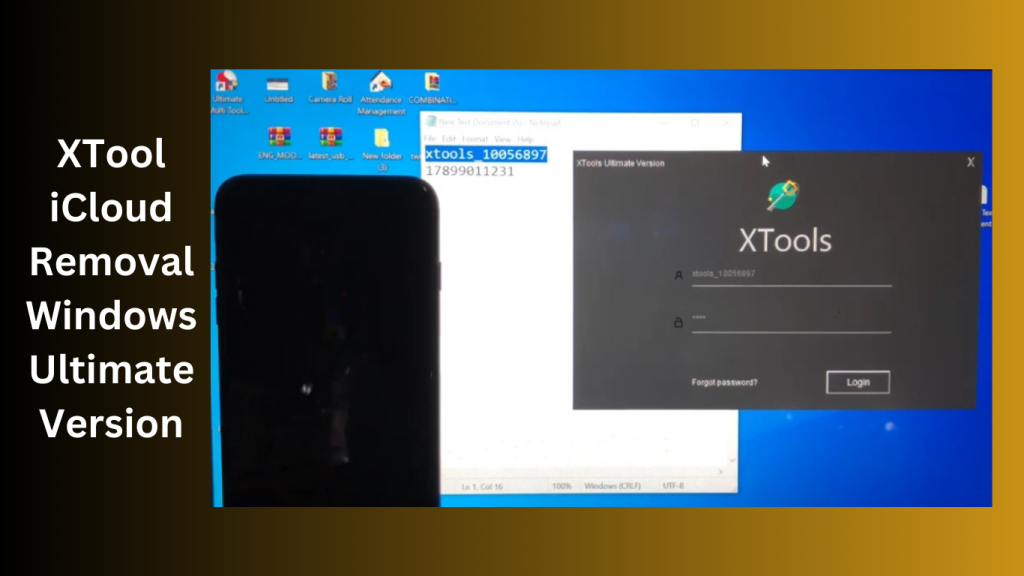
It’s crucial to remember that removing iCloud Activation Lock without the appropriate authorization may be against the rules and perhaps unlawful. It is advised you unlock your devices legally, such as by contacting Apple support or, if you have a used device, the original owner. Furthermore, it’s crucial to use caution if downloading and utilising third-party products as they might provide security threats or
XTools Download New Update Activation Lock 2026:
The utility can precisely detect the facts about the particular device by using the Auto Plist Reader, and then use optimised approaches to go around or remove the iCloud activation lock. This strategy tries to streamline the procedure and raise the likelihood of a successful removal.
It’s crucial to remember that removing iCloud activation locks without the appropriate authorization may be against terms and conditions and perhaps unlawful. Always continue with caution and make sure you have the authorizations and privileges needed to unlock the device. Additionally, using reliable and trustworthy tools is advised while being aware of any potential security dangers related to downloading third-party software.Use cautious while downloading and utilising third-party solutions since they might be security hazards or deliver subpar outcomes.
Features Key:
- Elimination of the iCloud Activation Lock: This tool was created specifically to remove the iCloud activation locks on iPhones. It provides a solution for those who have misplaced their iCloud login information or purchased an iPhone that has an activation lock.
- The Auto Plist Reader feature of XTool Plist automatically reads and analyses the Plist files stored on the device. By accurately recognising each unique device model and iOS version, the application is therefore able to give alternatives for iCloud activation lock removal that are optimal for that particular device.Simple User Interface: The tool’s user interface is user-friendly and easy to use. The tool’s straightforward user interface (UI) ensures a straightforward and trouble-free experience.The XTool Plist V1.2.4 is referred to be the stable version.
Pros
- It has a wide compatibility. It supports iPhone 5 to iPhone 13 Pro Max, all iPod models and some iPad models.
- The tool is easy to use.
Cons
- It doesn’t compatible with Mac OS.
- The tool requires IMEI number and serial number to unlock iCloud activation lock.
- It’s not an easy thing to find a safe download link.
What’s New?
- This makes it easier to remove iCloud Activation Lock.This makes the iCloud activation lock removal method simpler.
- [i]With this enhancement, the removal of the activation lock will be more dependable and simple.
- [!] Fixing a few issues The version also addresses several problems from previous incarnations.
- Our Tool Rejects FMI OFF Devices Automatically, Specifically: Keep in mind that the XTool Plist clearly forbids using devices with FMI (Find My iPhone) OFF functionality.
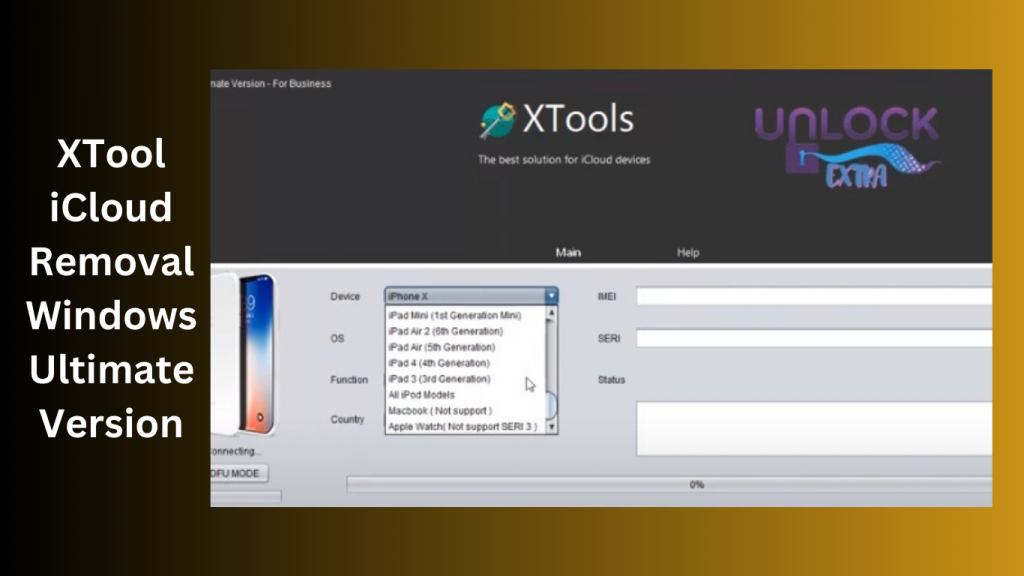
How To Use?
- This is essential in order to prevent any delays during the installation process.
- the programme setup Open the extracted folder to find the setup file. Run the setup file and follow the on-screen instructions to complete the installation.
- should follow the tool’s instructions to install the necessary drivers.
- Connect your phone: Join your iPhone to the computer using the proper USB connection. Follow the on-screen instructions to complete the proper activities.
- Enjoy: Once you’ve finished the required tasks, you may utilise XTool Plist V1.2.4’s features and benefits.
Password: technicalworld.co
Download Link!
Z3x Samsung Tool Pro Thanks to its broad compatibility, it supports all Samsung Android smartphones, enabling complete device coverage. This adaptable utility offers a variety of extra features to improve your Samsung smartphone experience beyond basic unlocking.

Thorough and dependable tool:
Users of Samsung devices will find Z3x Samsung Tool Pro to be a thorough and dependable tool that offers a variety of capabilities to improve device operation and address various difficulties. It’s crucial to remember that employing such technologies calls for the right understanding and knowledge.
Specialized software program:
Z3x Samsung Tool Pro is a specialized software program that offers flashing, unlocking, and a wide range of other functions for Samsung mobile devices.
Key Features:
- Flashing capabilities: The Z3x Samsung Tool Pro allows you to flash the firmware on Samsung devices, enabling you to update to the newest software versions or return your device to its initial settings.
- Options for unlocking: Z3x Samsung Tool Pro makes it simple to unlock your Samsung smartphone. You may use your cellphone with multiple carriers globally by eliminating network locks.
- IMEI Repair: The program includes IMEI repair feature that enables you to correct your Samsung device’s invalid or missing IMEI numbers.
- Fixing Serial Numbers: Z3x Samsung Tool Pro gives users the option to fix and update the serial numbers on their Samsung devices. If your device’s serial number has been altered, this function will be useful.
- Sim Password Reset: Z3x Samsung Tool Pro lets you reset the SIM card password on your Samsung smartphone if you’ve lost it. This will allow you to restore access and use your device without restrictions.
- Resolution of Bluetooth Issues: You may fix Bluetooth-related issues on your Samsung smartphone with Z3x Samsung Tool Pro. This feature guarantees seamless Bluetooth performance and helps address connection problems.
- Lock Code Removal: Z3x Samsung Tool Pro can assist you in removing the lock code, giving you access to your smartphone and all of its capabilities.

System Requirements:
- Operating system: 32-bit or 64-bit versions of Windows XP, Windows Vista, Windows 7, Windows 8, Windows 8.1, or Windows 10.
- CPU: Pentium 4 or newer Intel CPU.
- RAM: For optimum performance, you should have a minimum of 2 GB of RAM.
- Storage Space: There must be 500 MB or more of free disc space available to install the software and keep related data.
- USB Port: To program to connect your Samsung gadget to the computer, you need a USB port.
- Internet connection: For software upgrades and accessing the newest features and functions, a live internet connection is advised.
- Software Requirements: The software may call for the installation of extra drivers or software components on your computer.
How to Install:
- Buy it from a reputable retailer or authorized vendor. Make sure the connections you are buying is authentic and the program
- If it’s a download, start the download by clicking the supplied link.
- After the setup file has completed downloading, find it on your computer, double-click it, and the installer will launch.
- Install any necessary dependencies according to the directions displayed on-screen.
- To end the installation, click the “Finish” button.
- To run the program suitable USB cord, double-click the shortcut.
- Using the technical world, join your Samsung tablet or smartphone to your computer.
Password: technical world. co
Mirror Link!
]]>