
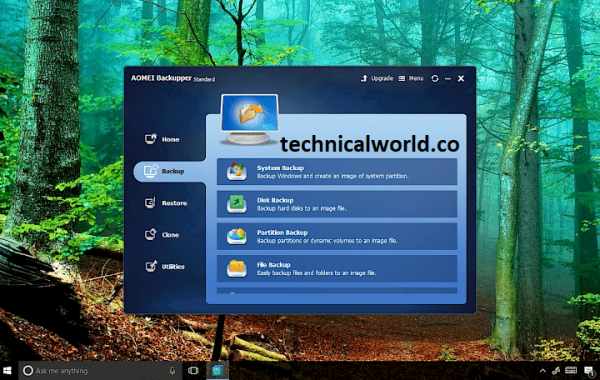
AOMEI Backupper is a reliable backup and recovery software designed to help users create backups of their system, disks, partitions, and files. It also offers features for restoring data, cloning disks, and syncing files to protect against data loss.
Key Features:
- System Backup and Restore: Easily back up and restore your entire operating system to protect against crashes or failures.
- Disk and Partition Backup: Create backups of entire disks or specific partitions for flexible data protection.
- File and Folder Backup: Backup individual files or folders to keep important data safe without full system backups.
- Incremental and Differential Backup: Save storage space and backup time by only backing up changes since the last backup.
- Disk and Partition Cloning: Clone entire hard drives or partitions for upgrading or migrating to a new disk.
- Universal Restore: Restore system backups to dissimilar hardware, useful for system migration or hardware replacement.
- Scheduled Backups: Automate backups with daily, weekly, or monthly schedules to ensure regular data protection.
- Backup Compression and Encryption: Compress backup files to save space and encrypt backups for added security.
System Requirements:
- Operating System: Windows 11, 10, 8.1, 8, 7, Vista, XP (both 32-bit and 64-bit versions supported)
- Processor: Minimum: 1 GHz processor or faster
- RAM: Minimum: 512 MB (1 GB or more recommended)
- Hard Disk Space: At least 200 MB of free space for installation
How to Install:
- Download the Installer: Visit the official AOMEI Backupper website or a trusted source. Download the latest version of the AOMEI Backupper setup file.
- Run the Installer: Locate the downloaded setup file (usually in your Downloads folder). Double-click the file to launch the installation wizard.
- Start Installation: When the installer opens, click “Next” to proceed.
- Accept License Agreement: Read the license terms. Select “I accept the agreement” and click “Next.”
- Choose Installation Location: Select the destination folder where you want to install AOMEI Backupper. You can use the default location or click “Browse” to choose a different folder.
Learn more about Shadow Defender Final’s features in our guide.
]]>
PowerArchiver Toolbox is a comprehensive file compression and archiving software that supports a wide range of formats for compressing, decompressing, and managing archive files. It is designed to provide fast, secure, and reliable compression capabilities with added features like encryption, backup, and cloud integration.
Key Features of PowerArchiver:
- Wide Format Support: Supports ZIP, ZIPX, RAR, 7Z, ISO, TAR, GZIP, and many other archive formats.
- High Compression: Offers advanced compression algorithms for efficient file size reduction.
- Encryption: Provides strong AES 256-bit encryption to secure your archives.
- Backup Tools: Includes backup and recovery features for data protection.
- Cloud Integration: Directly connect and manage files on cloud services like Google Drive, Dropbox, OneDrive, and more.
- File Explorer Integration: Context menu support for quick access to archiving functions.
- User-Friendly Interface: Intuitive design with customizable options.
- Secure File Shredding: Permanently delete sensitive files.
System Requirements:
- Operating System: Windows 11, Windows 10, Windows 8, Windows 7 (both 32-bit and 64-bit versions supported)
- Processor: 1 GHz or faster processor
- RAM: Minimum 512 MB RAM (1 GB or more recommended)
- Hard Disk Space: At least 100 MB of free disk space for installation
- Display: 1024 x 768 screen resolution or higher
How to install:
- Download the Installer: Visit the official PowerArchiver website or a trusted source. Download the latest PowerArchiver installation file (usually a .exe).
- Close Other Applications: Exit any running programs, especially file archivers or compression tools.
- Run the Installer: Locate the downloaded file, typically in your Downloads folder. Double-click the installer to launch the setup wizard.
- Allow Installation: If prompted by User Account Control (UAC), click “Yes” to allow the installer to make changes.
- Accept License Agreement: Read the license terms carefully. Check the box to accept the agreement and click “Next” or “Accept.”
Learn more about Shadow Defender Final’s features in our guide.
]]>