Posted by
 Adobe InCopy v20.3.1 for macOS

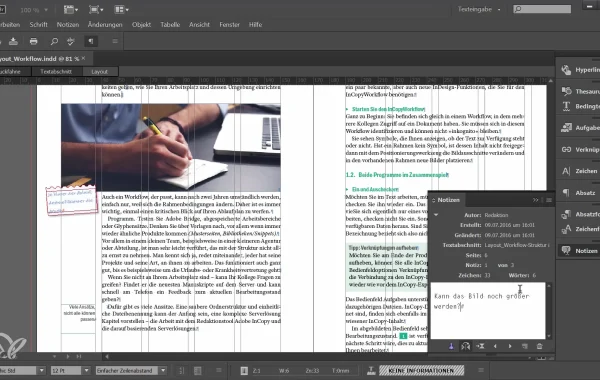
Adobe InCopy is a professional word processing and editorial tool developed by Adobe Systems. It is primarily used by writers and editors who work alongside designers using Adobe InDesign. Unlike traditional word processors, InCopy is built to integrate directly with InDesign layouts, enabling real-time collaboration on the same document.
At its core, Adobe InCopy allows users to write, edit, and proof text without altering the design or layout. This separation of responsibilities ensures that designers can focus on visuals while writers and editors focus on content. The result is a smoother workflow, fewer errors, and faster production times.
InCopy is widely used in industries such as magazine publishing, newspaper production, corporate communications, marketing agencies, and digital media companies. It supports complex editorial workflows and helps teams maintain consistency across large volumes of content.
Key Features:
- Seamless Integration with Adobe InDesign: One of the strongest features of Adobe InCopy is its deep integration with Adobe InDesign. Writers and editors can work directly on InDesign documents without altering the design or layout. Any text updates made in InCopy are instantly reflected in the InDesign file, ensuring smooth coordination between editorial and design teams.
- Check-In and Check-Out Workflow: Adobe InCopy uses a secure check-in/check-out system that prevents multiple users from editing the same content simultaneously. This feature avoids conflicts, overwriting, and version control issues, making teamwork more organized and reliable.
- Advanced Typography and Styling: Adobe InCopy supports paragraph styles, character styles, nested styles, and advanced typography controls. This ensures consistent formatting across all documents and aligns perfectly with the styles defined in Adobe InDesign.
- Track Changes and Notes: Editors can track changes, add comments, and insert notes directly into the document. This makes feedback clear, organized, and easy to manage, especially in multi-editor environments.
- Professional Editing and Proofing Tools: Built-in tools such as spell check, word count, copy fitting, and overset text indicators help maintain accuracy and quality throughout the editorial process.
- Support for Long and Complex Documents: Adobe InCopy handles large, content-heavy projects such as magazines, newspapers, reports, and books with ease. It ensures stability and consistency even in complex publishing workflows.
- Creative Cloud Integration: As part of Adobe Creative Cloud, InCopy works smoothly with other Adobe apps and allows easy file sharing, cloud storage, and access across devices.