Canary Mail 4.92.0 for macOS

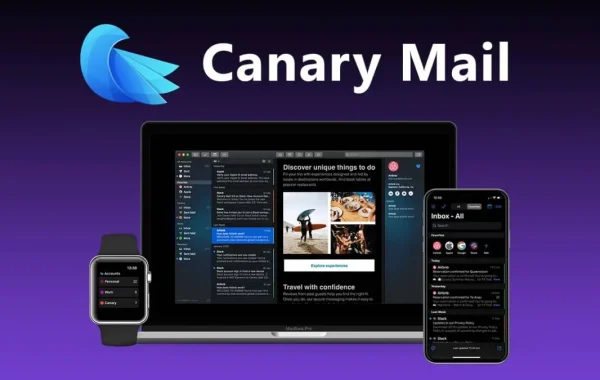
Canary Mail is a cross-platform email client available on macOS, iOS, Android, and Windows. It supports all major email services such as Gmail, iCloud, Outlook, Yahoo, and IMAP-based accounts. Unlike traditional email apps that prioritize basic functionality, Canary Mail focuses heavily on privacy, security, and intelligent productivity features.
At its core, Canary Mail is built with modern users in mind—people who want control over their data, protection from tracking, and smarter tools to manage overflowing inboxes. It combines end-to-end encryption, AI-powered assistance, and a clean user interface into one seamless experience.
Key Features:
- End-to-End Encryption (PGP Support): Canary Mail offers built-in PGP encryption, ensuring that only the sender and recipient can read email content. This feature is essential for protecting sensitive information and maintaining complete privacy.
- 2. AI-Powered Email Assistant: The AI assistant helps users write, edit, and respond to emails quickly. It can generate professional replies, improve tone, and save valuable time—especially useful for busy professionals.
- 3. Read Receipt & Tracking Blocker: Canary Mail blocks invisible tracking pixels and read receipts, preventing senders from knowing when, where, or how often you open an email. This guarantees full control over your email activity.
- Smart Reply Suggestions: The app suggests quick, context-aware replies for common emails, allowing users to respond faster without typing repetitive messages.
- Unified Inbox: Manage multiple email accounts in one place. Canary Mail supports Gmail, Outlook, Yahoo, iCloud, and IMAP accounts with a clean, unified inbox view.
- Cross-Platform Compatibility: Available on macOS, iOS, Android, and Windows, Canary Mail syncs seamlessly across devices, ensuring a consistent email experience everywhere.
- Clean and Minimal Interface: The modern, distraction-free design improves focus and productivity, with features like dark mode, fast search, and intuitive navigation.
- Advanced Security Controls: Additional security options such as biometric lock, password protection, and secure local data storage enhance overall account safety.
System Requirements:
- Operating System: macOS 11 (Big Sur) or later
- Processor: Intel or Apple Silicon (M1, M2, and newer)
- RAM: Minimum 4 GB (8 GB or more recommended)
- Storage: At least 200 MB of free disk space
How to Install:
- Open your web browser and visit the official Canary Mail website or the Mac App Store.
- Search for Canary Mail.
- Click Download or Get.
- Once the download is complete, open the app.
- Grant the required permissions when prompted.
- Sign in using your email account (Gmail, Outlook, iCloud, or IMAP).
- Complete the setup and start using Canary Mail.
Learn more about Shadow Defender Final’s features in our guide.