 Posted by
 HaaFedk iCloud Free v13 iCloud Bypass Tool Latest Free
HaaFedk iCloud Free Device security, system stability, and iCloud accounts are all difficult components of managing devices. As a leader in innovation, HaaFedk iCloud Free Version 2 streamlines device administration and offers consumers a full suite of solutions to improve their device experience.
Managing Devices Effectively:
To improve the user experience, device management is crucial. The usefulness and lifetime of devices may be dramatically impacted by proper device management, which might include security upgrades and performance improvements.
HaaFedk iCloud Free Version v13 is now available:
Significant advancement has been made in device management technologies with HaaFedk iCloud Free Version v13. With the help of this program, users will have unmatched control over their gadgets and will be able to carry out a variety of tasks that were previously thought to be difficult or impossible.
Eliminating iCloud Accounts and Turning Off GSM/MEID Devices:
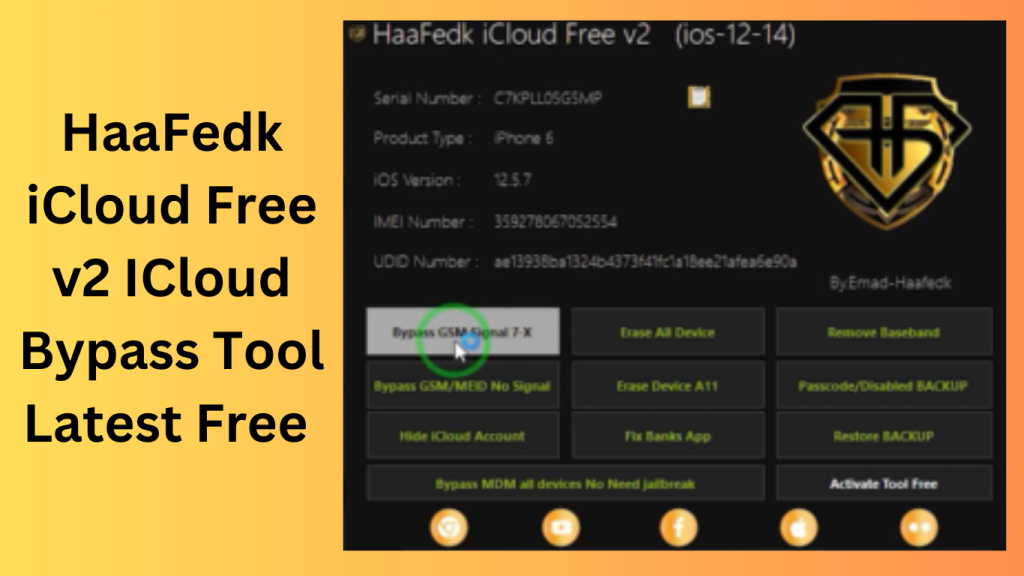
The ability of HaaFedk iCloud Free Version 2 to disable GSM/MEID devices and delete iCloud accounts from active devices stands out as one of its most noteworthy capabilities. Users who desire to protect the security of their data as well as those who wish to repurpose or sell their devices will find this capacity to be of great benefit.
Jailbroken device factory reset:
The program also offers users of jailbroken smartphones, including those with A11 CPUs, the choice of doing a factory reset. This feature not only simplifies the procedure but also gives consumers a trustworthy way to reset their devices without compromising performance.
Taking Care of Post-Bypass Device Problems:
By solving problems that could develop following the bypass procedure, HaaFedk iCloud Free Version 2 goes above and beyond traditional device management applications. The program guarantees that customers may easily explore their gadgets without coming across unforeseen difficulties by providing answers to post-bypass concerns.
Baseband Information Erasure:
HaaFedk iCloud Free Version 2’s ability to delete baseband data is a further significant feature. The ability to wipe baseband data gives consumers a special level of control over the performance of their devices because it is essential for device connection.
Key Features:
- Lockbox Backup
- (BETA) Passcode
- Bypass for GSM
- FAKE MEID
- (BETA) ONLY FOR iOS 14.6 (HIDE)
- Auto Update For iCloud Erase All Data
Devices that work with the device include:
Apple Apple iPhone 5s, iPhone 6S, iPhone 6S+ iPhone X, iPhone 8/ iPhone 8+, iPhone SE, iPhone 7, iPhone 7+, and iPhone.
iPad Air, iPad Mini 2, iPad Mini 3, iPad Mini 4, iPad Mini 5, iPad Mini 6, iPad Mini 7, iPad Pro (12.9 in), iPad Pro (9.7 in), iPad Pro (10.5 in), and iPad 6G.
This article will provide users with a summary of the free HaaFedk ICloud Free utility v13.
The features of the tools are all current.
What’s New
- Recent releases reportedly focus on software stability improvements, interface refinements, and broader compatibility testing. Users should always review official release notes and verify software authenticity before installation.
- Performance Improvements
- Updates may improve application responsiveness and reduce unexpected errors during operation.
- User Interface Enhancements
- Navigation and usability improvements can help users access features more efficiently.
- Compatibility Updates
- Newer versions may include support adjustments for recent operating systems and hardware configurations.
- Bug Fixes
- Developers often address reported issues to improve overall reliability and user experience.
Pros and Cons
Pros
- Simple user interface
- Lightweight installation package
- Regular updates (if actively maintained)
- Easy navigation for general users
Cons
- Limited publicly verified information may be available
- Compatibility can vary across devices and software versions
- Users should carefully evaluate security and legitimacy before use
- Support and documentation quality may vary
How Do I?
- You must first download the file using the URL provided below.
- This is important.
- Open “HaaFedk iCloud Remove Tool Free v13.exe” and proceed.
- Utilise the tool to attempt to unlock an iCloud lock using a GSM or MEID device.
- Enjoy !!!
FAQs
- What is HaaFedk iCloud Free?
- It is software that is often discussed in connection with Apple device management. Users should research its intended purpose and verify information through trusted sources.
- Is it safe to install third-party device utilities?
- Safety depends on the software source, developer reputation, and system security practices. Downloading software only from trusted sources is recommended.
- Does it work on all Apple devices?
- Compatibility depends on device models, software versions, and developer support.
- Should users verify device ownership before using device-management software?
- Yes. Users should only manage devices they own or are authorized to service.
Conclusion
Before using any third-party device-management utility, it is important to evaluate its security, reliability, support, and compliance with applicable laws and platform policies. Always verify software authenticity, review official documentation, and ensure that any actions taken are authorized and appropriate for the device being managed.
Password: technical world.co
Download Link!